
_makumu_ - Minecraft Skins & Skin History
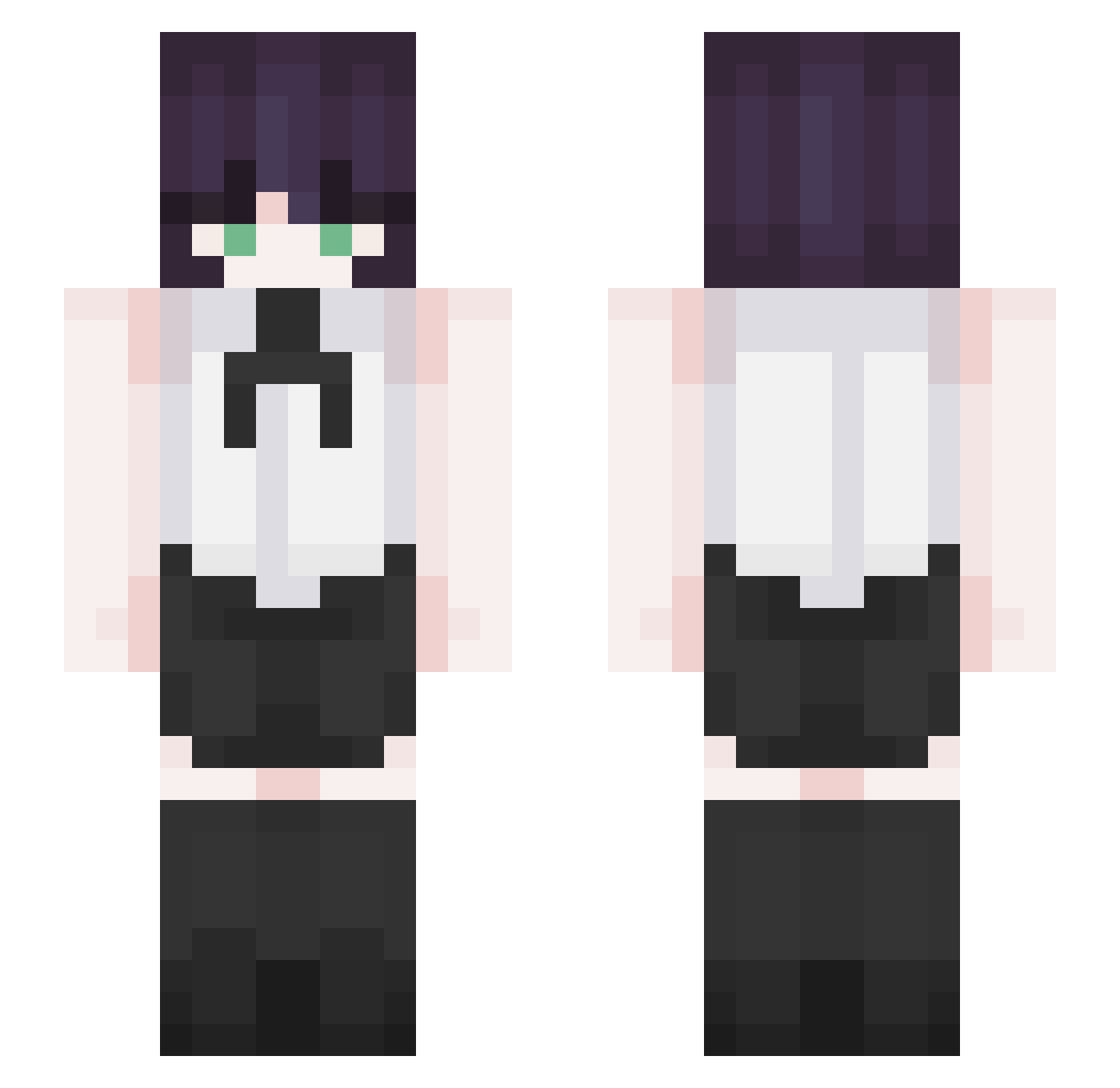
Current Minecraft skin of the player _makumu_, loaded from the official Mojang API. Rotate the 3D model with your mouse or finger, then download the skin as a PNG file and use it in Minecraft: Bedrock Edition or Java Edition for free. When _makumu_ changes their skin, this page updates automatically and the old skin stays in the history below.
Other players with this skin (348)
_makumu_ was the 342nd player we have seen with this skin, first spotted on 07.11.2026. The same skin was seen on these players. Open a nickname to see their current skin and skin history.
 CallMeRaffy bobbobsen123 D4_1D cielouwu _Daxing_ Taki0807 songhaeum Luvseokx lmartini2 CarlyDragmire letsgogo09 NMNNMMN Ran_A70 CumInsideMe 27w0 Nepppp13 ThighsMaster69 Poato_ robots_do Nomyen07 uuhaneul YGNDCKA R3nkai xhzms kailmalo suho777 5kared Nephtear_ Kuepoh Lautiguz YUJU___ White_eagle6 33ian benjaminchido ya_ddi_ri C1nnamonBun5 rezelik Oblvn_04 belegato jeong110213 yomids LegitRadio DingDong12 Sensitizing nateeinwza007 Mingyiiscool Mini_Brandon zArtxur AD_Carry Tofu___ kaste magmabuster123 momotooun pelaoordinario MuGay superauto26 Sp1e EZKAKA12 BeberBebida iiBlizzardSnow
More Makima Minecraft skins
How to install the _makumu_ skin
- Press the Download button above to save the skin as a PNG file.
- Minecraft: Bedrock Edition (PE): open the Dressing Room from the main menu (or tap your character → Edit Character), go to Classic Skins → Owned, press the + (new skin) button, choose the downloaded PNG and pick the Slim (Alex) model. Works on PC and mobile; consoles cannot import custom skins.
- Minecraft: Java Edition: open the Minecraft Launcher, go to the Skins tab, click New Skin, load the PNG, pick the Slim (Alex) model and press Save & Use. You can also upload it at minecraft.net → Profile → Change Skin.
The skin does not show up after import - what should I do?
Restart Minecraft and open the Dressing Room again - imported skins sometimes appear only after a restart. Also make sure you selected the imported skin and picked the Slim (Alex) model.
Which model should I choose, Classic or Slim?
This skin is designed for the Slim (Alex) model. If you pick the wrong model, the arms of the skin will look stretched or squeezed.
Is the skin of _makumu_ free to download?
Yes. Press Download, save the PNG file and use it in Minecraft: Bedrock Edition or Java Edition - no payment or registration needed. The skin also works on multiplayer servers and Realms.
More skins
Looking for more? Go back to all Minecraft skins and check the top skins of the week, month and all time, or find any player's skin by nickname.