
_Duvan_ - Minecraft Skins & Skin History
Current Minecraft skin of the player _Duvan_, loaded from the official Mojang API. Rotate the 3D model with your mouse or finger, then download the skin as a PNG file and use it in Minecraft: Bedrock Edition or Java Edition for free. When _Duvan_ changes their skin, this page updates automatically and the old skin stays in the history below.
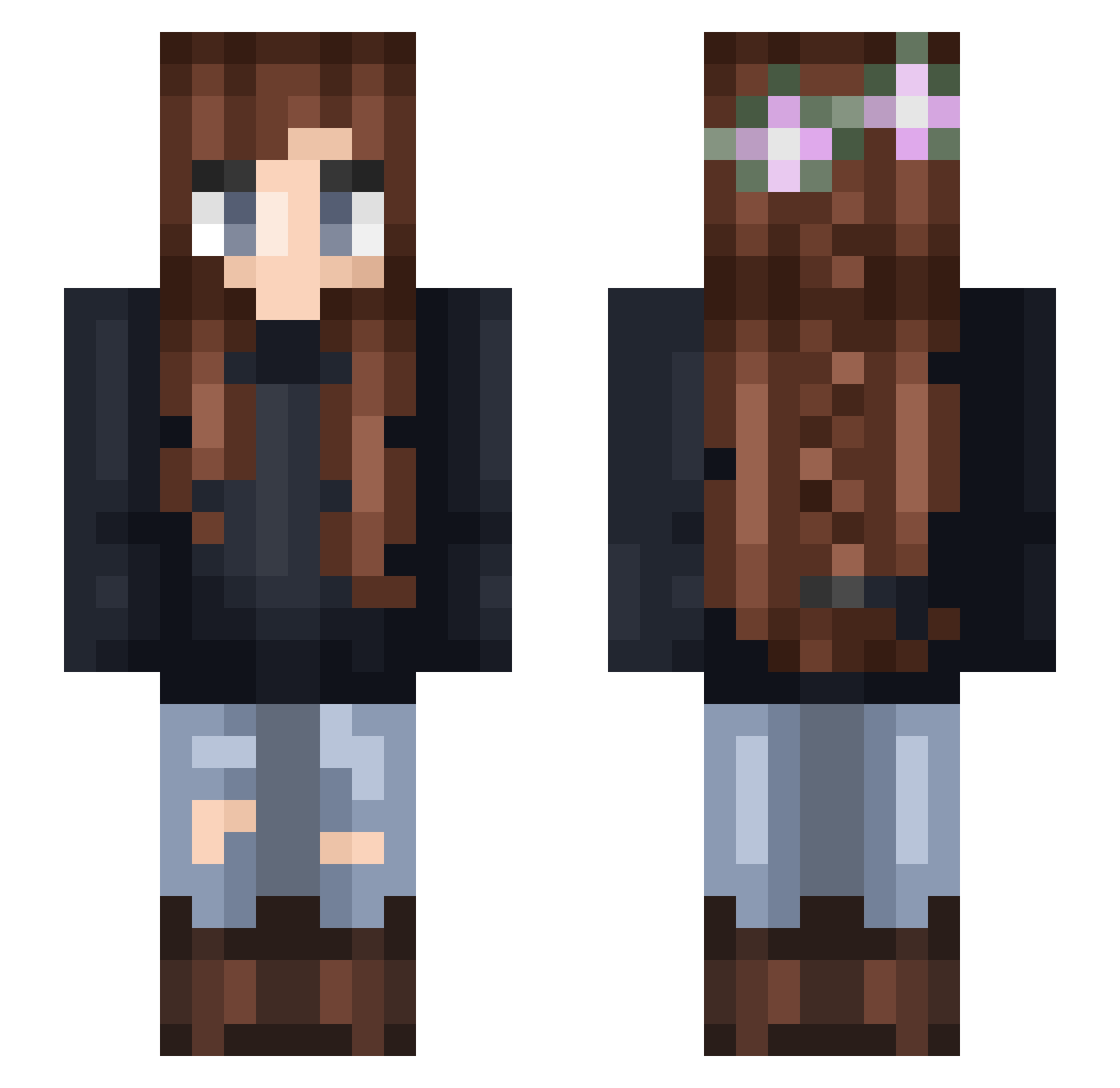
Other players with this skin (331)
_Duvan_ was the 270th player we have seen with this skin, first spotted on 22.10.2026. The same skin was seen on these players. Open a nickname to see their current skin and skin history.
 nimbuscloud132 AstridTedde1 kchaske pisces85 Tamzee Bob59942 Edmunds _Sigrid_ Immortelles Kreekey71 JoustieUnicorn AdelieSK DogShouterer yiyi1213 Ysseh Bear_Hugs_ CoockieButtt Xxdoglover476xX moostermaimai TesRob123 katerzz tritonboss dragongirl058 Wyllie31 creaturaignotus Dunnipoo KatesMoonLight BatAnnaD Failicia E_Lai Kat_In_The_Hat wild_bunny1 KevinRox11 lady_raincorn RogueWanderer anoukmxxxx Lonicera13 buddifaye21 Sw33tNothing Mintoti Sarahbonzo TheGreatSmith BluAshes Bellisia chan765 raddicalness Snibas Malinka03 hailey0807 madikubi TriggeredTro BettyMoonshine princess_della Mechacow Trilly450 Koejj90 Archie2101 DDeyron Mikabarbia HeyHeycoco
More Braid Minecraft skins
How to install the _Duvan_ skin
- Press the Download button above to save the skin as a PNG file.
- Minecraft: Bedrock Edition (PE): open the Dressing Room from the main menu (or tap your character → Edit Character), go to Classic Skins → Owned, press the + (new skin) button, choose the downloaded PNG and pick the Slim (Alex) model. Works on PC and mobile; consoles cannot import custom skins.
- Minecraft: Java Edition: open the Minecraft Launcher, go to the Skins tab, click New Skin, load the PNG, pick the Slim (Alex) model and press Save & Use. You can also upload it at minecraft.net → Profile → Change Skin.
The skin does not show up after import - what should I do?
Restart Minecraft and open the Dressing Room again - imported skins sometimes appear only after a restart. Also make sure you selected the imported skin and picked the Slim (Alex) model.
Which model should I choose, Classic or Slim?
This skin is designed for the Slim (Alex) model. If you pick the wrong model, the arms of the skin will look stretched or squeezed.
Is the skin of _Duvan_ free to download?
Yes. Press Download, save the PNG file and use it in Minecraft: Bedrock Edition or Java Edition - no payment or registration needed. The skin also works on multiplayer servers and Realms.
More skins
Looking for more? Go back to all Minecraft skins and check the top skins of the week, month and all time, or find any player's skin by nickname.