
Zorai - Minecraft Skins & Skin History
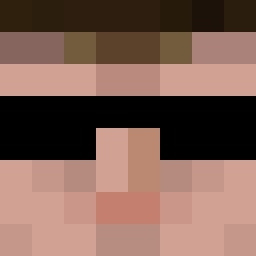
Current Minecraft skin of the player Zorai, loaded from the official Mojang API. Rotate the 3D model with your mouse or finger, then download the skin as a PNG file and use it in Minecraft: Bedrock Edition or Java Edition for free. When Zorai changes their skin, this page updates automatically and the old skin stays in the history below.

Other players with this skin (1177)
Zorai was the 1003rd player we have seen with this skin, first spotted on 26.10.2026. The same skin was seen on these players. Open a nickname to see their current skin and skin history.
 Rosslynch49 DTReelron oxSTICKxo stephenmg zyansuri RustungOFGod schris1991 CptSuicide piorunweb Dunatic08 AxenLuge macpapa05 IndianaGreen Th3rminator local_man18 _Celsius_ Promaster456 Hopguner Espressor DonBigly TimanttiTero jubaend CloneTrooper2187 DksElite kjempen01 PittorPeng Dalon_082003 Gary33gary_ nawa258 L3G3ND_HD PorcoRei Frankenjanis Frosch00 DadProft Gamer_Noah Lord__Burger BurniPix hhuang GeneralViolent xX__Andi__Xx LambentLizard PoisonPoptart gmazerogers Danthology Aquarism obsss Kalzlol Maugriin Acrdoan JordanH1992 Greenwhy blaahdjslh pewoorasy Riagon BHenson327 JooHyunAh WillSchuester w3ill Tarpalz big_moose99
More Agent 47 Minecraft skins
How to install the Zorai skin
- Press the Download button above to save the skin as a PNG file.
- Minecraft: Bedrock Edition (PE): open the Dressing Room from the main menu (or tap your character → Edit Character), go to Classic Skins → Owned, press the + (new skin) button, choose the downloaded PNG and pick the Classic (Steve) model. Works on PC and mobile; consoles cannot import custom skins.
- Minecraft: Java Edition: open the Minecraft Launcher, go to the Skins tab, click New Skin, load the PNG, pick the Classic (Steve) model and press Save & Use. You can also upload it at minecraft.net → Profile → Change Skin.
The skin does not show up after import - what should I do?
Restart Minecraft and open the Dressing Room again - imported skins sometimes appear only after a restart. Also make sure you selected the imported skin and picked the Classic (Steve) model.
Which model should I choose, Classic or Slim?
This skin is designed for the Classic (Steve) model. If you pick the wrong model, the arms of the skin will look stretched or squeezed.
Is the skin of Zorai free to download?
Yes. Press Download, save the PNG file and use it in Minecraft: Bedrock Edition or Java Edition - no payment or registration needed. The skin also works on multiplayer servers and Realms.
More skins
Looking for more? Go back to all Minecraft skins and check the top skins of the week, month and all time, or find any player's skin by nickname.