
Zijandzija - Minecraft Skins & Skin History
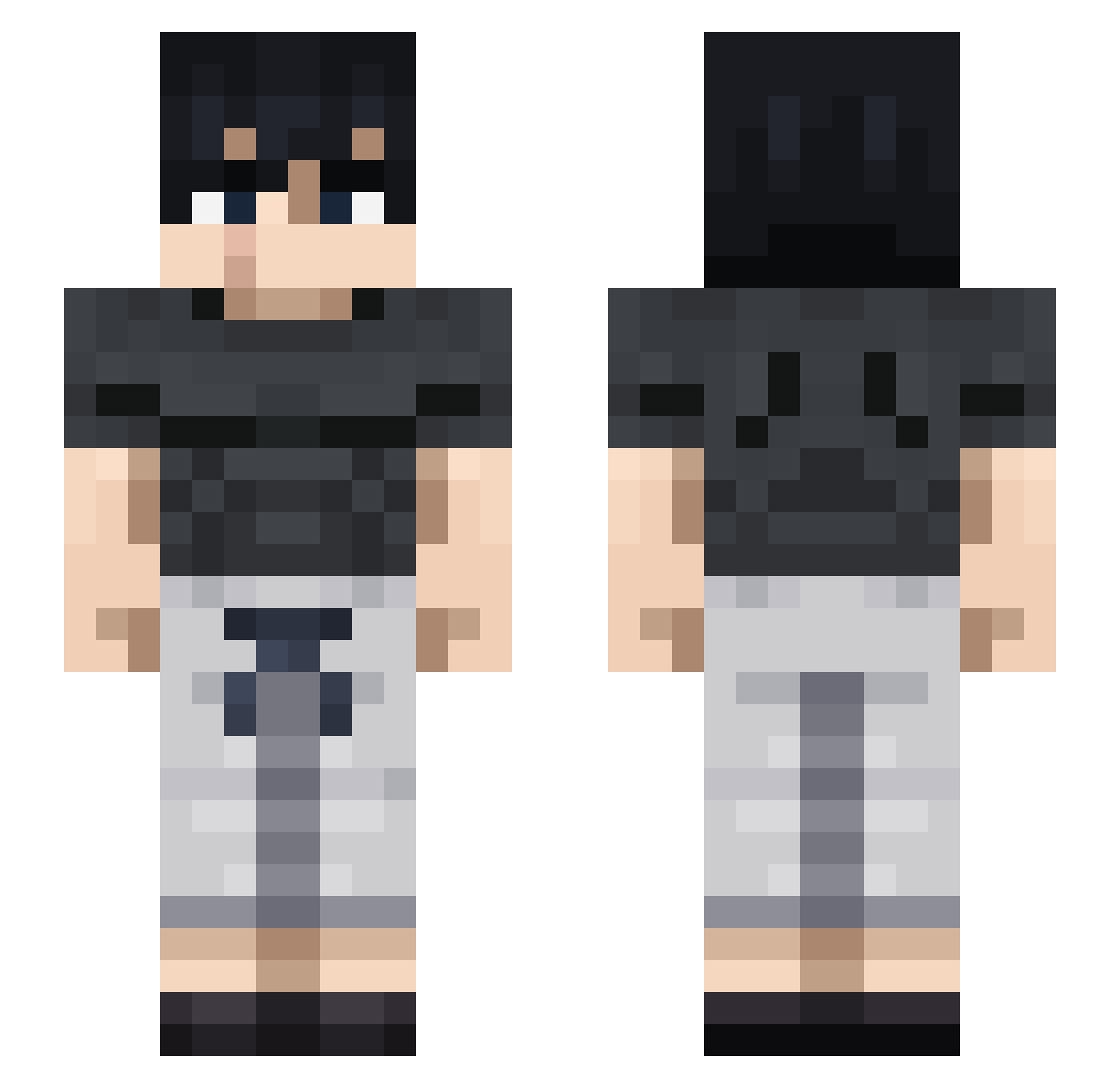
Current Minecraft skin of the player Zijandzija, loaded from the official Mojang API. Rotate the 3D model with your mouse or finger, then download the skin as a PNG file and use it in Minecraft: Bedrock Edition or Java Edition for free. When Zijandzija changes their skin, this page updates automatically and the old skin stays in the history below.
Other players with this skin (865)
Zijandzija was the 713th player we have seen with this skin, first spotted on 21.10.2026. The same skin was seen on these players. Open a nickname to see their current skin and skin history.
 Treycar28 PotatoFlow Stain32 Manolkata alexthnotsogreat IYutaOkkotsuI Ultimate_Wolff MAMMME CZFRAIN97 The_Killer_Q kidplayer10 DKRR_21 Vincent67 Alro9720 Cloudyrz Naoshigeru ____Ventus____ Majinrazor classicalkim SumiMitch GhOsT20904 tojiii07 DrFluffenstein carlycakes95 nettos B1g_Unc KarasuMC Toibenias D4LAGADU carrionyx BraebyBraeby Devi0uss Deynno Dinkleberg2 theonlyRomeo Kan0S SeriousKaZ WitherWilliam02 D0wwnut MadHat3321 Leonel0114 Th3_H3k korohe1 SAWWWWW Valexone Rebzzyxlover Rodey12 Sibrent Astianplay YImanou123 Cookiecrumbs01 yaoiuwu _Greek_ LilToji LM_HG01 gjiin Vo1D_Extract Its_EVER_Ardo Doc_Hxliday SlasHanskY
More Casual Minecraft skins
How to install the Zijandzija skin
- Press the Download button above to save the skin as a PNG file.
- Minecraft: Bedrock Edition (PE): open the Dressing Room from the main menu (or tap your character → Edit Character), go to Classic Skins → Owned, press the + (new skin) button, choose the downloaded PNG and pick the Slim (Alex) model. Works on PC and mobile; consoles cannot import custom skins.
- Minecraft: Java Edition: open the Minecraft Launcher, go to the Skins tab, click New Skin, load the PNG, pick the Slim (Alex) model and press Save & Use. You can also upload it at minecraft.net → Profile → Change Skin.
The skin does not show up after import - what should I do?
Restart Minecraft and open the Dressing Room again - imported skins sometimes appear only after a restart. Also make sure you selected the imported skin and picked the Slim (Alex) model.
Which model should I choose, Classic or Slim?
This skin is designed for the Slim (Alex) model. If you pick the wrong model, the arms of the skin will look stretched or squeezed.
Is the skin of Zijandzija free to download?
Yes. Press Download, save the PNG file and use it in Minecraft: Bedrock Edition or Java Edition - no payment or registration needed. The skin also works on multiplayer servers and Realms.
More skins
Looking for more? Go back to all Minecraft skins and check the top skins of the week, month and all time, or find any player's skin by nickname.