
ZeeyaG - Minecraft Skins & Skin History
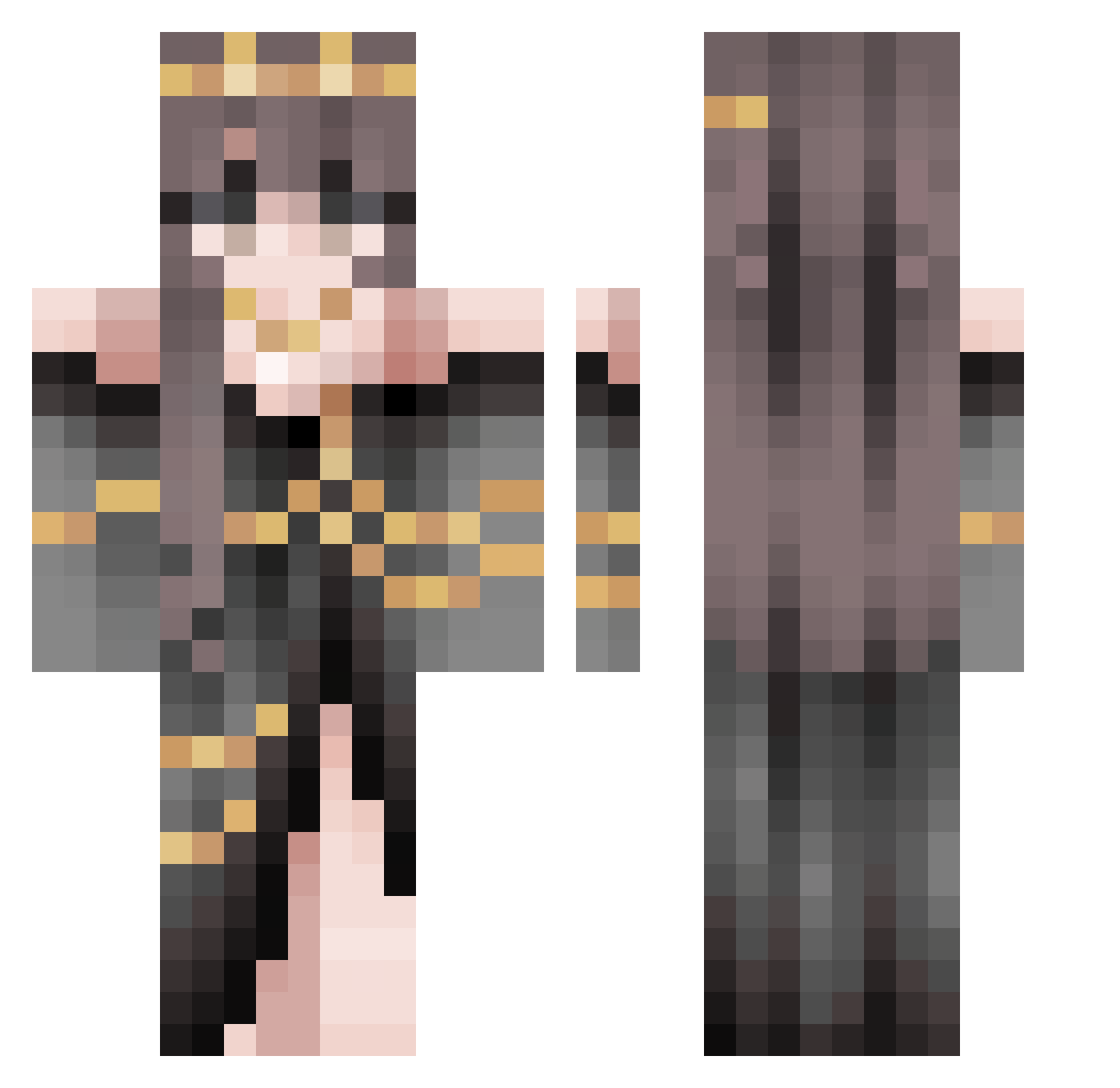
Current Minecraft skin of the player ZeeyaG, loaded from the official Mojang API. Rotate the 3D model with your mouse or finger, then download the skin as a PNG file and use it in Minecraft: Bedrock Edition or Java Edition for free. When ZeeyaG changes their skin, this page updates automatically and the old skin stays in the history below.
Other players with this skin (653)
ZeeyaG was the 617th player we have seen with this skin, first spotted on 07.11.2026. The same skin was seen on these players. Open a nickname to see their current skin and skin history.
 Larasasa12 nyx_doingurmom SaabSonett dramanick420 Maku1903212 Elysium930 Hany772 CharlieCoxxx bloodAhri Cutepig237 kyul2 _Laura_H innxvee _NicoE honeycombba galou22 krbritton11 RickLuisi Trudyunicorn UsagiMayumi Bianku23 Lillith08 ketiinminecraft bocchi68 ShrimpWizard_ bxkut0 Luoyun1577 Natspat6 __Kammy__ MiinieVN Hausschwein_ C1lt hachimimoge DrPepperLuvvr Clericalism rikkiirosee Liv_SweetBee goldfishcrackuhs 0RANUI Bielzin_Panda rayballin SofiaH2R Xlymm Silly_00 WII_KII Imperatrice49 GitztheHedegehog Keeperot polarmzbear szpoe Pop_Art Kirisakki Zariess Niickiii CookieGal3 Astr0logically felinoo Szczur11 remusli xxEmiiixx
More Gold Jewelry Minecraft skins
How to install the ZeeyaG skin
- Press the Download button above to save the skin as a PNG file.
- Minecraft: Bedrock Edition (PE): open the Dressing Room from the main menu (or tap your character → Edit Character), go to Classic Skins → Owned, press the + (new skin) button, choose the downloaded PNG and pick the Classic (Steve) model. Works on PC and mobile; consoles cannot import custom skins.
- Minecraft: Java Edition: open the Minecraft Launcher, go to the Skins tab, click New Skin, load the PNG, pick the Classic (Steve) model and press Save & Use. You can also upload it at minecraft.net → Profile → Change Skin.
The skin does not show up after import - what should I do?
Restart Minecraft and open the Dressing Room again - imported skins sometimes appear only after a restart. Also make sure you selected the imported skin and picked the Classic (Steve) model.
Which model should I choose, Classic or Slim?
This skin is designed for the Classic (Steve) model. If you pick the wrong model, the arms of the skin will look stretched or squeezed.
Is the skin of ZeeyaG free to download?
Yes. Press Download, save the PNG file and use it in Minecraft: Bedrock Edition or Java Edition - no payment or registration needed. The skin also works on multiplayer servers and Realms.
More skins
Looking for more? Go back to all Minecraft skins and check the top skins of the week, month and all time, or find any player's skin by nickname.