
Zarbi_ - Minecraft Skins & Skin History
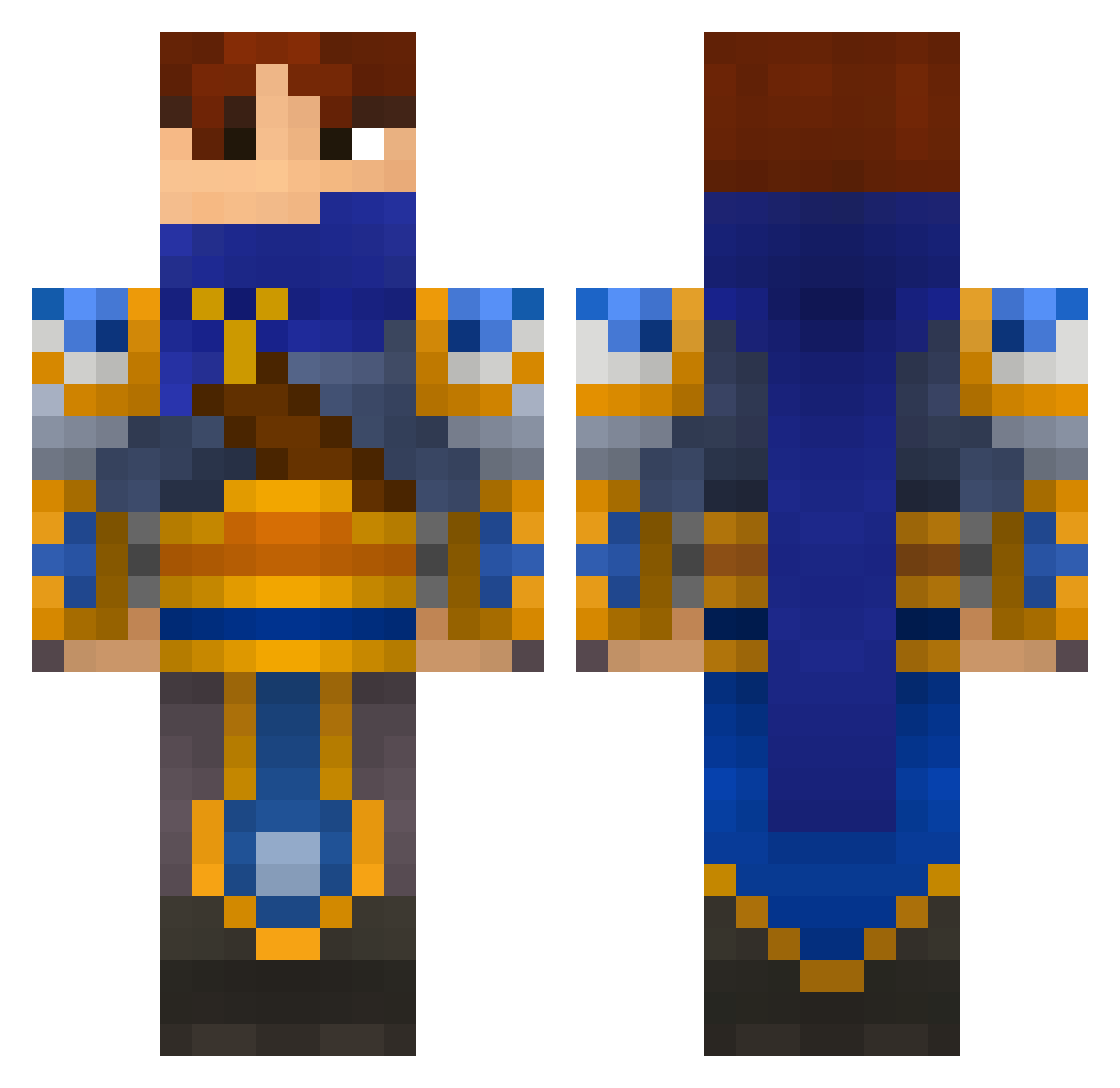
Current Minecraft skin of the player Zarbi_, loaded from the official Mojang API. Rotate the 3D model with your mouse or finger, then download the skin as a PNG file and use it in Minecraft: Bedrock Edition or Java Edition for free. When Zarbi_ changes their skin, this page updates automatically and the old skin stays in the history below.
Other players with this skin (170)
Zarbi_ was the 131st player we have seen with this skin, first spotted on 17.10.2026. The same skin was seen on these players. Open a nickname to see their current skin and skin history.
 Cinglupied SirSaintSnake Mesl IMinksyI Lincoln7 Zilmere Scrunch2101 Chris_zzj Shanks_LR WearyWarrior01 Mjkhh linxuan66 VanCJ ngsiong95 CaiXuKunNie CMD_OP Rhodeyy Syllurian BellRose19 PyleVshyx MsRoums CB_Hank Nuguri sumjunny SnappyTaren9 fuqingxxx OverlordG Z_Bones Molencraft ttdburnout Devanshyla ayumen11 AerosStealth overlord101400 eRqiu LordTheldon Nida_lai_lama BotPoro DingDingMao Casro Clementinese MrDincht yunihunisimi woojking dobbry Bencaz Rewaaa CipherGears Winni1986 asdfasfsafsadfsa ddubeogi mmk165 Liu_222 Khead_Z Raduo o_ORespect yIgorK1ller Qwelessia TAKEADUMPPP Holodrevm
More Fantasy Minecraft skins
How to install the Zarbi_ skin
- Press the Download button above to save the skin as a PNG file.
- Minecraft: Bedrock Edition (PE): open the Dressing Room from the main menu (or tap your character → Edit Character), go to Classic Skins → Owned, press the + (new skin) button, choose the downloaded PNG and pick the Classic (Steve) model. Works on PC and mobile; consoles cannot import custom skins.
- Minecraft: Java Edition: open the Minecraft Launcher, go to the Skins tab, click New Skin, load the PNG, pick the Classic (Steve) model and press Save & Use. You can also upload it at minecraft.net → Profile → Change Skin.
The skin does not show up after import - what should I do?
Restart Minecraft and open the Dressing Room again - imported skins sometimes appear only after a restart. Also make sure you selected the imported skin and picked the Classic (Steve) model.
Which model should I choose, Classic or Slim?
This skin is designed for the Classic (Steve) model. If you pick the wrong model, the arms of the skin will look stretched or squeezed.
Is the skin of Zarbi_ free to download?
Yes. Press Download, save the PNG file and use it in Minecraft: Bedrock Edition or Java Edition - no payment or registration needed. The skin also works on multiplayer servers and Realms.
More skins
Looking for more? Go back to all Minecraft skins and check the top skins of the week, month and all time, or find any player's skin by nickname.