
Yamada_Ryo - Minecraft Skins & Skin History
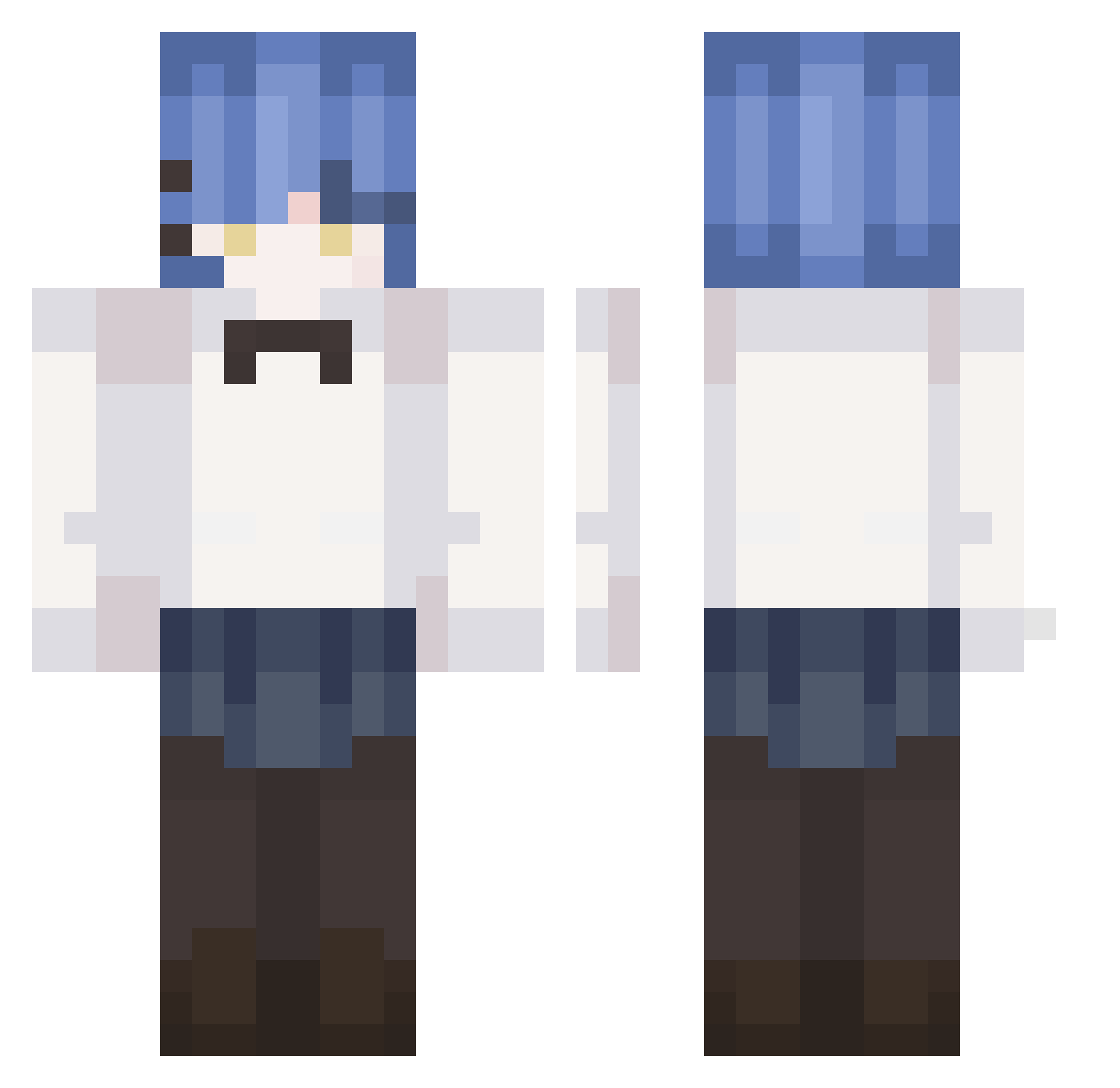
Current Minecraft skin of the player Yamada_Ryo, loaded from the official Mojang API. Rotate the 3D model with your mouse or finger, then download the skin as a PNG file and use it in Minecraft: Bedrock Edition or Java Edition for free. When Yamada_Ryo changes their skin, this page updates automatically and the old skin stays in the history below.
Other players with this skin (319)
Yamada_Ryo was the 259th player we have seen with this skin, first spotted on 24.10.2026. The same skin was seen on these players. Open a nickname to see their current skin and skin history.
 Atarot ha0511 ghmvuu voobzen _mu_lin_ SweetHoneyDoe piohu mint_kun panabo555 wyxlyc0203 yuk1gumo_054 LLWJKR midnighxt david1431 Kino1988 oSnapchat blaine2da Saines0 Lightz_7 lolypop342 nyamelody AlexYangCN mood124 pvpss Yami314 Pelus69 xixian0606 Reiya_tv Just_Shade_ liang6666666666 zeromw1015 z3n5y itz0reo SuperJogooooooo fukunaga_m Jellyousfish BIG_DK_NG Rxfael given0718 greatrivers nicerat CNGamer MacrosV1 Alfrdd_24 Burninaki iiRyo JAEGER002 Pinguloverr yojakura shuanghuakaigang Miryuo MARCO25128 Data_deletion gilwung Oroide Sakukoroni akuyaki GAO_WONG Kore_Dayo NoobProHacker69
More Rem Minecraft skins
How to install the Yamada_Ryo skin
- Press the Download button above to save the skin as a PNG file.
- Minecraft: Bedrock Edition (PE): open the Dressing Room from the main menu (or tap your character → Edit Character), go to Classic Skins → Owned, press the + (new skin) button, choose the downloaded PNG and pick the Classic (Steve) model. Works on PC and mobile; consoles cannot import custom skins.
- Minecraft: Java Edition: open the Minecraft Launcher, go to the Skins tab, click New Skin, load the PNG, pick the Classic (Steve) model and press Save & Use. You can also upload it at minecraft.net → Profile → Change Skin.
The skin does not show up after import - what should I do?
Restart Minecraft and open the Dressing Room again - imported skins sometimes appear only after a restart. Also make sure you selected the imported skin and picked the Classic (Steve) model.
Which model should I choose, Classic or Slim?
This skin is designed for the Classic (Steve) model. If you pick the wrong model, the arms of the skin will look stretched or squeezed.
Is the skin of Yamada_Ryo free to download?
Yes. Press Download, save the PNG file and use it in Minecraft: Bedrock Edition or Java Edition - no payment or registration needed. The skin also works on multiplayer servers and Realms.
More skins
Looking for more? Go back to all Minecraft skins and check the top skins of the week, month and all time, or find any player's skin by nickname.