
XxLuNaRxX - Minecraft Skins & Skin History
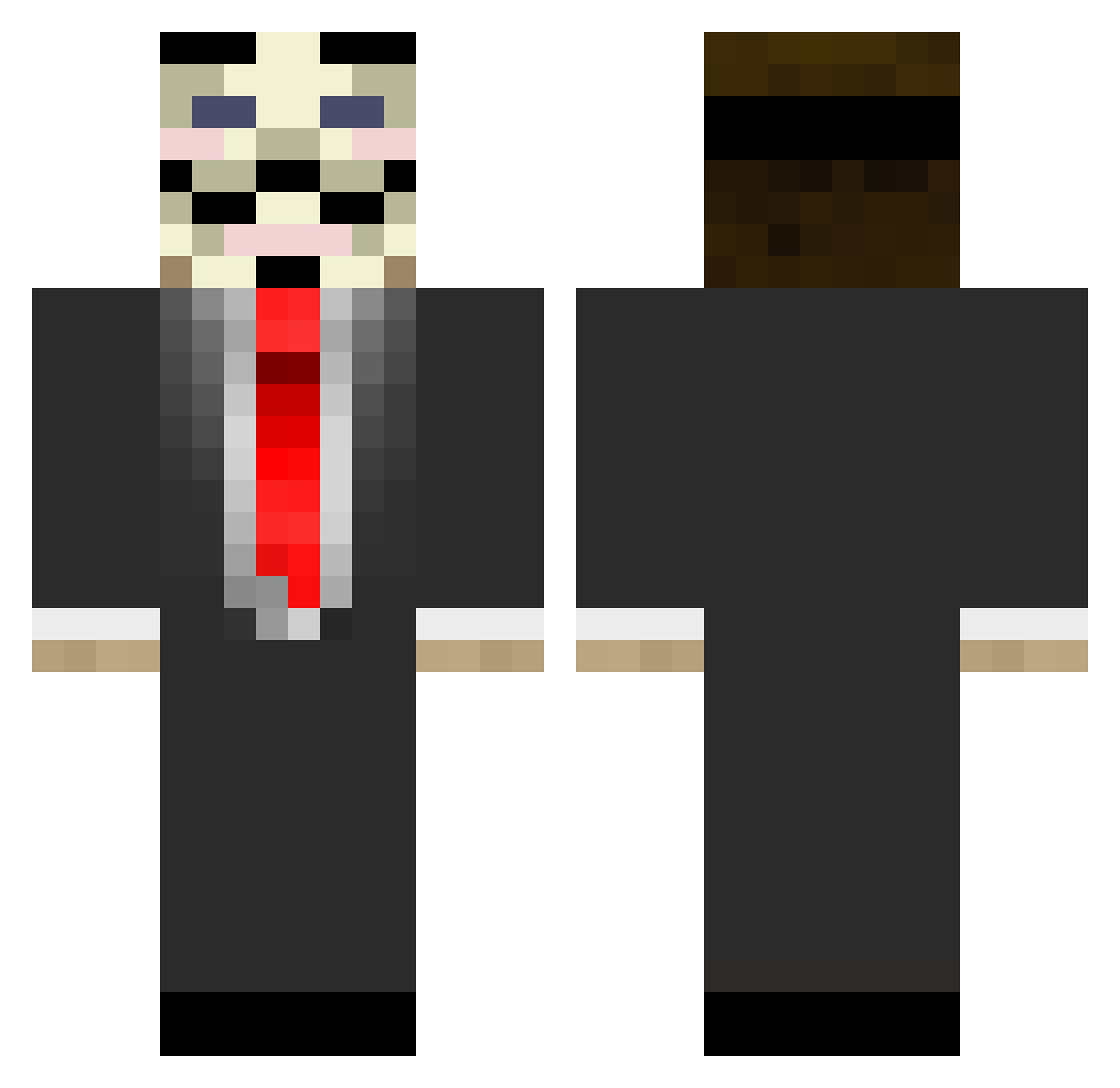
Current Minecraft skin of the player XxLuNaRxX, loaded from the official Mojang API. Rotate the 3D model with your mouse or finger, then download the skin as a PNG file and use it in Minecraft: Bedrock Edition or Java Edition for free. When XxLuNaRxX changes their skin, this page updates automatically and the old skin stays in the history below.
Other players with this skin (882)
XxLuNaRxX was the 784th player we have seen with this skin, first spotted on 31.10.2026. The same skin was seen on these players. Open a nickname to see their current skin and skin history.
 irisheagle34 ToxicTrooper jimjimjaroo100 minesylle OpTicMather NevoPlays johncobb4 PPOP05 IS4GAMING dommygreen mact_96 Wogstenbroodje 40AsLaN40 mellowcraft210 retecer bman320 ERAAANNNNNN Mocfy ildovdb the_epic_unicorn styrkevarg Kymareas Pixel98 wissymac Killcrip alperenkiler matty1919 DrPsilo ToastyGuitar tigerclaw007 MrCreamFTW gustaf958 micoher Angrypinguin felixfixen trakkerx Krikke Vince_Wings KHPRODZ T3ddybeer Jewbixcube2 Mippo7 jerm1390 CookieCraftingHD roarfgoul TheRussianPro Primusideus Nitroflash360 Croone76 alexenergy MagnetiK_R3d rito117 EvilBlack fragzcore viizion_burn Gorby_ HelpMeAimPlz Unknowwwn Joshy_boy1377 chicken2077
More V For Vendetta Minecraft skins
See all 315 V For Vendetta skins
How to install the XxLuNaRxX skin
- Press the Download button above to save the skin as a PNG file.
- Minecraft: Bedrock Edition (PE): open the Dressing Room from the main menu (or tap your character → Edit Character), go to Classic Skins → Owned, press the + (new skin) button, choose the downloaded PNG and pick the Classic (Steve) model. Works on PC and mobile; consoles cannot import custom skins.
- Minecraft: Java Edition: open the Minecraft Launcher, go to the Skins tab, click New Skin, load the PNG, pick the Classic (Steve) model and press Save & Use. You can also upload it at minecraft.net → Profile → Change Skin.
The skin does not show up after import - what should I do?
Restart Minecraft and open the Dressing Room again - imported skins sometimes appear only after a restart. Also make sure you selected the imported skin and picked the Classic (Steve) model.
Which model should I choose, Classic or Slim?
This skin is designed for the Classic (Steve) model. If you pick the wrong model, the arms of the skin will look stretched or squeezed.
Is the skin of XxLuNaRxX free to download?
Yes. Press Download, save the PNG file and use it in Minecraft: Bedrock Edition or Java Edition - no payment or registration needed. The skin also works on multiplayer servers and Realms.
More skins
Looking for more? Go back to all Minecraft skins and check the top skins of the week, month and all time, or find any player's skin by nickname.