
Xstera - Minecraft Skins & Skin History
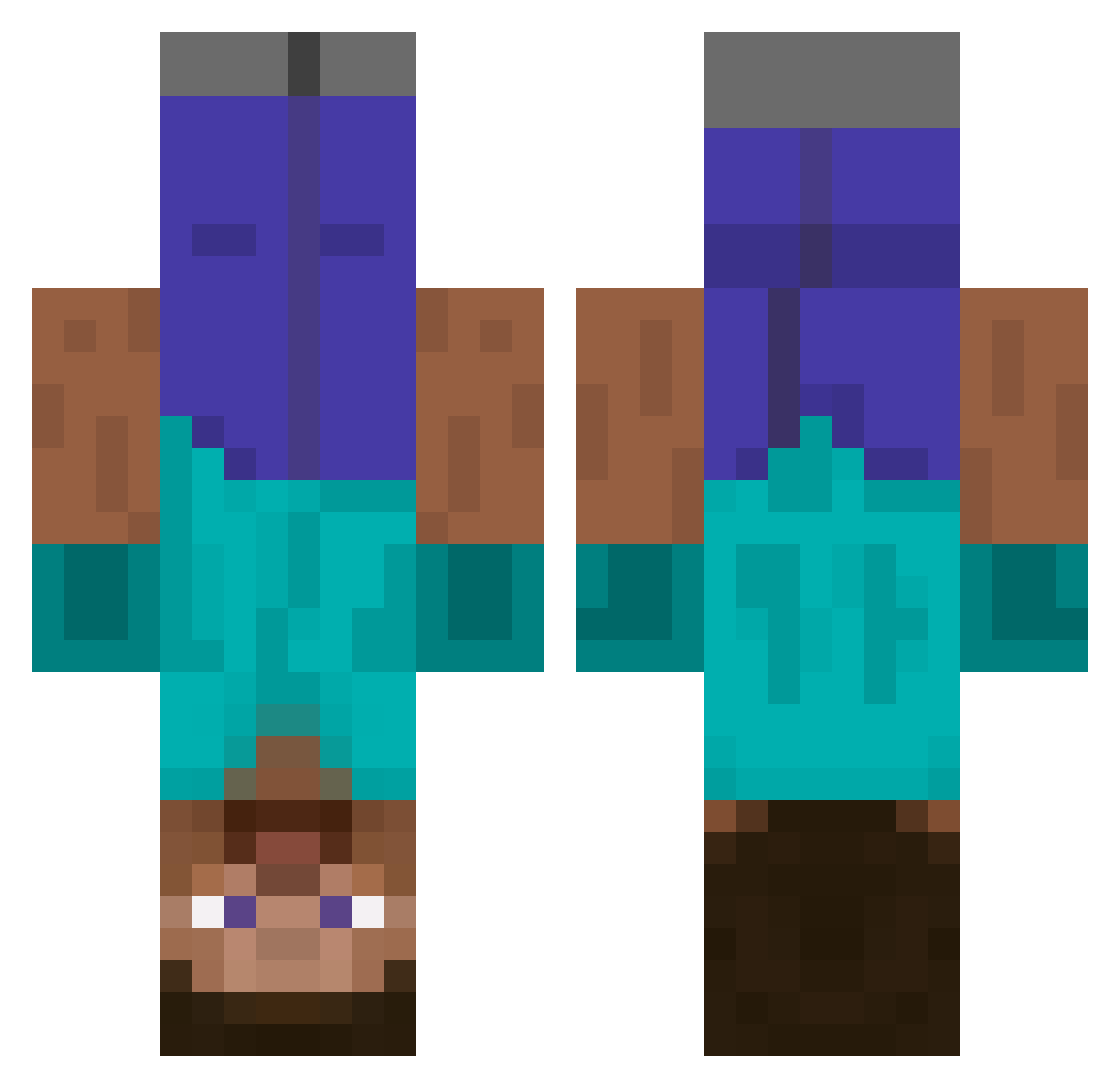
Current Minecraft skin of the player Xstera, loaded from the official Mojang API. Rotate the 3D model with your mouse or finger, then download the skin as a PNG file and use it in Minecraft: Bedrock Edition or Java Edition for free. When Xstera changes their skin, this page updates automatically and the old skin stays in the history below.
Other players with this skin (672)
Xstera was the 521st player we have seen with this skin, first spotted on 21.10.2026. The same skin was seen on these players. Open a nickname to see their current skin and skin history.
 razorrider7 Skigma ToesToBar Syachi__ xCrev Gunk___ xperus muffinbakerna ArgonRain Alhoria JoeViking15000 Pigsnoot SalaOG Volt_s Meerkatus hopeless_egg Treqb YYYHH VDolaa GLOOMzie goeun_0218 astro_killz1 k7771 Rumpapetteri ARTY4828 MetalManni gnejtivaraw latvianru JetroZ Kumkwat420 Rouviho Hung17 HomiMiranha ya_bober Sou_pro Bertiandme Hauntee zwartesoma lemicess Apollo029029 JIUJIUOvO chance_bennet Ullur Villads1605 costa504 superotto47 RoiDagobert SweatyTarts13 GGagg sanghun1024 TheMushroom_King dkdrlahep Nilhux Vulga Toni1020 wsmzd Sechivin snyso LuLuIsOn9 yeoboseyou
More Dinnerbone Minecraft skins
How to install the Xstera skin
- Press the Download button above to save the skin as a PNG file.
- Minecraft: Bedrock Edition (PE): open the Dressing Room from the main menu (or tap your character → Edit Character), go to Classic Skins → Owned, press the + (new skin) button, choose the downloaded PNG and pick the Classic (Steve) model. Works on PC and mobile; consoles cannot import custom skins.
- Minecraft: Java Edition: open the Minecraft Launcher, go to the Skins tab, click New Skin, load the PNG, pick the Classic (Steve) model and press Save & Use. You can also upload it at minecraft.net → Profile → Change Skin.
The skin does not show up after import - what should I do?
Restart Minecraft and open the Dressing Room again - imported skins sometimes appear only after a restart. Also make sure you selected the imported skin and picked the Classic (Steve) model.
Which model should I choose, Classic or Slim?
This skin is designed for the Classic (Steve) model. If you pick the wrong model, the arms of the skin will look stretched or squeezed.
Is the skin of Xstera free to download?
Yes. Press Download, save the PNG file and use it in Minecraft: Bedrock Edition or Java Edition - no payment or registration needed. The skin also works on multiplayer servers and Realms.
More skins
Looking for more? Go back to all Minecraft skins and check the top skins of the week, month and all time, or find any player's skin by nickname.