
Woldus_12 - Minecraft Skins & Skin History
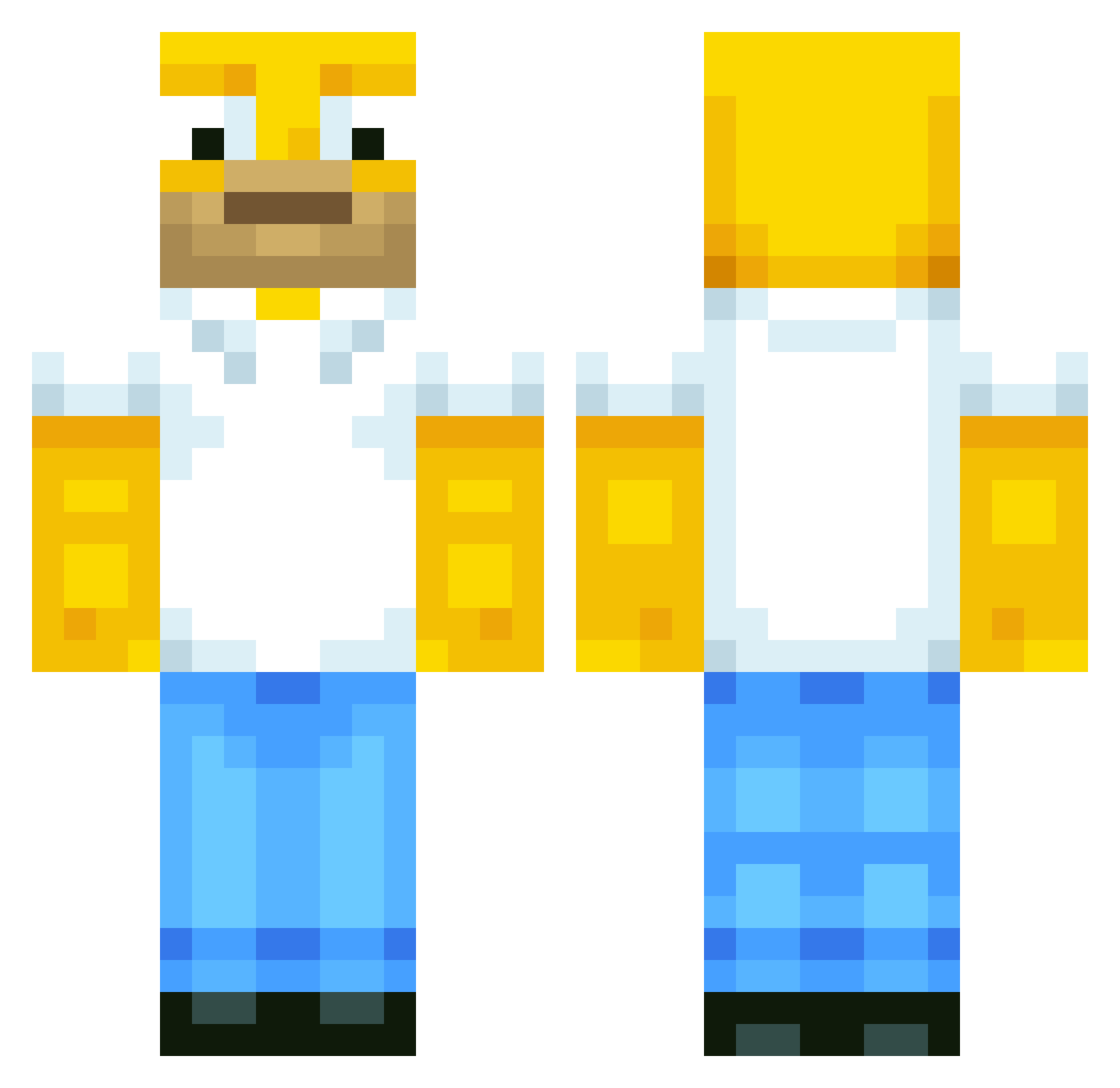
Current Minecraft skin of the player Woldus_12, loaded from the official Mojang API. Rotate the 3D model with your mouse or finger, then download the skin as a PNG file and use it in Minecraft: Bedrock Edition or Java Edition for free. When Woldus_12 changes their skin, this page updates automatically and the old skin stays in the history below.
Other players with this skin (658)
Woldus_12 was the 605th player we have seen with this skin, first spotted on 03.11.2026. The same skin was seen on these players. Open a nickname to see their current skin and skin history.
 daxxyboy Gladerius tossedcupid Decade12 Yasskrafter DavidR14 PITER10 thepetercatcher awesomeguy392345 BigRego DragonPatate Sojuadri Manna1903 _Silly_Ducky_ spacetime1331 sully3636 Broadnigh123 tattoomadness bart6090 HeiDeBra Ullysse31 Humorous_Cows 5553000 Baconlover12341 barkus23 fetusberry PlakDaddy QuinnPKS Asho3000 Equalkiller kimsem_kalmadi klyle_69 yoll78 sinren2000 TheMarcoPolo qarts10 dezentMC KingSkillzMC thirdtimelucky Remco123 BluBunny22 fireballfarts Kaner2701 fisherskills Luundz TheJumper4 noaz2002 25dakota25 alexandre0126 tofyfy LemonRice golfguy72 NATANO2000 LonelyFart wahwah2 OhhAscend kRiZii bro_trump Firetruck115115 frazze1000
More Homer Simpson Minecraft skins
See all 335 Homer Simpson skins
How to install the Woldus_12 skin
- Press the Download button above to save the skin as a PNG file.
- Minecraft: Bedrock Edition (PE): open the Dressing Room from the main menu (or tap your character → Edit Character), go to Classic Skins → Owned, press the + (new skin) button, choose the downloaded PNG and pick the Classic (Steve) model. Works on PC and mobile; consoles cannot import custom skins.
- Minecraft: Java Edition: open the Minecraft Launcher, go to the Skins tab, click New Skin, load the PNG, pick the Classic (Steve) model and press Save & Use. You can also upload it at minecraft.net → Profile → Change Skin.
The skin does not show up after import - what should I do?
Restart Minecraft and open the Dressing Room again - imported skins sometimes appear only after a restart. Also make sure you selected the imported skin and picked the Classic (Steve) model.
Which model should I choose, Classic or Slim?
This skin is designed for the Classic (Steve) model. If you pick the wrong model, the arms of the skin will look stretched or squeezed.
Is the skin of Woldus_12 free to download?
Yes. Press Download, save the PNG file and use it in Minecraft: Bedrock Edition or Java Edition - no payment or registration needed. The skin also works on multiplayer servers and Realms.
More skins
Looking for more? Go back to all Minecraft skins and check the top skins of the week, month and all time, or find any player's skin by nickname.