
WheezingCorgi - Minecraft Skins & Skin History
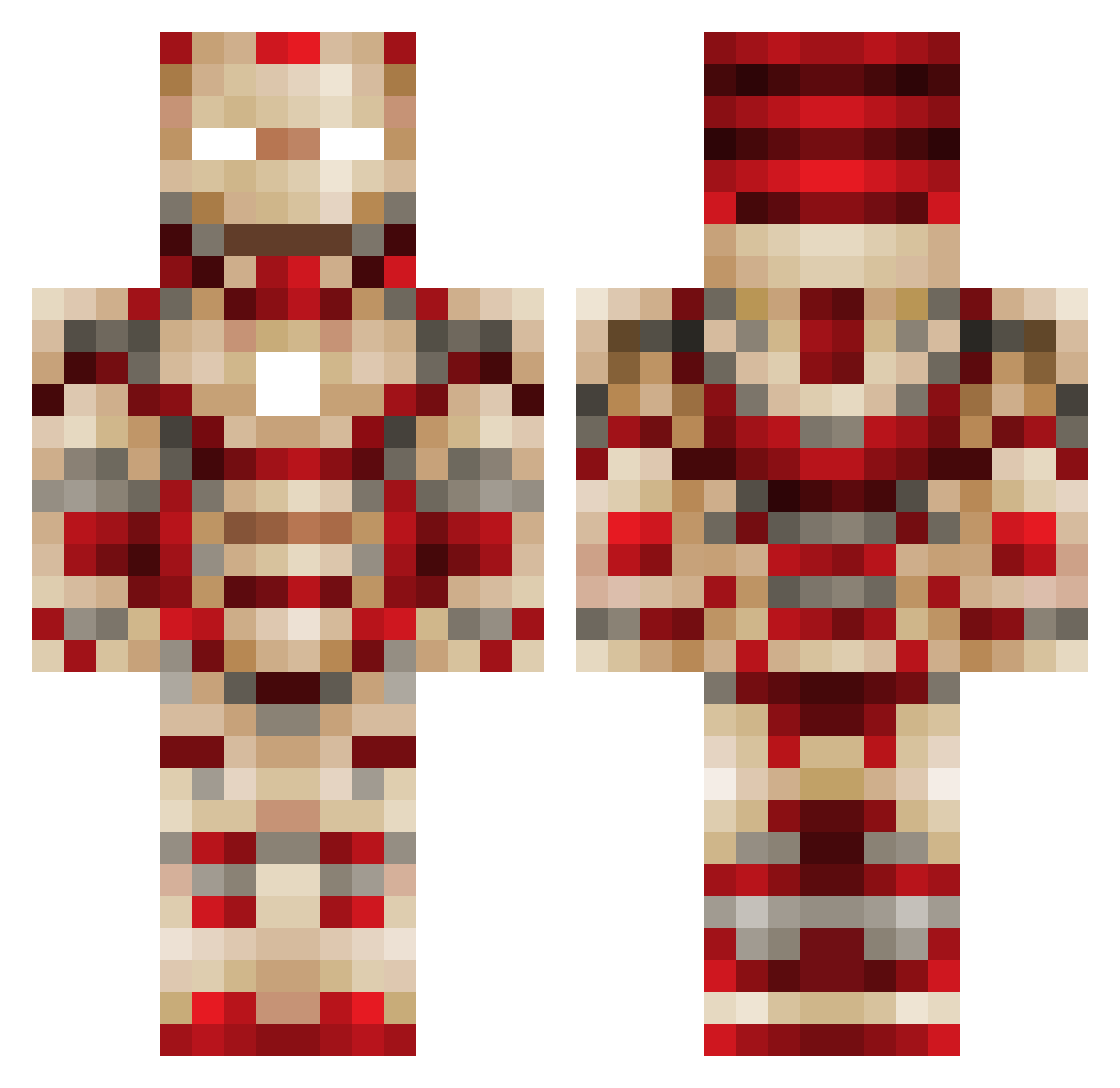
Current Minecraft skin of the player WheezingCorgi, loaded from the official Mojang API. Rotate the 3D model with your mouse or finger, then download the skin as a PNG file and use it in Minecraft: Bedrock Edition or Java Edition for free. When WheezingCorgi changes their skin, this page updates automatically and the old skin stays in the history below.
Other players with this skin (561)
WheezingCorgi was the 535th player we have seen with this skin, first spotted on 03.11.2026. The same skin was seen on these players. Open a nickname to see their current skin and skin history.
 SpiderManSu LoneRelentless ironnica Rodus95 CHEESE0408 Zay1738 Blassst Master_GOOGOO joseph6477 lemonheader Louie654321 localsadboy lego9606 will_oakes grafmax21 SHDai WarpathWarrior1 nederbone22 EasyEv11 Drewsy98 qwerty4030 sarcasticbomber Exx3 EnderDiamond55 basketboy6 Bassxzero2 BestCrafter1997 Mystic_Box skysunmoon SauerkrautFish Nikita_lox Rytupiop rynotheherbavour Cross_Craft Spiderman0603 gangastar25567 xEtnies BossNinjafied joshcurtis2000 NicoShawn Ironboy6301 GREENO_2012 sonnnig KGradyN extremepirate101 jdmcnett yosez Corny1101 Cybercoder1632 Adrisuch swiz27 CapnR3x Wrathen ISTAYWOKE joker9210 bok5339 jasafighter88 LittleMoisty QuetzalMC BlipME
More Iron Man Minecraft skins
How to install the WheezingCorgi skin
- Press the Download button above to save the skin as a PNG file.
- Minecraft: Bedrock Edition (PE): open the Dressing Room from the main menu (or tap your character → Edit Character), go to Classic Skins → Owned, press the + (new skin) button, choose the downloaded PNG and pick the Classic (Steve) model. Works on PC and mobile; consoles cannot import custom skins.
- Minecraft: Java Edition: open the Minecraft Launcher, go to the Skins tab, click New Skin, load the PNG, pick the Classic (Steve) model and press Save & Use. You can also upload it at minecraft.net → Profile → Change Skin.
The skin does not show up after import - what should I do?
Restart Minecraft and open the Dressing Room again - imported skins sometimes appear only after a restart. Also make sure you selected the imported skin and picked the Classic (Steve) model.
Which model should I choose, Classic or Slim?
This skin is designed for the Classic (Steve) model. If you pick the wrong model, the arms of the skin will look stretched or squeezed.
Is the skin of WheezingCorgi free to download?
Yes. Press Download, save the PNG file and use it in Minecraft: Bedrock Edition or Java Edition - no payment or registration needed. The skin also works on multiplayer servers and Realms.
More skins
Looking for more? Go back to all Minecraft skins and check the top skins of the week, month and all time, or find any player's skin by nickname.