
Wesleyhandsome - Minecraft Skins & Skin History
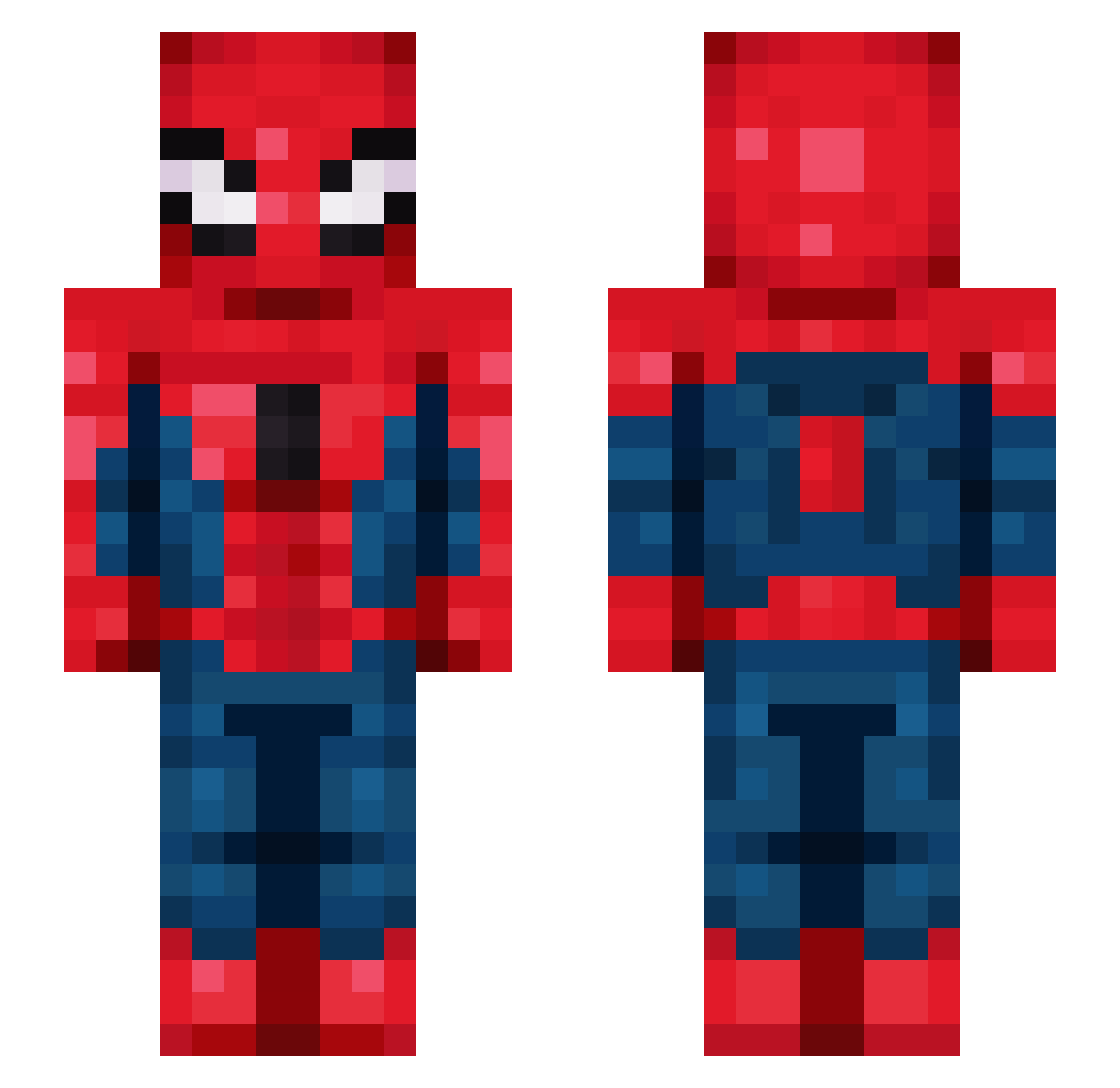
Current Minecraft skin of the player Wesleyhandsome, loaded from the official Mojang API. Rotate the 3D model with your mouse or finger, then download the skin as a PNG file and use it in Minecraft: Bedrock Edition or Java Edition for free. When Wesleyhandsome changes their skin, this page updates automatically and the old skin stays in the history below.
Other players with this skin (144)
Wesleyhandsome was the 117th player we have seen with this skin, first spotted on 18.10.2026. The same skin was seen on these players. Open a nickname to see their current skin and skin history.
 KyrosAsp acchateblack Hunter2Go Canchan0509 yFelx CesarCoquin5789 ViniciusORatu khal1mas life_matters lookiehere rice_simp Uniformie Arilenol 1nfatuation TukkaPillInIbiza ChisakiBTW RLAALSWNS521 lionking_01 LeonB973 Airaz01 johnlovesmc7 BenCraft_44 ElBraulioP Nicolas8244 tiresome730 Gaura03 NooberoUno DomDomT MatiAncudati mpsxy Amythest422 JoeFrxsh Ganggang93 Hyeonn1 TheRandomJAJA LECH1998 XgreedozX JJaannek LGS__0618 Powerpolice fulviix JOON1001 HellLuminous HunterD29 FancyMC_ bannedfromyou _LoVe_11 Wesley_1 Mie_2_Pain Aiaiaiaiai_ _SubaruNatsuki Evaaaann LoanTao Disco785 FireGorilla8 beuluno LostFander r2ymond VLADKRU DONGCANGHEN
Previous skins of Wesleyhandsome
Skins that Wesleyhandsome wore before, newest first. Click a skin to open its page and download it.
More Spider-Man Minecraft skins
How to install the Wesleyhandsome skin
- Press the Download button above to save the skin as a PNG file.
- Minecraft: Bedrock Edition (PE): open the Dressing Room from the main menu (or tap your character → Edit Character), go to Classic Skins → Owned, press the + (new skin) button, choose the downloaded PNG and pick the Slim (Alex) model. Works on PC and mobile; consoles cannot import custom skins.
- Minecraft: Java Edition: open the Minecraft Launcher, go to the Skins tab, click New Skin, load the PNG, pick the Slim (Alex) model and press Save & Use. You can also upload it at minecraft.net → Profile → Change Skin.
The skin does not show up after import - what should I do?
Restart Minecraft and open the Dressing Room again - imported skins sometimes appear only after a restart. Also make sure you selected the imported skin and picked the Slim (Alex) model.
Which model should I choose, Classic or Slim?
This skin is designed for the Slim (Alex) model. If you pick the wrong model, the arms of the skin will look stretched or squeezed.
Is the skin of Wesleyhandsome free to download?
Yes. Press Download, save the PNG file and use it in Minecraft: Bedrock Edition or Java Edition - no payment or registration needed. The skin also works on multiplayer servers and Realms.
More skins
Looking for more? Go back to all Minecraft skins and check the top skins of the week, month and all time, or find any player's skin by nickname.