
WOODYNOSE - Minecraft Skins & Skin History
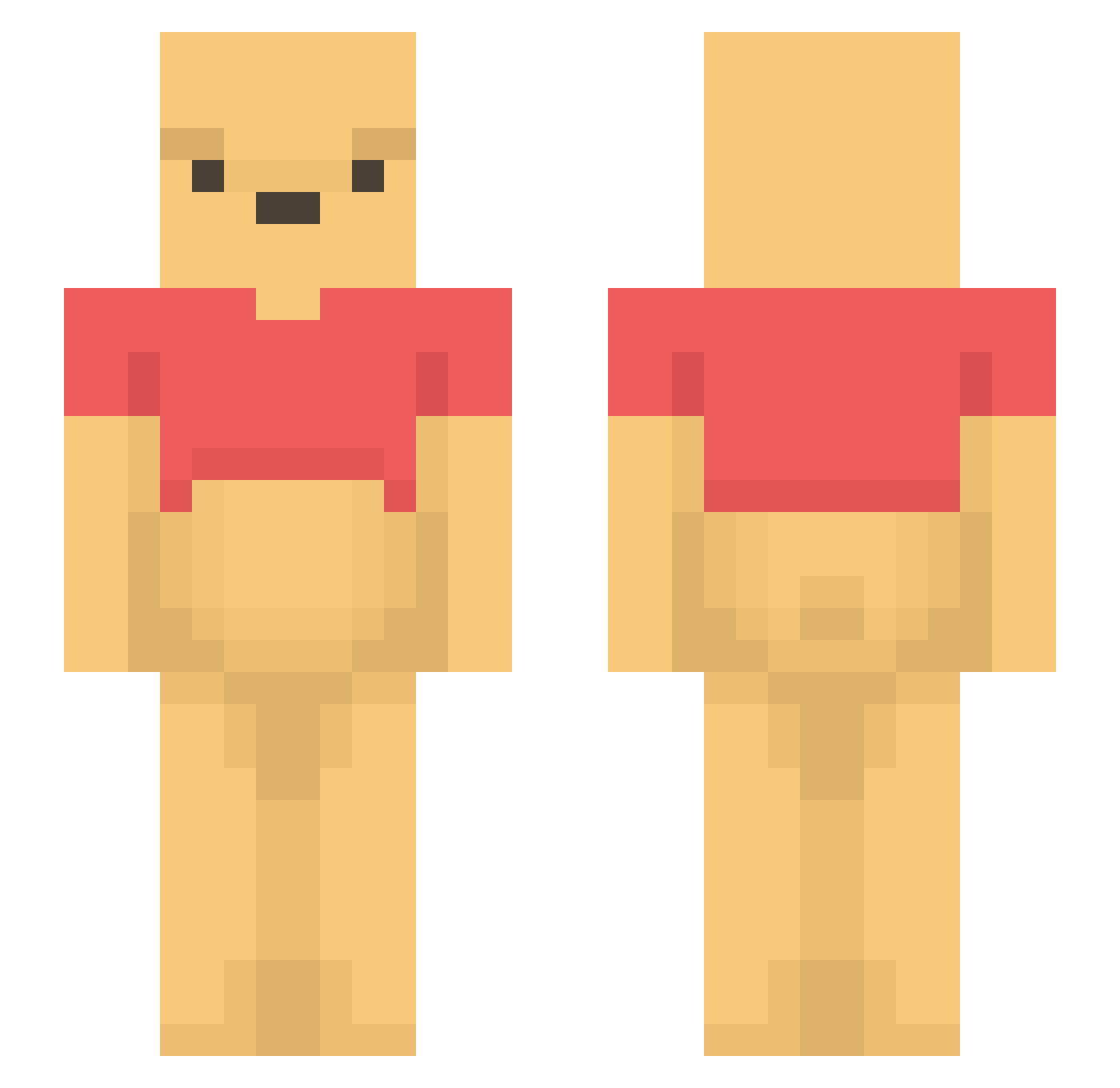
Current Minecraft skin of the player WOODYNOSE, loaded from the official Mojang API. Rotate the 3D model with your mouse or finger, then download the skin as a PNG file and use it in Minecraft: Bedrock Edition or Java Edition for free. When WOODYNOSE changes their skin, this page updates automatically and the old skin stays in the history below.
Other players with this skin (1436)
WOODYNOSE was the 1186th player we have seen with this skin, first spotted on 21.10.2026. The same skin was seen on these players. Open a nickname to see their current skin and skin history.
 1__kee ya_kio yuna130 Yutis_ Samrol carinutza007 donkeykongslong sungsu21 xDrakewild Remar Pranalevichi nyait GrumppyG Vizor__ YuBanana Anxzycx gdragon0807 Lvxc1 dnjswns49 Capitalbleronn xX_TrashPanda_Xx JxckWow Melontsai PitNerd ilija074 pangseon2 nigechi SolarSR BedR53 tomokopl NOXXFER rriaaa lenazjaskini Keschbacher wojin0914 Nightslime1 VakkenVuller aleeee16_ NECHAM kose__ Ikesi JouniH Lil4Hani Nach2MalSuechtig K2Breezy_ ceunc Phillips_ Jickolas BOT_MAN001 annabelch Smileh_ christoph1298 chillysea KianVR Rei000000 track998 mewonya Kallikalle AWW_GEEZ_RICK annrnn
More Winnie The Pooh Minecraft skins
See all 350 Winnie The Pooh skins
How to install the WOODYNOSE skin
- Press the Download button above to save the skin as a PNG file.
- Minecraft: Bedrock Edition (PE): open the Dressing Room from the main menu (or tap your character → Edit Character), go to Classic Skins → Owned, press the + (new skin) button, choose the downloaded PNG and pick the Slim (Alex) model. Works on PC and mobile; consoles cannot import custom skins.
- Minecraft: Java Edition: open the Minecraft Launcher, go to the Skins tab, click New Skin, load the PNG, pick the Slim (Alex) model and press Save & Use. You can also upload it at minecraft.net → Profile → Change Skin.
The skin does not show up after import - what should I do?
Restart Minecraft and open the Dressing Room again - imported skins sometimes appear only after a restart. Also make sure you selected the imported skin and picked the Slim (Alex) model.
Which model should I choose, Classic or Slim?
This skin is designed for the Slim (Alex) model. If you pick the wrong model, the arms of the skin will look stretched or squeezed.
Is the skin of WOODYNOSE free to download?
Yes. Press Download, save the PNG file and use it in Minecraft: Bedrock Edition or Java Edition - no payment or registration needed. The skin also works on multiplayer servers and Realms.
More skins
Looking for more? Go back to all Minecraft skins and check the top skins of the week, month and all time, or find any player's skin by nickname.