
VirtuosoOrc2290 - Minecraft Skins & Skin History
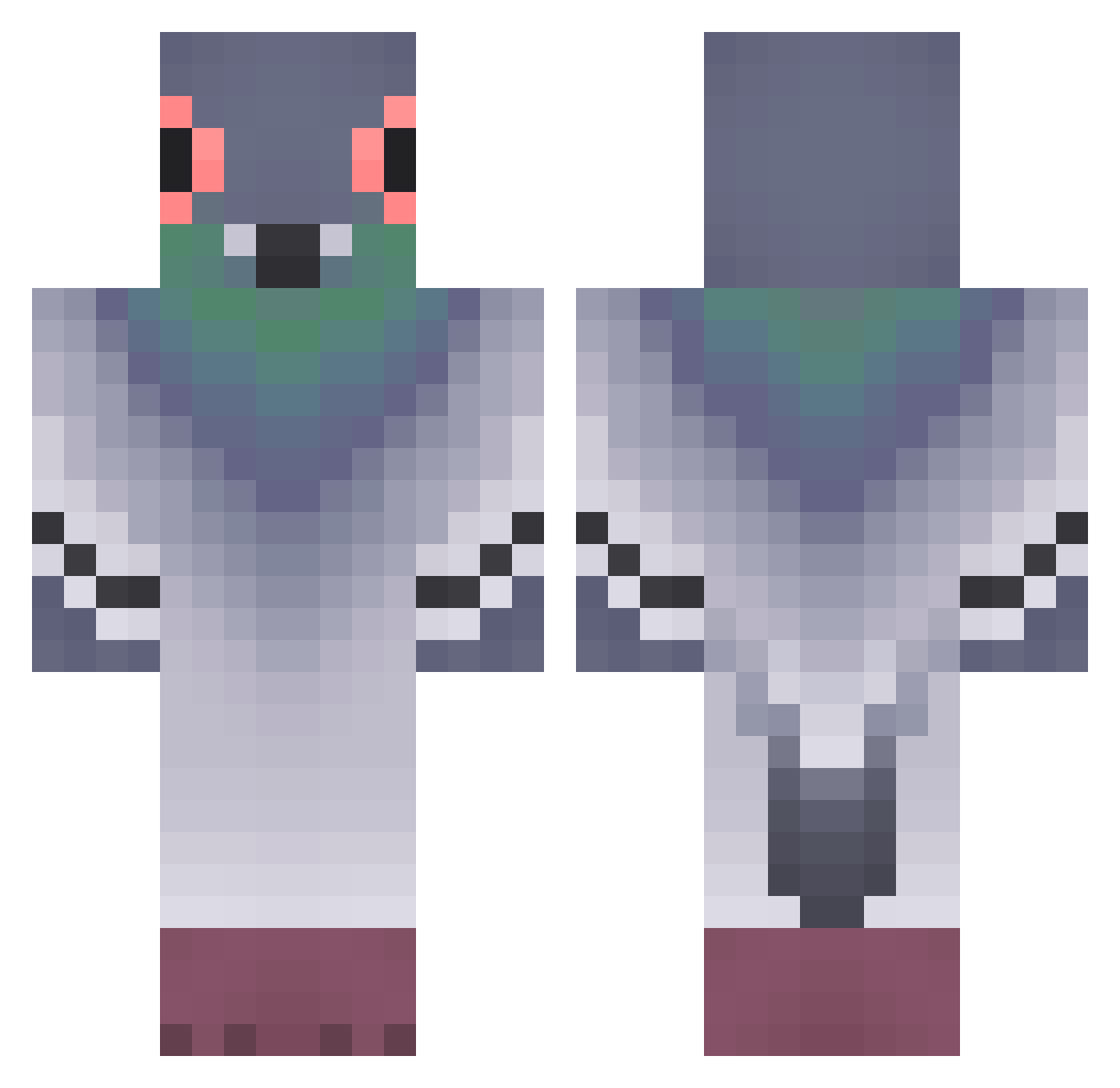
Current Minecraft skin of the player VirtuosoOrc2290, loaded from the official Mojang API. Rotate the 3D model with your mouse or finger, then download the skin as a PNG file and use it in Minecraft: Bedrock Edition or Java Edition for free. When VirtuosoOrc2290 changes their skin, this page updates automatically and the old skin stays in the history below.
Other players with this skin (388)
VirtuosoOrc2290 was the 334th player we have seen with this skin, first spotted on 27.10.2026. The same skin was seen on these players. Open a nickname to see their current skin and skin history.
 haribonbon Emperor_S2 ashia0 pigeon0802 Charlyboo Ismailk59 ChimThuicuto kjg081208 Lzzzzzon plant80 Sroka1111 GoosFriedRice Darinka085 Nxto04 miselo apalomoo Tynkled pingguin1234 SimLover27 FBIpidgeon JellySlayer426 Dankas57 Xailos1 Owatchi202258 cocotminut3 rerecursive marls6 RocknRollPigeon 11mTower PvpGOLOMB_ bdpq0114 michaen Digion evenDafterPunk _M1styy_ scriptpigeon koziutek1 yateses __FID__ Sibband marinebo2 EfnO0 epikkidmandy RUSSH24 KerriganLong landonistheman JustBoredTwinky syhahunter ario_0 YZ0611 jk1110 Notlanarhoades15 littlekang12 Stig57 yoyo5939 stiplou POTROLASO _Patiis_ 0pigeon0 huazhi111
More Pigeon Minecraft skins
How to install the VirtuosoOrc2290 skin
- Press the Download button above to save the skin as a PNG file.
- Minecraft: Bedrock Edition (PE): open the Dressing Room from the main menu (or tap your character → Edit Character), go to Classic Skins → Owned, press the + (new skin) button, choose the downloaded PNG and pick the Classic (Steve) model. Works on PC and mobile; consoles cannot import custom skins.
- Minecraft: Java Edition: open the Minecraft Launcher, go to the Skins tab, click New Skin, load the PNG, pick the Classic (Steve) model and press Save & Use. You can also upload it at minecraft.net → Profile → Change Skin.
The skin does not show up after import - what should I do?
Restart Minecraft and open the Dressing Room again - imported skins sometimes appear only after a restart. Also make sure you selected the imported skin and picked the Classic (Steve) model.
Which model should I choose, Classic or Slim?
This skin is designed for the Classic (Steve) model. If you pick the wrong model, the arms of the skin will look stretched or squeezed.
Is the skin of VirtuosoOrc2290 free to download?
Yes. Press Download, save the PNG file and use it in Minecraft: Bedrock Edition or Java Edition - no payment or registration needed. The skin also works on multiplayer servers and Realms.
More skins
Looking for more? Go back to all Minecraft skins and check the top skins of the week, month and all time, or find any player's skin by nickname.