
ViktorFriis - Minecraft Skins & Skin History
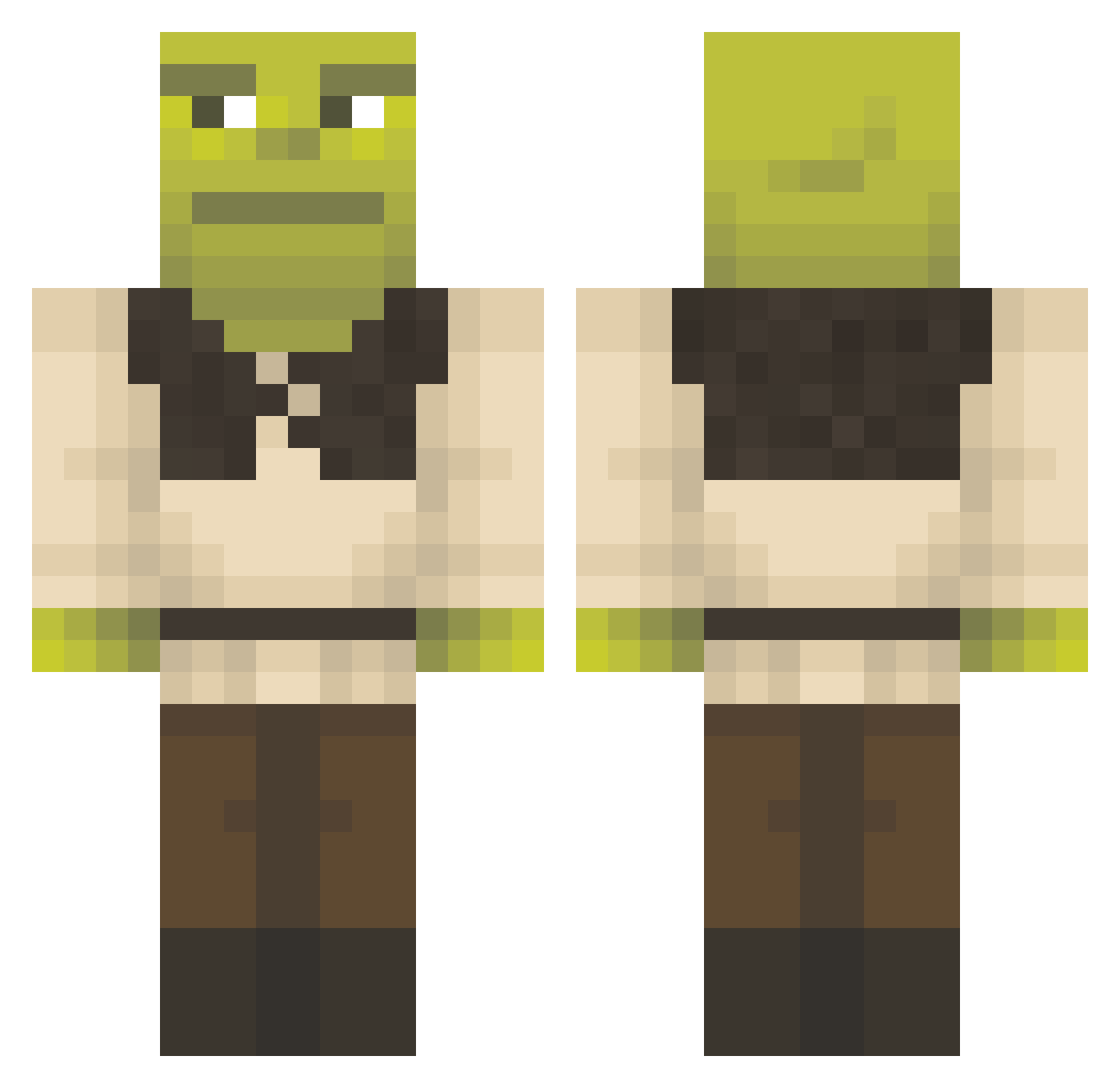
Current Minecraft skin of the player ViktorFriis, loaded from the official Mojang API. Rotate the 3D model with your mouse or finger, then download the skin as a PNG file and use it in Minecraft: Bedrock Edition or Java Edition for free. When ViktorFriis changes their skin, this page updates automatically and the old skin stays in the history below.
Other players with this skin (1427)
ViktorFriis was the 1336th player we have seen with this skin, first spotted on 04.11.2026. The same skin was seen on these players. Open a nickname to see their current skin and skin history.
 Jmc2023 Casma1525 Detroitcity20 xeeio L3go5 Mordeheim _Resurgam_ Jose_the_3rd NestereKK vsNoxic karpeciak c4rina Galan_of_Milk josieblake13 nikoniko15 Gico0 blanquiram Danmonster9 Fishoto7 Palancar1 luhvbatz Conman6971 Kata666_ JPSFB KAPTENEN69420 soonjoly WangsBenedict HailSeitan_ Phece Pandaita XxxLghiroxxX ItsGG2g Buckooper1000 mrnooberstash Insane13 KocaTasak Joshua12299 yexxy000 T1ltN linusmaffia mangosnboba Timbor07 Jkonrad69 SamanthaGreggors Noya_F EddieZzZ Nach0s420 Lumilieska Pinz714 Espinoza559 MiskieWiskie99 UnknownGhost777 gabrigabriii Meridoch Zkarra AndrewBeats Tugra1806 TinFoilHatMan69 Victoria9823 Trvppyanox
More Shrek Minecraft skins
How to install the ViktorFriis skin
- Press the Download button above to save the skin as a PNG file.
- Minecraft: Bedrock Edition (PE): open the Dressing Room from the main menu (or tap your character → Edit Character), go to Classic Skins → Owned, press the + (new skin) button, choose the downloaded PNG and pick the Classic (Steve) model. Works on PC and mobile; consoles cannot import custom skins.
- Minecraft: Java Edition: open the Minecraft Launcher, go to the Skins tab, click New Skin, load the PNG, pick the Classic (Steve) model and press Save & Use. You can also upload it at minecraft.net → Profile → Change Skin.
The skin does not show up after import - what should I do?
Restart Minecraft and open the Dressing Room again - imported skins sometimes appear only after a restart. Also make sure you selected the imported skin and picked the Classic (Steve) model.
Which model should I choose, Classic or Slim?
This skin is designed for the Classic (Steve) model. If you pick the wrong model, the arms of the skin will look stretched or squeezed.
Is the skin of ViktorFriis free to download?
Yes. Press Download, save the PNG file and use it in Minecraft: Bedrock Edition or Java Edition - no payment or registration needed. The skin also works on multiplayer servers and Realms.
More skins
Looking for more? Go back to all Minecraft skins and check the top skins of the week, month and all time, or find any player's skin by nickname.