
ULDOREO - Minecraft Skins & Skin History
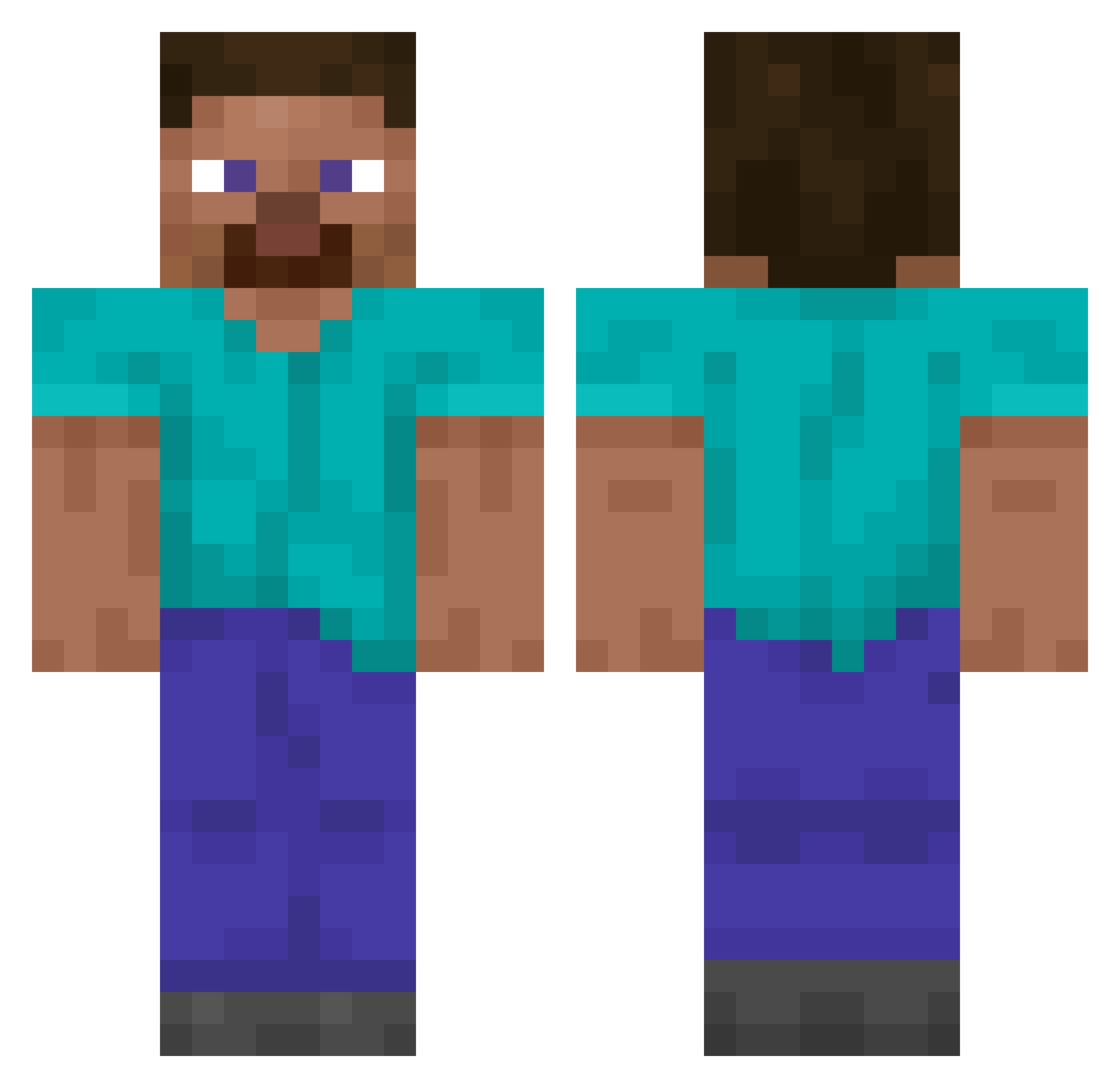
Current Minecraft skin of the player ULDOREO, loaded from the official Mojang API. Rotate the 3D model with your mouse or finger, then download the skin as a PNG file and use it in Minecraft: Bedrock Edition or Java Edition for free. When ULDOREO changes their skin, this page updates automatically and the old skin stays in the history below.
Other players with this skin (14063)
ULDOREO was the 10524th player we have seen with this skin, first spotted on 14.10.2026. The same skin was seen on these players. Open a nickname to see their current skin and skin history.
 EmmyGem pastiche10tl koenne Moffingdon ryans_neck_hurts ocelote23 indelibly kowalskiraport cuvillin EndRunner U1235 ggventura aaaaaaab itaypro1 Snackattackmax armguard PedroRosas SLPlayingMaxi dao1346 Instrumentman Ht1powny Sesto369nick Naranu xKriperos Vizion22 ohhs0121 V0DKA4 Forbysen CerbaDerb funnkey70 Mr_BuluTreem HeyTG_ serexie BiggieCheese3578 Puoli BlinkMeNow friedbiryani Bill1900 SomePerson12345 F1_Fighterpig illusivemeerkat judokakeks locolol64java 2ondaMoon Hecksagone CP19055 ATeacherPlays Dxuble_D Butyraldehyde Lephasi wbuy VTIF1282 kayopeach Alertgalaxy10 13_Jung FlaUmbreon00 Bowfinger2016 kmddg1384 Bass_Villain Kobra1
How to install the ULDOREO skin
- Press the Download button above to save the skin as a PNG file.
- Minecraft: Bedrock Edition (PE): open the Dressing Room from the main menu (or tap your character → Edit Character), go to Classic Skins → Owned, press the + (new skin) button, choose the downloaded PNG and pick the Classic (Steve) model. Works on PC and mobile; consoles cannot import custom skins.
- Minecraft: Java Edition: open the Minecraft Launcher, go to the Skins tab, click New Skin, load the PNG, pick the Classic (Steve) model and press Save & Use. You can also upload it at minecraft.net → Profile → Change Skin.
The skin does not show up after import - what should I do?
Restart Minecraft and open the Dressing Room again - imported skins sometimes appear only after a restart. Also make sure you selected the imported skin and picked the Classic (Steve) model.
Which model should I choose, Classic or Slim?
This skin is designed for the Classic (Steve) model. If you pick the wrong model, the arms of the skin will look stretched or squeezed.
Is the skin of ULDOREO free to download?
Yes. Press Download, save the PNG file and use it in Minecraft: Bedrock Edition or Java Edition - no payment or registration needed. The skin also works on multiplayer servers and Realms.
More skins
Looking for more? Go back to all Minecraft skins and check the top skins of the week, month and all time, or find any player's skin by nickname.