
TtdTraan - Minecraft Skins & Skin History
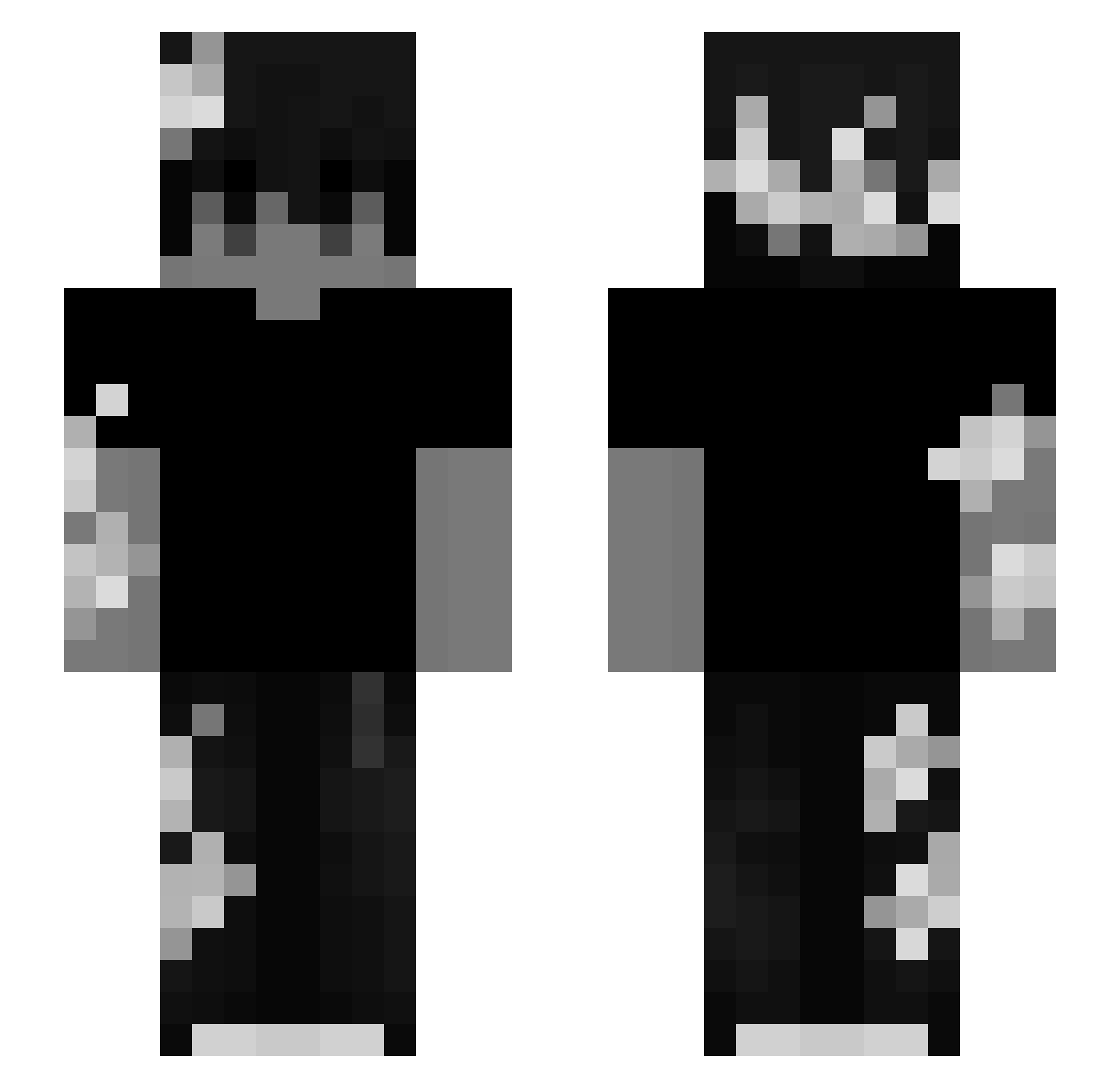
Current Minecraft skin of the player TtdTraan, loaded from the official Mojang API. Rotate the 3D model with your mouse or finger, then download the skin as a PNG file and use it in Minecraft: Bedrock Edition or Java Edition for free. When TtdTraan changes their skin, this page updates automatically and the old skin stays in the history below.
Other players with this skin (224)
TtdTraan was the 180th player we have seen with this skin, first spotted on 17.10.2026. The same skin was seen on these players. Open a nickname to see their current skin and skin history.
 mohamad390725 iRedeem COOL396 david_cpx ItzKur0ya_ itzzArctic _quaz1fy JakanoP empanadax123 gamemaser9999 Don_AgusGG Dom4x Jesus5644 Ibrahimson qEclipsee ixlt FazitNr2 archivenv wreqon Cleden426 figure_1337 Nelisilver02 atsuyoku _Un__Known_ __Hurricane___ sidirkon Kijoshi StuparuMihai xV01Dx SolotovTR Aerix_67 tainesewell Lightwood_28 Wallok360 endritt Krobersi CarnavalTV Alexltz medumdumo7 Twyskys hamboxa_ NaidaR2 Auramangues H0l24 ZWF121 Leonidas32101 Lengador jake1343 sequitum washedSS urshela ALESTAxSvan Dawideq777TM PhHoangVanHuy 00Clevy MRBEAST7200 Faonchik Rynthh AlwaysConfused56 67xf
More Monochrome Minecraft skins
How to install the TtdTraan skin
- Press the Download button above to save the skin as a PNG file.
- Minecraft: Bedrock Edition (PE): open the Dressing Room from the main menu (or tap your character → Edit Character), go to Classic Skins → Owned, press the + (new skin) button, choose the downloaded PNG and pick the Slim (Alex) model. Works on PC and mobile; consoles cannot import custom skins.
- Minecraft: Java Edition: open the Minecraft Launcher, go to the Skins tab, click New Skin, load the PNG, pick the Slim (Alex) model and press Save & Use. You can also upload it at minecraft.net → Profile → Change Skin.
The skin does not show up after import - what should I do?
Restart Minecraft and open the Dressing Room again - imported skins sometimes appear only after a restart. Also make sure you selected the imported skin and picked the Slim (Alex) model.
Which model should I choose, Classic or Slim?
This skin is designed for the Slim (Alex) model. If you pick the wrong model, the arms of the skin will look stretched or squeezed.
Is the skin of TtdTraan free to download?
Yes. Press Download, save the PNG file and use it in Minecraft: Bedrock Edition or Java Edition - no payment or registration needed. The skin also works on multiplayer servers and Realms.
More skins
Looking for more? Go back to all Minecraft skins and check the top skins of the week, month and all time, or find any player's skin by nickname.