
TritoNakaCigI - Minecraft Skins & Skin History
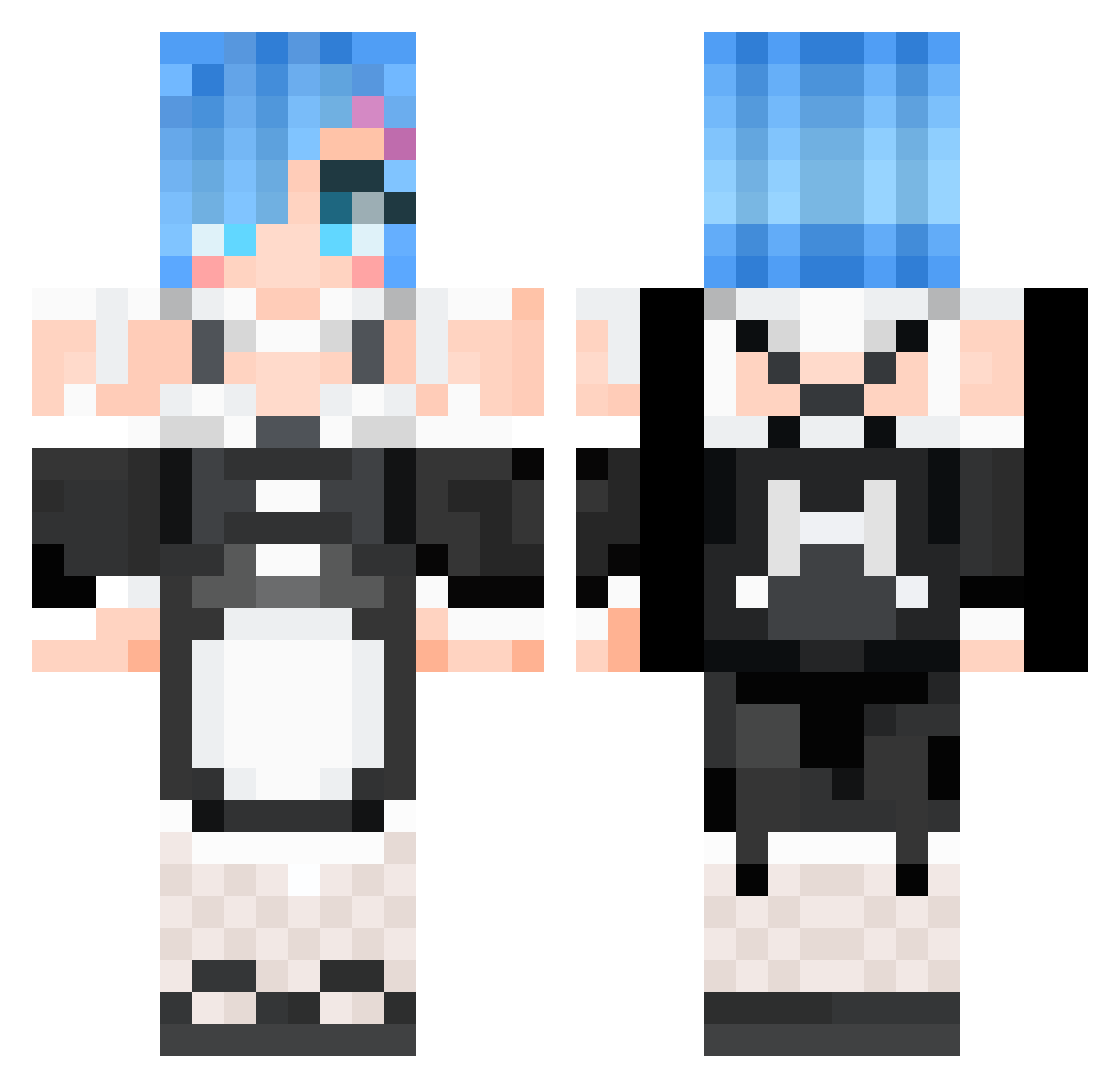
Current Minecraft skin of the player TritoNakaCigI, loaded from the official Mojang API. Rotate the 3D model with your mouse or finger, then download the skin as a PNG file and use it in Minecraft: Bedrock Edition or Java Edition for free. When TritoNakaCigI changes their skin, this page updates automatically and the old skin stays in the history below.
Other players with this skin (668)
TritoNakaCigI was the 579th player we have seen with this skin, first spotted on 25.10.2026. The same skin was seen on these players. Open a nickname to see their current skin and skin history.
 alansmithee10 BlueInk27 SLIV2135 YGgumeng literarytransit weebboi2 Balderrr bustymeme Durability_Vr 10107931 cookies714520 ateallmywings qcj777 TwYuanWu Ma_eva8 LaLa12345 kikuko17 HeavenMuya Alineeee NothingMuch2Do Wertl69 Roomple urahara_ff titimalaki Mingcha Yukino2020 serun12 AllenChen0918 Bobski72 hy_ram ARUCA0024 kazu_pe Rem_Tan Ellie_Wright Zaxred Garrettzy kudokudokudo neru33 FemOreo caonimaa NekoLokoz IzaYoiii changhouse THEANIMEBODYTYPE alexlam545 Remurring1 CheezeToazty zxcwh67 EvoLon910hr Macanyn he4rtcor3 Animegrill ZoeVermilion kimmozzii Kurumi_Ackerman dGvGb takumoon IzumyDes razZz1k_love_you Ken_ToTo
More Rem Minecraft skins
How to install the TritoNakaCigI skin
- Press the Download button above to save the skin as a PNG file.
- Minecraft: Bedrock Edition (PE): open the Dressing Room from the main menu (or tap your character → Edit Character), go to Classic Skins → Owned, press the + (new skin) button, choose the downloaded PNG and pick the Classic (Steve) model. Works on PC and mobile; consoles cannot import custom skins.
- Minecraft: Java Edition: open the Minecraft Launcher, go to the Skins tab, click New Skin, load the PNG, pick the Classic (Steve) model and press Save & Use. You can also upload it at minecraft.net → Profile → Change Skin.
The skin does not show up after import - what should I do?
Restart Minecraft and open the Dressing Room again - imported skins sometimes appear only after a restart. Also make sure you selected the imported skin and picked the Classic (Steve) model.
Which model should I choose, Classic or Slim?
This skin is designed for the Classic (Steve) model. If you pick the wrong model, the arms of the skin will look stretched or squeezed.
Is the skin of TritoNakaCigI free to download?
Yes. Press Download, save the PNG file and use it in Minecraft: Bedrock Edition or Java Edition - no payment or registration needed. The skin also works on multiplayer servers and Realms.
More skins
Looking for more? Go back to all Minecraft skins and check the top skins of the week, month and all time, or find any player's skin by nickname.