
Tiikzu - Minecraft Skins & Skin History
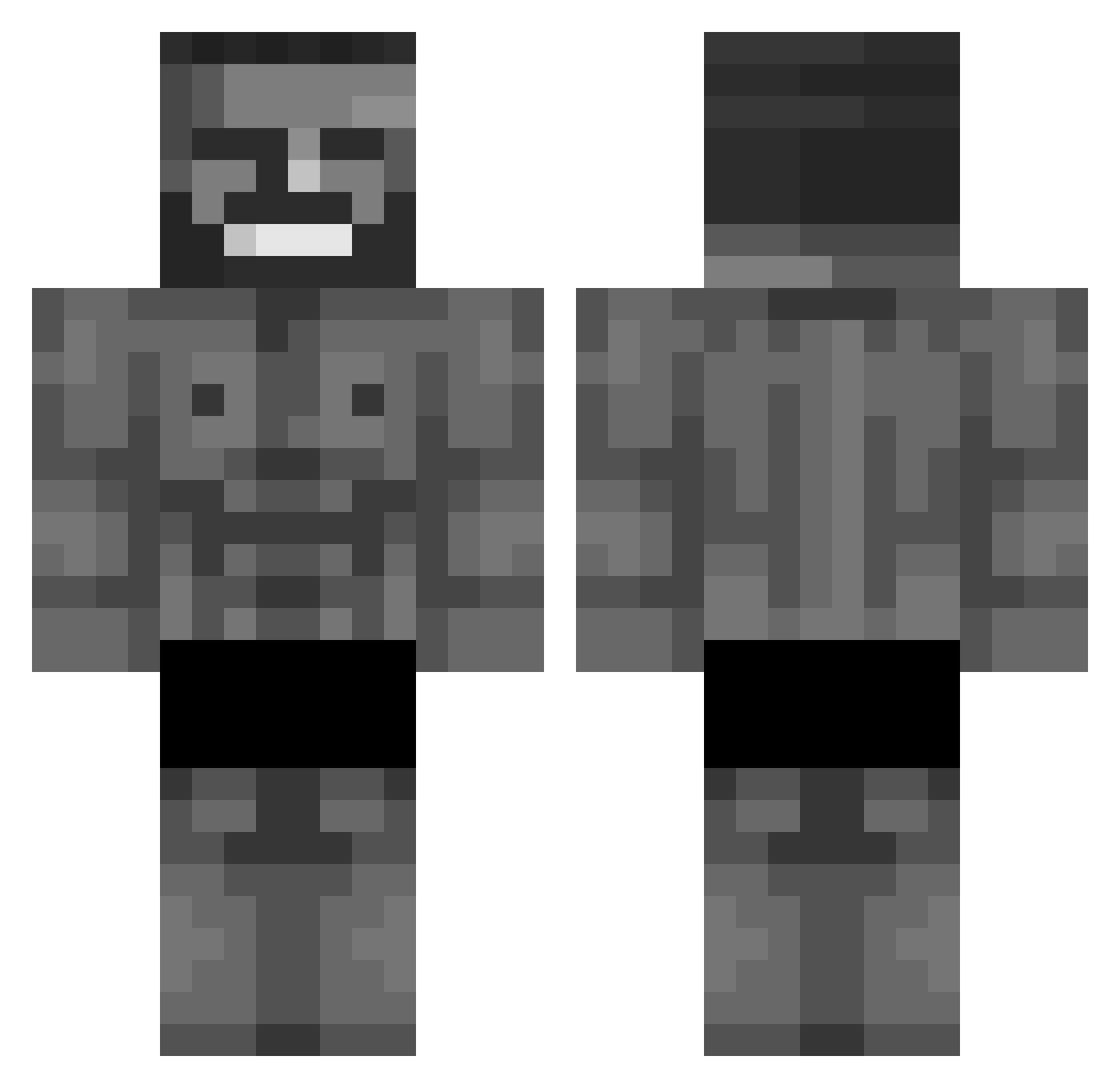
Current Minecraft skin of the player Tiikzu, loaded from the official Mojang API. Rotate the 3D model with your mouse or finger, then download the skin as a PNG file and use it in Minecraft: Bedrock Edition or Java Edition for free. When Tiikzu changes their skin, this page updates automatically and the old skin stays in the history below.
Other players with this skin (423)
Tiikzu was the 372nd player we have seen with this skin, first spotted on 28.10.2026. The same skin was seen on these players. Open a nickname to see their current skin and skin history.
 Shawar_Man GigaChadTopG Rennn_7 Ruhkey Russensohn2010 Koprach Trampik SlateCrimson MycowbeyLA bomj964 Edming1 TheSaltyHippos Skruttt 9405 theworldborder 13unnp_ Im_a_Minigun CallingDrop9701 I_Scotty_I Limonada1204 BerKReyizZz_HD _HANSON_ GigaSad9790 MootPizza Jdp66 MarDotIO Sluggedink256 TwisterModz Legendary3353 Mita_ Masterion12 Gafuuu svintus_q Farve_ IAmMrMajestic Pix_eL_2k25 CrungleFungus JUK_Dawidek_ yopw nonorde AcidVein Ruzek74 DozenDonuts69 ballslover6969 toutcasser21 Axeluz1213 YisusCraist27 TossedTides WarsPlayground FatAmeba Pr0st0fil zancas The_prime_twitch harry_911 7Strange Blini_EA Rotem_7770 Zebragamer3011 MOk424 notsenzi
More Gigachad Minecraft skins
How to install the Tiikzu skin
- Press the Download button above to save the skin as a PNG file.
- Minecraft: Bedrock Edition (PE): open the Dressing Room from the main menu (or tap your character → Edit Character), go to Classic Skins → Owned, press the + (new skin) button, choose the downloaded PNG and pick the Classic (Steve) model. Works on PC and mobile; consoles cannot import custom skins.
- Minecraft: Java Edition: open the Minecraft Launcher, go to the Skins tab, click New Skin, load the PNG, pick the Classic (Steve) model and press Save & Use. You can also upload it at minecraft.net → Profile → Change Skin.
The skin does not show up after import - what should I do?
Restart Minecraft and open the Dressing Room again - imported skins sometimes appear only after a restart. Also make sure you selected the imported skin and picked the Classic (Steve) model.
Which model should I choose, Classic or Slim?
This skin is designed for the Classic (Steve) model. If you pick the wrong model, the arms of the skin will look stretched or squeezed.
Is the skin of Tiikzu free to download?
Yes. Press Download, save the PNG file and use it in Minecraft: Bedrock Edition or Java Edition - no payment or registration needed. The skin also works on multiplayer servers and Realms.
More skins
Looking for more? Go back to all Minecraft skins and check the top skins of the week, month and all time, or find any player's skin by nickname.