
TheDiceGoblin98 - Minecraft Skins & Skin History
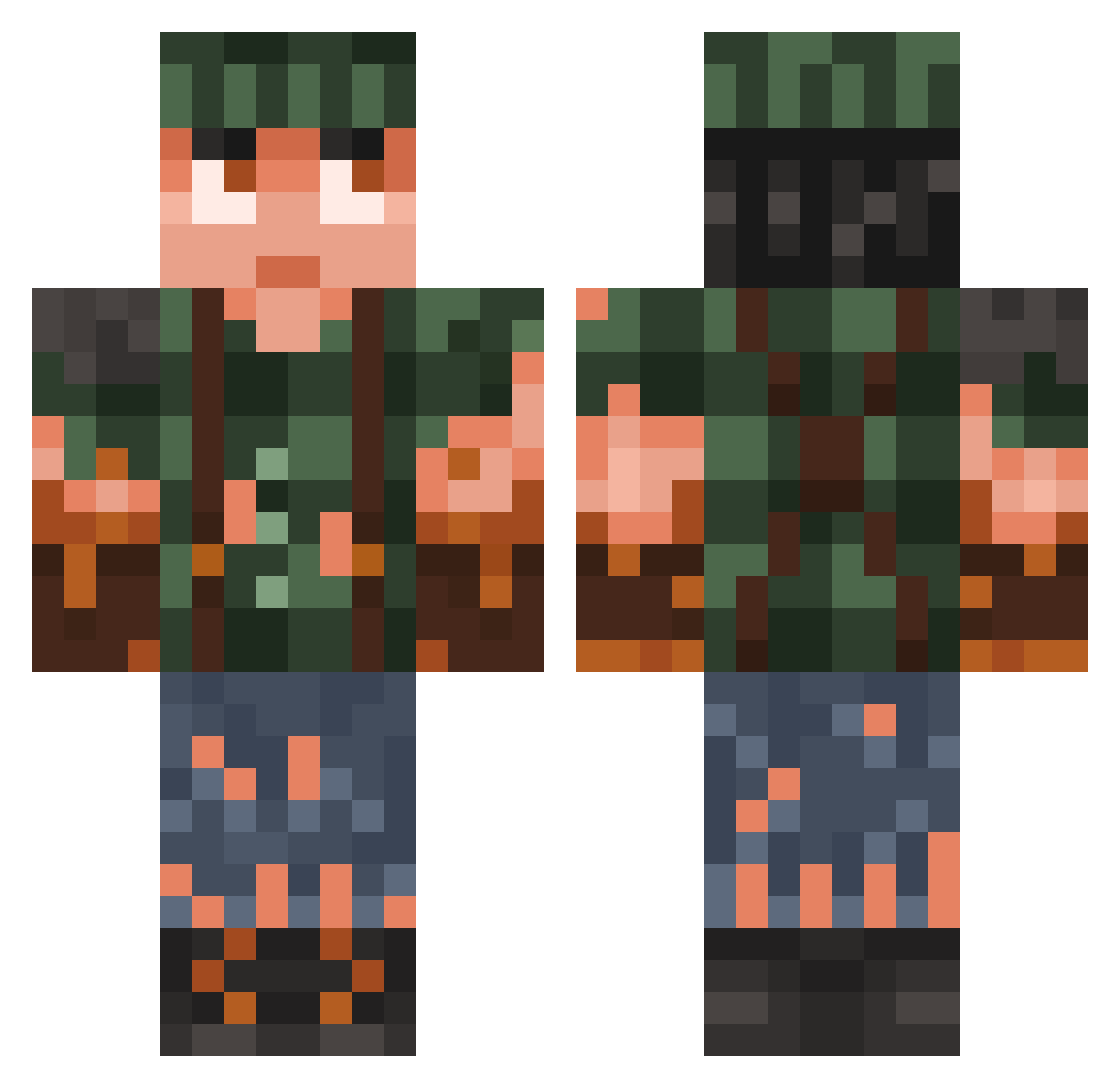
Current Minecraft skin of the player TheDiceGoblin98, loaded from the official Mojang API. Rotate the 3D model with your mouse or finger, then download the skin as a PNG file and use it in Minecraft: Bedrock Edition or Java Edition for free. When TheDiceGoblin98 changes their skin, this page updates automatically and the old skin stays in the history below.
Other players with this skin (982)
TheDiceGoblin98 was the 792nd player we have seen with this skin, first spotted on 22.10.2026. The same skin was seen on these players. Open a nickname to see their current skin and skin history.
 Cristian776 WVTERGOD deropdute xXItsmeLucasXx CipheredOut MM0II Dzasia SWOPP3R mintytc CuberSam AcepeLLa ashvyyy Nuojua Ivashina JujubaSaliente YagannaZ Twix_172 MythicalGriz MeckJames backKup WilwinTimbers ChatbannedNus Pixelschubser42 PhenomJ Remingtongf Leftiboy ZigaZ1234 ArcticSnowman1 Lsh25 LZ_Flashy jonas_1408 Jarvey__ Guscuto SaltyMan007 GamerBoy172012 femmboy4ik22 Breacker01 RandomGuy233 sm00ter Tobias03 Rytmind SeaCarrot54 jblack23 konschdi TyphlOwO Pray4Mikey wh1t3b0y5 MightyMax01 Epameinondas MagicAce4356 JackPlaysMC02 mythicalbowman SaedDayo flaminqzzz barryblop ahmed_adel raveTpMikKhJ Halfadmittedly uxxz IAndiI
More Survivor Minecraft skins
How to install the TheDiceGoblin98 skin
- Press the Download button above to save the skin as a PNG file.
- Minecraft: Bedrock Edition (PE): open the Dressing Room from the main menu (or tap your character → Edit Character), go to Classic Skins → Owned, press the + (new skin) button, choose the downloaded PNG and pick the Classic (Steve) model. Works on PC and mobile; consoles cannot import custom skins.
- Minecraft: Java Edition: open the Minecraft Launcher, go to the Skins tab, click New Skin, load the PNG, pick the Classic (Steve) model and press Save & Use. You can also upload it at minecraft.net → Profile → Change Skin.
The skin does not show up after import - what should I do?
Restart Minecraft and open the Dressing Room again - imported skins sometimes appear only after a restart. Also make sure you selected the imported skin and picked the Classic (Steve) model.
Which model should I choose, Classic or Slim?
This skin is designed for the Classic (Steve) model. If you pick the wrong model, the arms of the skin will look stretched or squeezed.
Is the skin of TheDiceGoblin98 free to download?
Yes. Press Download, save the PNG file and use it in Minecraft: Bedrock Edition or Java Edition - no payment or registration needed. The skin also works on multiplayer servers and Realms.
More skins
Looking for more? Go back to all Minecraft skins and check the top skins of the week, month and all time, or find any player's skin by nickname.