
Taxeme - Minecraft Skins & Skin History
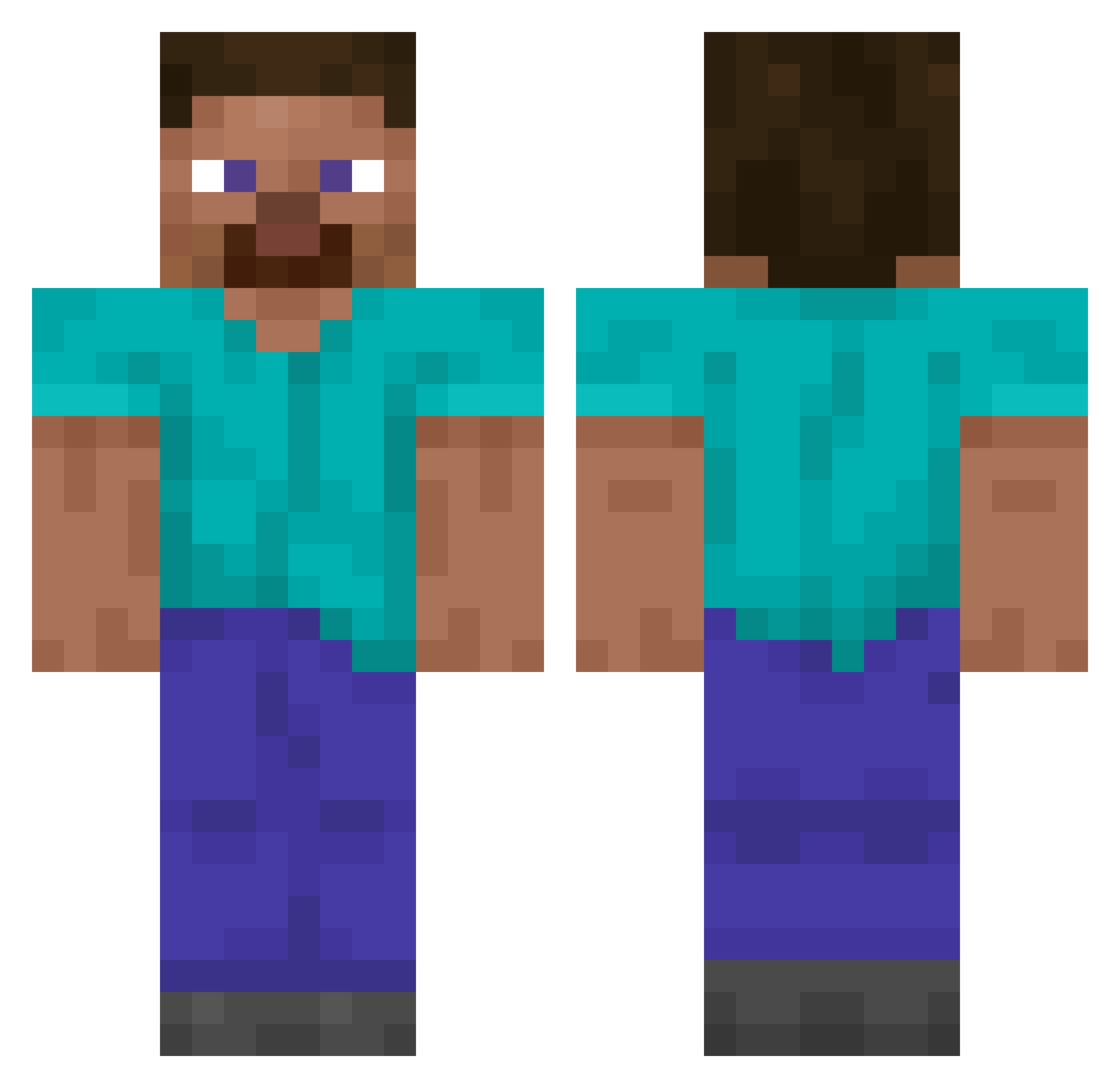
Current Minecraft skin of the player Taxeme, loaded from the official Mojang API. Rotate the 3D model with your mouse or finger, then download the skin as a PNG file and use it in Minecraft: Bedrock Edition or Java Edition for free. When Taxeme changes their skin, this page updates automatically and the old skin stays in the history below.
Other players with this skin (14849)
Taxeme was the 14481st player we have seen with this skin, first spotted on 08.11.2026. The same skin was seen on these players. Open a nickname to see their current skin and skin history.
 User_666 RobertHouse38 HardLinePage057 H7iii Jeakith LusiferVersti treepm1 alwaysshirtless karczmus_ animalete WHITEAXOOOLOTL Shrpix TL___qkffusdk Thelastneal klorvr javajarpro WolfCY JesusCOP Nhai_ onicha_jp Karoxito Enderman_8 nuclearfreeze Budy1251 Legend549179 ivorist Nsracing ehdwns1128 RyxnMoza A4RON08 Aldydis Sea_Looser Taneri7 Sgt_Mesa Loahrs HumanLimit Electrictrout suted Boylo0 Artza285 pannkakan2ninja Seanyboyss Dattguy_YT AoxLdO Emblematic Orgazmos wwdablju Tomorie Dory_52 Hatracks mouldspore kwado2 Grosser_Bruder12 YAroslavch1K Rafaffm069 Grefitea AndreiNetto Loukaaa yiye22 ToxicLike
How to install the Taxeme skin
- Press the Download button above to save the skin as a PNG file.
- Minecraft: Bedrock Edition (PE): open the Dressing Room from the main menu (or tap your character → Edit Character), go to Classic Skins → Owned, press the + (new skin) button, choose the downloaded PNG and pick the Classic (Steve) model. Works on PC and mobile; consoles cannot import custom skins.
- Minecraft: Java Edition: open the Minecraft Launcher, go to the Skins tab, click New Skin, load the PNG, pick the Classic (Steve) model and press Save & Use. You can also upload it at minecraft.net → Profile → Change Skin.
The skin does not show up after import - what should I do?
Restart Minecraft and open the Dressing Room again - imported skins sometimes appear only after a restart. Also make sure you selected the imported skin and picked the Classic (Steve) model.
Which model should I choose, Classic or Slim?
This skin is designed for the Classic (Steve) model. If you pick the wrong model, the arms of the skin will look stretched or squeezed.
Is the skin of Taxeme free to download?
Yes. Press Download, save the PNG file and use it in Minecraft: Bedrock Edition or Java Edition - no payment or registration needed. The skin also works on multiplayer servers and Realms.
More skins
Looking for more? Go back to all Minecraft skins and check the top skins of the week, month and all time, or find any player's skin by nickname.