
Tameless - Minecraft Skins & Skin History
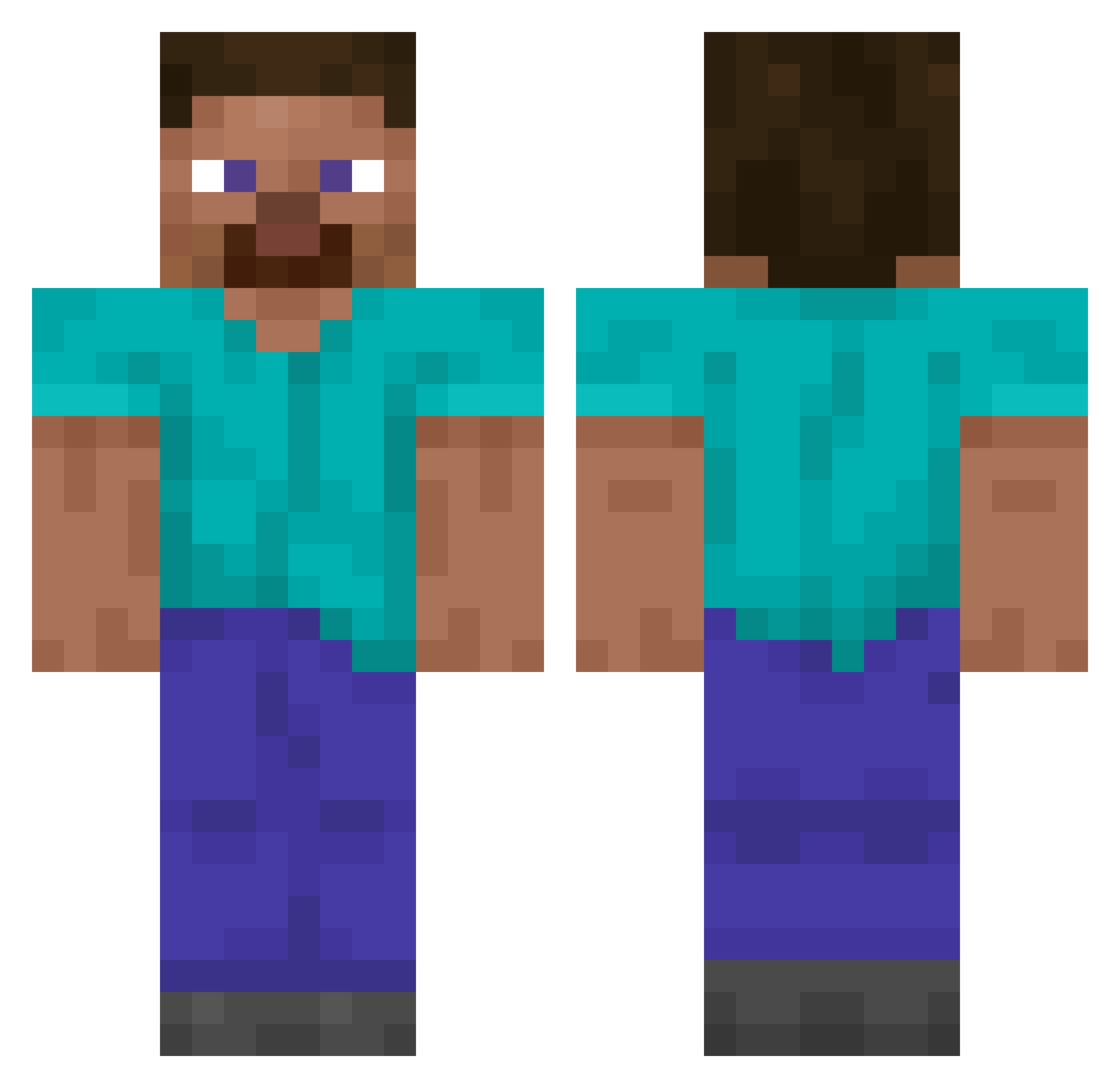
Current Minecraft skin of the player Tameless, loaded from the official Mojang API. Rotate the 3D model with your mouse or finger, then download the skin as a PNG file and use it in Minecraft: Bedrock Edition or Java Edition for free. When Tameless changes their skin, this page updates automatically and the old skin stays in the history below.
Other players with this skin (14047)
Tameless was the 13926th player we have seen with this skin, first spotted on 04.11.2026. The same skin was seen on these players. Open a nickname to see their current skin and skin history.
 RuskyBratrIvan canter0 LmikoPLv2 xXDaniel7Xx Zzzodys Magz666 josema614 ImMeep Djvenomous deadlyChicken13 Lickabagel donut_notch TheChekist_ JaniaQQx Comrade_Ines Herobrine5988 Iver__ Jack6Maxcrafter J09n 507saussissonsec GoMenace Alishaa_ moosefarts Samel150 Allahu191 Just_Mercur BLUESKULL _lurid name_is_a_name TSNCCamper7 JeSuisTaTante DiamondMiner184 skrguo Drevereus JustGrucha Number1Aden Kha MIANDuck Powerwolf0702 Run2space LavaGhxst Buseferolay SparklyJuice jajabogdana Minhall092005 Grimrage PaulPanzer14 Ziripituu jkoppp braga26 Lucidium_Saber MINO0405 hydra_ggs Eggeri moidenhaymoiden _F0x1s Huntheader Seongtaek999 AboveLion agho2
How to install the Tameless skin
- Press the Download button above to save the skin as a PNG file.
- Minecraft: Bedrock Edition (PE): open the Dressing Room from the main menu (or tap your character → Edit Character), go to Classic Skins → Owned, press the + (new skin) button, choose the downloaded PNG and pick the Classic (Steve) model. Works on PC and mobile; consoles cannot import custom skins.
- Minecraft: Java Edition: open the Minecraft Launcher, go to the Skins tab, click New Skin, load the PNG, pick the Classic (Steve) model and press Save & Use. You can also upload it at minecraft.net → Profile → Change Skin.
The skin does not show up after import - what should I do?
Restart Minecraft and open the Dressing Room again - imported skins sometimes appear only after a restart. Also make sure you selected the imported skin and picked the Classic (Steve) model.
Which model should I choose, Classic or Slim?
This skin is designed for the Classic (Steve) model. If you pick the wrong model, the arms of the skin will look stretched or squeezed.
Is the skin of Tameless free to download?
Yes. Press Download, save the PNG file and use it in Minecraft: Bedrock Edition or Java Edition - no payment or registration needed. The skin also works on multiplayer servers and Realms.
More skins
Looking for more? Go back to all Minecraft skins and check the top skins of the week, month and all time, or find any player's skin by nickname.