
TSK030 - Minecraft Skins & Skin History
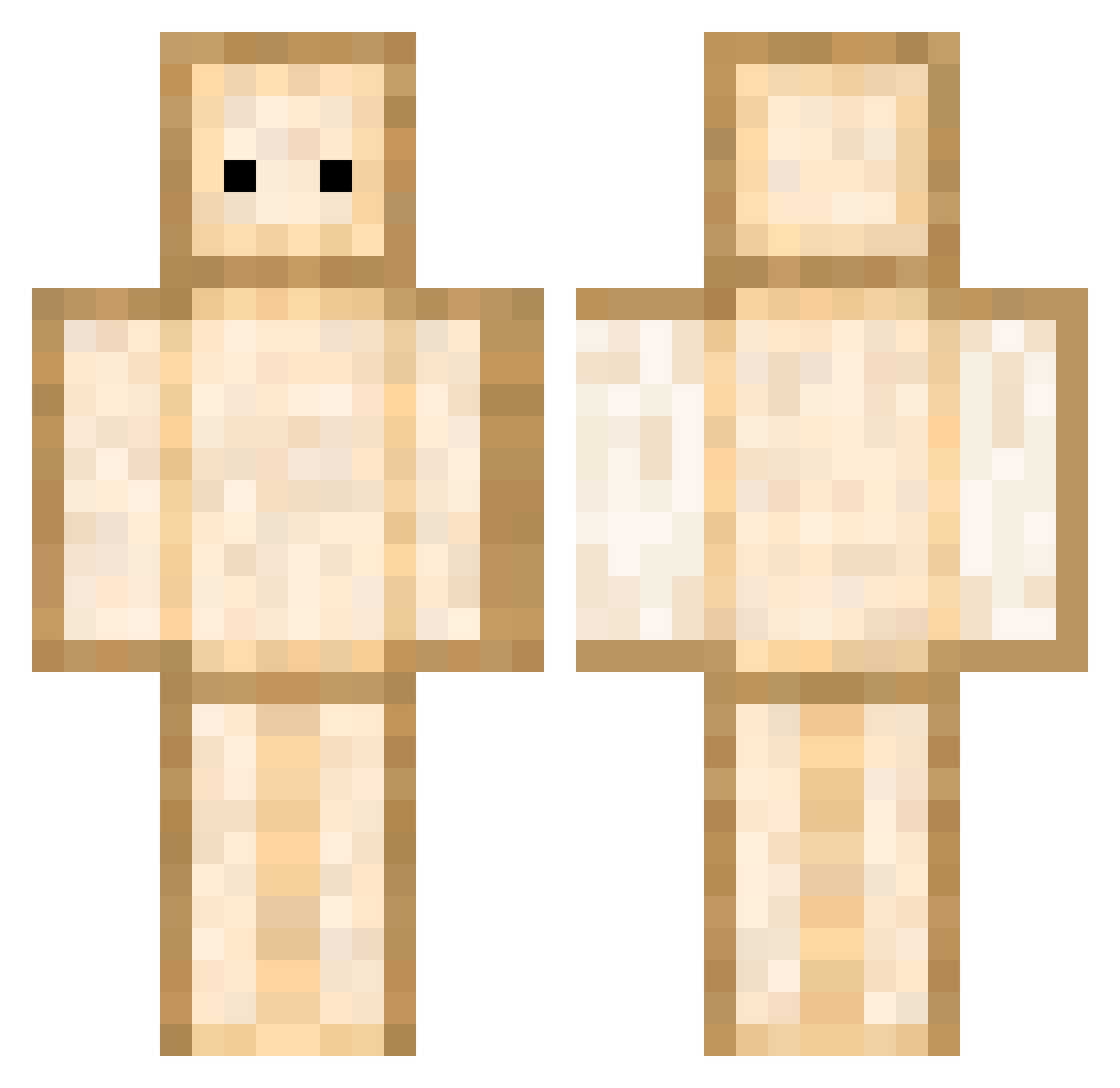
Current Minecraft skin of the player TSK030, loaded from the official Mojang API. Rotate the 3D model with your mouse or finger, then download the skin as a PNG file and use it in Minecraft: Bedrock Edition or Java Edition for free. When TSK030 changes their skin, this page updates automatically and the old skin stays in the history below.
Other players with this skin (434)
TSK030 was the 413th player we have seen with this skin, first spotted on 04.11.2026. The same skin was seen on these players. Open a nickname to see their current skin and skin history.
 BaloneyMahoney avocadosocks109 OakenCorn __A1__ FEMBOYENJOYER191 Botism jestembochen Nighteyes_Moon Melynix masayaxeno iC0nfuseD R72rei kaon0709 notenerel OTL__l minha0415 Mikouilles Furry_kitten ninje101 T13otheB as_monacoo PurplePanda3611 ejnb FlynnDawg r1xie sandwich_spicy shin_insu Sayeeb SHANDWHICH FiveGuys55 mpiuy Daven qweephs SoupRice_ Chiikawaaaaaaa MrWallker14 NeLoo_o Toaster_sandwich kemola Thosti201113 sandwitch18 burpgod666 ImSpookyy Raikapo Ellicite soggysandwich330 Maren_oxb07 biueeee ItzFriday Tnah Doug159 EmiliesFriends bjbl54 AbracaB1312 Elbrus2018 SlothInDaMall Era217 fraggedd MOONSUN095 alpaca25
More Toast Minecraft skins
How to install the TSK030 skin
- Press the Download button above to save the skin as a PNG file.
- Minecraft: Bedrock Edition (PE): open the Dressing Room from the main menu (or tap your character → Edit Character), go to Classic Skins → Owned, press the + (new skin) button, choose the downloaded PNG and pick the Classic (Steve) model. Works on PC and mobile; consoles cannot import custom skins.
- Minecraft: Java Edition: open the Minecraft Launcher, go to the Skins tab, click New Skin, load the PNG, pick the Classic (Steve) model and press Save & Use. You can also upload it at minecraft.net → Profile → Change Skin.
The skin does not show up after import - what should I do?
Restart Minecraft and open the Dressing Room again - imported skins sometimes appear only after a restart. Also make sure you selected the imported skin and picked the Classic (Steve) model.
Which model should I choose, Classic or Slim?
This skin is designed for the Classic (Steve) model. If you pick the wrong model, the arms of the skin will look stretched or squeezed.
Is the skin of TSK030 free to download?
Yes. Press Download, save the PNG file and use it in Minecraft: Bedrock Edition or Java Edition - no payment or registration needed. The skin also works on multiplayer servers and Realms.
More skins
Looking for more? Go back to all Minecraft skins and check the top skins of the week, month and all time, or find any player's skin by nickname.