
TP_NATHA - Minecraft Skins & Skin History
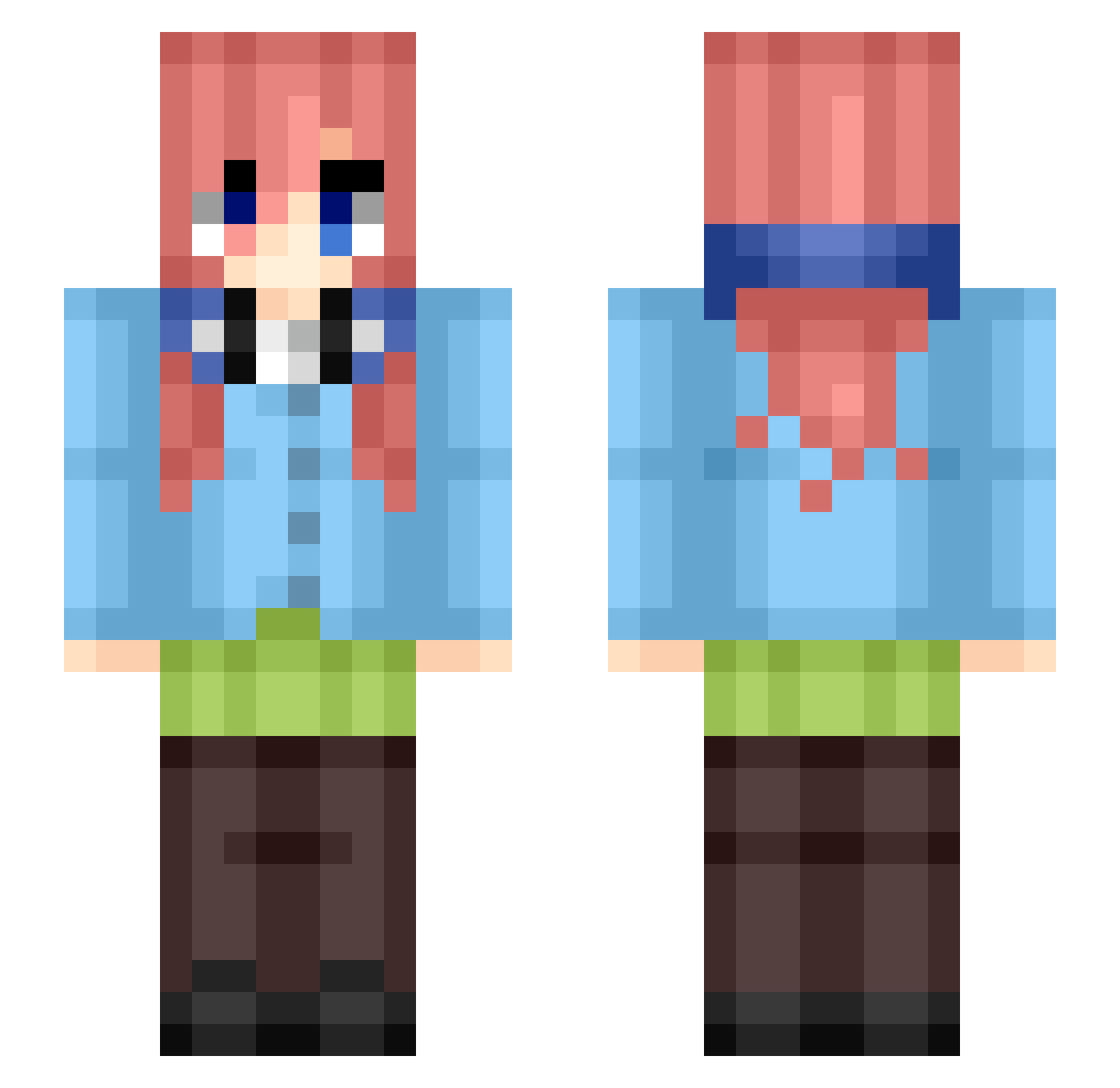
Current Minecraft skin of the player TP_NATHA, loaded from the official Mojang API. Rotate the 3D model with your mouse or finger, then download the skin as a PNG file and use it in Minecraft: Bedrock Edition or Java Edition for free. When TP_NATHA changes their skin, this page updates automatically and the old skin stays in the history below.
Other players with this skin (477)
TP_NATHA was the 473rd player we have seen with this skin, first spotted on 10.11.2026. The same skin was seen on these players. Open a nickname to see their current skin and skin history.
 LuL17 LuluLaD71 TurnipVII 0xMtrx ErickE0112 Bei_FengLL Kyl16K Securedbeam gkaxodnd MISAKI1012 Itislee TSMHikaru HiJaQ NakanoMiku20 CCRamos sakro906 nvy21 Kekelyan13 CSTREV5 Cobaje CADINHO2RR Haaland911 cheeesyyto MeandrousShark Sainek nhiroz Chrom0stasis Infinitron666 Pitiful_Panda MikuNKN Shadaur689 _FXL__ fighter_7 LeviLegend0609 Sn0wCaps 0CTAV1AN SuperShadowSSJ Sterxlan Alex96903 sangui123 Blueshatter LordObesius702 Miku_Nakano__ blopchan Tyrrein Sander1000 Abacaxi_Brabo Anilya Deidad404 GrimReaper1115 AlexDaBigD WebbyDiamonds38 Tsukireu Greg_Greenz williamlin0127 Tony_Tony_Ti K_Miku Artyzcaml BiriBiriii itspanda__
More Miku Nakano Minecraft skins
How to install the TP_NATHA skin
- Press the Download button above to save the skin as a PNG file.
- Minecraft: Bedrock Edition (PE): open the Dressing Room from the main menu (or tap your character → Edit Character), go to Classic Skins → Owned, press the + (new skin) button, choose the downloaded PNG and pick the Slim (Alex) model. Works on PC and mobile; consoles cannot import custom skins.
- Minecraft: Java Edition: open the Minecraft Launcher, go to the Skins tab, click New Skin, load the PNG, pick the Slim (Alex) model and press Save & Use. You can also upload it at minecraft.net → Profile → Change Skin.
The skin does not show up after import - what should I do?
Restart Minecraft and open the Dressing Room again - imported skins sometimes appear only after a restart. Also make sure you selected the imported skin and picked the Slim (Alex) model.
Which model should I choose, Classic or Slim?
This skin is designed for the Slim (Alex) model. If you pick the wrong model, the arms of the skin will look stretched or squeezed.
Is the skin of TP_NATHA free to download?
Yes. Press Download, save the PNG file and use it in Minecraft: Bedrock Edition or Java Edition - no payment or registration needed. The skin also works on multiplayer servers and Realms.
More skins
Looking for more? Go back to all Minecraft skins and check the top skins of the week, month and all time, or find any player's skin by nickname.