
THUNDERBOLT_51 - Minecraft Skins & Skin History
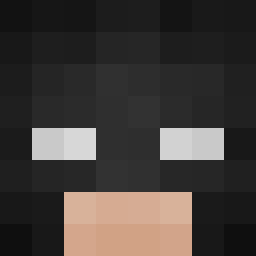
Current Minecraft skin of the player THUNDERBOLT_51, loaded from the official Mojang API. Rotate the 3D model with your mouse or finger, then download the skin as a PNG file and use it in Minecraft: Bedrock Edition or Java Edition for free. When THUNDERBOLT_51 changes their skin, this page updates automatically and the old skin stays in the history below.
Other players with this skin (103)
THUNDERBOLT_51 was the 87th player we have seen with this skin, first spotted on 18.10.2026. The same skin was seen on these players. Open a nickname to see their current skin and skin history.
 Magicals_s june5578 BlazeVulkan42 Vdus EDZON12 Mati121313 Zefiron diegoite nanes100 Fapil_ vvwsd Pablo__16 ItzWhosMave UDT236 McRielzy edbatxo MrPatriksk giernacki Filipsoniko ch1perr Cyberchild9 Emmazxr Rayan_yz WILD0609 PnahaSak ktmalle Taser110 Badgerben1235 sakunoh_Se1 junxkyard Xue_Li_Ya ExpertEagl SaySoSaidSo Divine_Sovereign FadedAcorn72 anacondatoenails Aypera medemfetan XSET_Ixicle BrierBoysYT tewayn Leglok s0nnz rasperation Dd0vv Fabio263 scammer67 Lexamun BolaDeYuca SpyUploads hopppo Master_Linus intel77 tobilobi1000 qKeirr itzvoid0 6locc__ qJRDB
 Leprodige2118 kholnq
How to install the THUNDERBOLT_51 skin
- Press the Download button above to save the skin as a PNG file.
- Minecraft: Bedrock Edition (PE): open the Dressing Room from the main menu (or tap your character → Edit Character), go to Classic Skins → Owned, press the + (new skin) button, choose the downloaded PNG and pick the Classic (Steve) model. Works on PC and mobile; consoles cannot import custom skins.
- Minecraft: Java Edition: open the Minecraft Launcher, go to the Skins tab, click New Skin, load the PNG, pick the Classic (Steve) model and press Save & Use. You can also upload it at minecraft.net → Profile → Change Skin.
The skin does not show up after import - what should I do?
Restart Minecraft and open the Dressing Room again - imported skins sometimes appear only after a restart. Also make sure you selected the imported skin and picked the Classic (Steve) model.
Which model should I choose, Classic or Slim?
This skin is designed for the Classic (Steve) model. If you pick the wrong model, the arms of the skin will look stretched or squeezed.
Is the skin of THUNDERBOLT_51 free to download?
Yes. Press Download, save the PNG file and use it in Minecraft: Bedrock Edition or Java Edition - no payment or registration needed. The skin also works on multiplayer servers and Realms.
More skins
Looking for more? Go back to all Minecraft skins and check the top skins of the week, month and all time, or find any player's skin by nickname.