
THETSUNAMIX - Minecraft Skins & Skin History
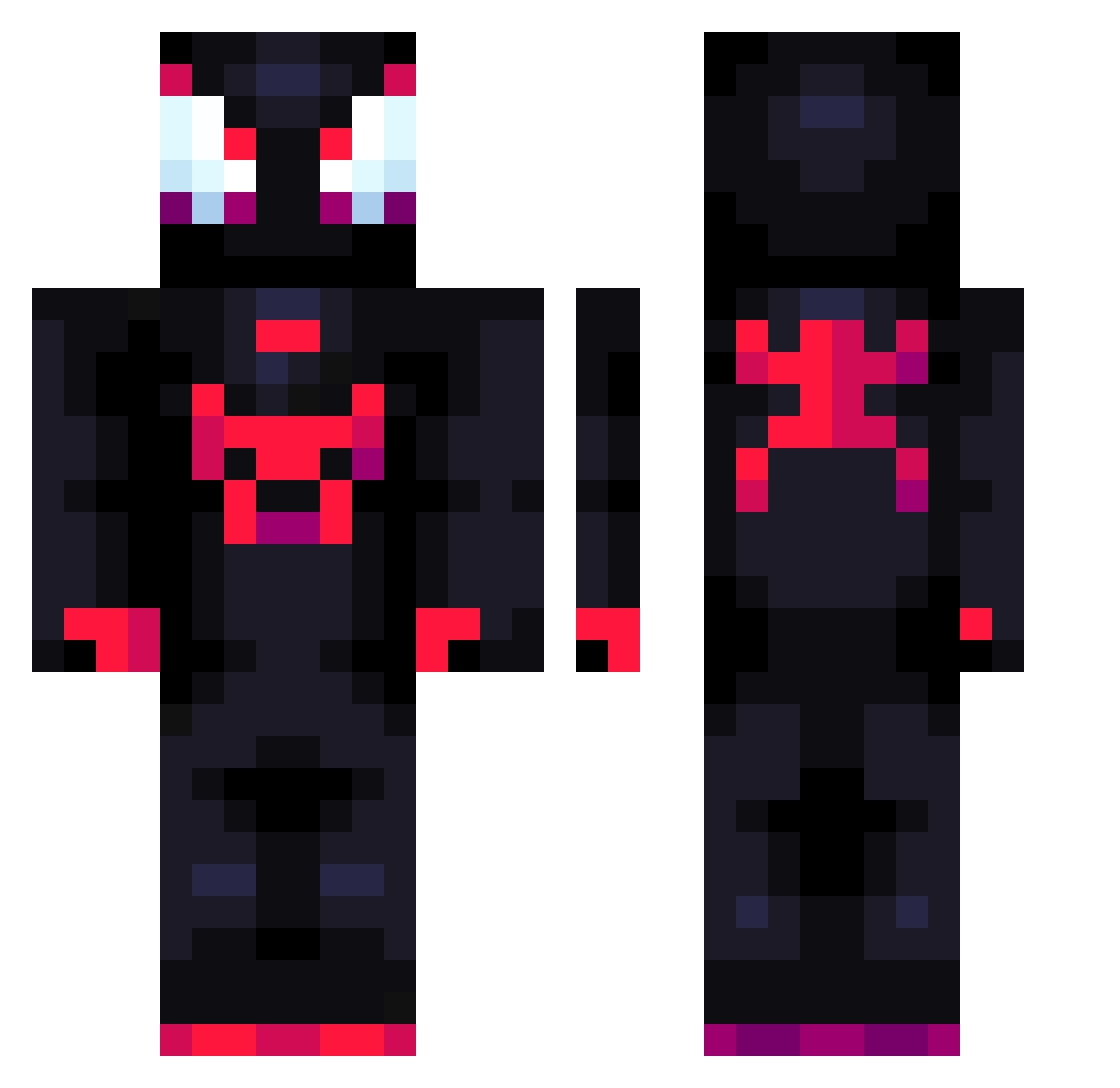
Current Minecraft skin of the player THETSUNAMIX, loaded from the official Mojang API. Rotate the 3D model with your mouse or finger, then download the skin as a PNG file and use it in Minecraft: Bedrock Edition or Java Edition for free. When THETSUNAMIX changes their skin, this page updates automatically and the old skin stays in the history below.
Other players with this skin (875)
THETSUNAMIX was the 826th player we have seen with this skin, first spotted on 04.11.2026. The same skin was seen on these players. Open a nickname to see their current skin and skin history.
 JeiPiDeuS 70yo70 SuperLuigi76 chenyunsong Swivid Maverk278 Uchiki14 XstorminmormonX CarlosDMGomez rensc AnoraKLOmnis thespot_ Brembito ryuk033 Arkavius7 Gucci2j RafaPG15 frostyboy325125 Zeldarkus IbobthekingTR Ghoul69 EmanuelFabyo hacheot182 Rakkner TankIsCool Kasee0 SUPERWILLY23 Spec2V DripHaack MubeenH Juliansico ratpov Nezzmo1 Leitinhoquente Haitrox 7WaloneSpiderman rythmetic FatNoggin wesurex Ivorychips eawsqd Pablanzas06 SaiyajinBlaze EdgarJph BiggySmoke94 Piotrus4087 lucciano56 Tipwolf Glitski Joel_999 Borodashkin Rayukat Grozmy000121 Kisawert burumusan WGHydra rafael0091 xiaochaochaoya EclipseMoon54 kurkanman
More Miles Morales Minecraft skins
See all 274 Miles Morales skins
How to install the THETSUNAMIX skin
- Press the Download button above to save the skin as a PNG file.
- Minecraft: Bedrock Edition (PE): open the Dressing Room from the main menu (or tap your character → Edit Character), go to Classic Skins → Owned, press the + (new skin) button, choose the downloaded PNG and pick the Classic (Steve) model. Works on PC and mobile; consoles cannot import custom skins.
- Minecraft: Java Edition: open the Minecraft Launcher, go to the Skins tab, click New Skin, load the PNG, pick the Classic (Steve) model and press Save & Use. You can also upload it at minecraft.net → Profile → Change Skin.
The skin does not show up after import - what should I do?
Restart Minecraft and open the Dressing Room again - imported skins sometimes appear only after a restart. Also make sure you selected the imported skin and picked the Classic (Steve) model.
Which model should I choose, Classic or Slim?
This skin is designed for the Classic (Steve) model. If you pick the wrong model, the arms of the skin will look stretched or squeezed.
Is the skin of THETSUNAMIX free to download?
Yes. Press Download, save the PNG file and use it in Minecraft: Bedrock Edition or Java Edition - no payment or registration needed. The skin also works on multiplayer servers and Realms.
More skins
Looking for more? Go back to all Minecraft skins and check the top skins of the week, month and all time, or find any player's skin by nickname.