
SzaryKO - Minecraft Skins & Skin History
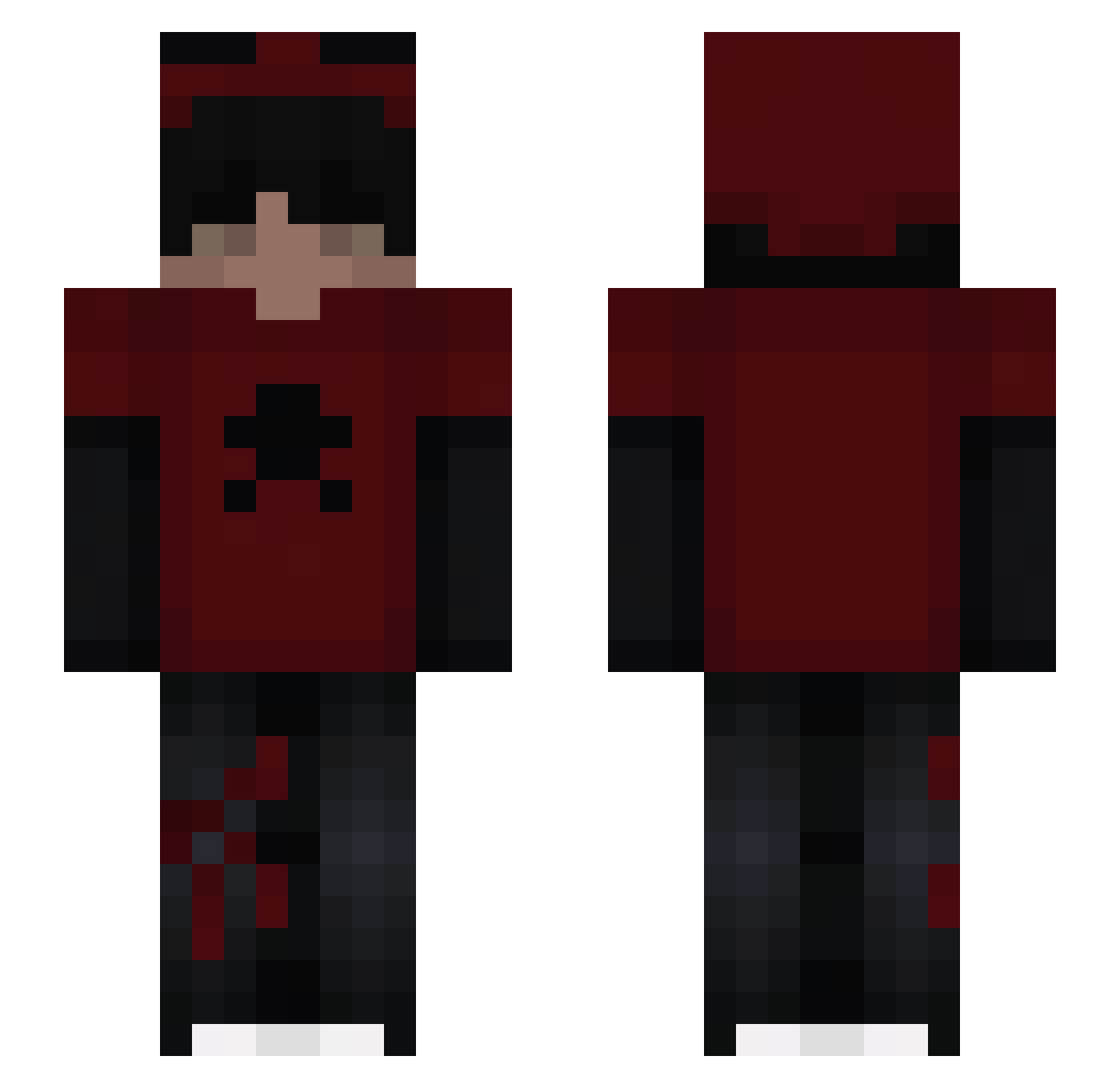
Current Minecraft skin of the player SzaryKO, loaded from the official Mojang API. Rotate the 3D model with your mouse or finger, then download the skin as a PNG file and use it in Minecraft: Bedrock Edition or Java Edition for free. When SzaryKO changes their skin, this page updates automatically and the old skin stays in the history below.
Other players with this skin (39)
SzaryKO was the 13th player we have seen with this skin, first spotted on 20.09.2026. The same skin was seen on these players. Open a nickname to see their current skin and skin history.
 _alwayshappy_ pumpkin_gamer927 5538 Pusku Fairy_girlygirl itsrefractures Clutchyyy XxN3xTi AlfPrimeCpvp Iamagulper Flammen2022 ya1986 Kirueur cloudberry104 Ellrexx ColaCail spokojny_ja Hypersuperduber Aocto1 zxlire OlandaSemH Hayoka_ DiogoPappy sLayyerBR Nathsukiii CrymsenN damiboy2020HD noahtokyo _a9x Morvyn Tate_ig ztaskxz Eniyx NoahDeCoco49 Yusts_Sam enrique9999 iTz_BlackDied sasy78 andry10130
Previous skins of SzaryKO
Skins that SzaryKO wore before, newest first. Click a skin to open its page and download it.
More Skull Minecraft skins
How to install the SzaryKO skin
- Press the Download button above to save the skin as a PNG file.
- Minecraft: Bedrock Edition (PE): open the Dressing Room from the main menu (or tap your character → Edit Character), go to Classic Skins → Owned, press the + (new skin) button, choose the downloaded PNG and pick the Slim (Alex) model. Works on PC and mobile; consoles cannot import custom skins.
- Minecraft: Java Edition: open the Minecraft Launcher, go to the Skins tab, click New Skin, load the PNG, pick the Slim (Alex) model and press Save & Use. You can also upload it at minecraft.net → Profile → Change Skin.
The skin does not show up after import - what should I do?
Restart Minecraft and open the Dressing Room again - imported skins sometimes appear only after a restart. Also make sure you selected the imported skin and picked the Slim (Alex) model.
Which model should I choose, Classic or Slim?
This skin is designed for the Slim (Alex) model. If you pick the wrong model, the arms of the skin will look stretched or squeezed.
Is the skin of SzaryKO free to download?
Yes. Press Download, save the PNG file and use it in Minecraft: Bedrock Edition or Java Edition - no payment or registration needed. The skin also works on multiplayer servers and Realms.
More skins
Looking for more? Go back to all Minecraft skins and check the top skins of the week, month and all time, or find any player's skin by nickname.