
SwoopUFA - Minecraft Skins & Skin History
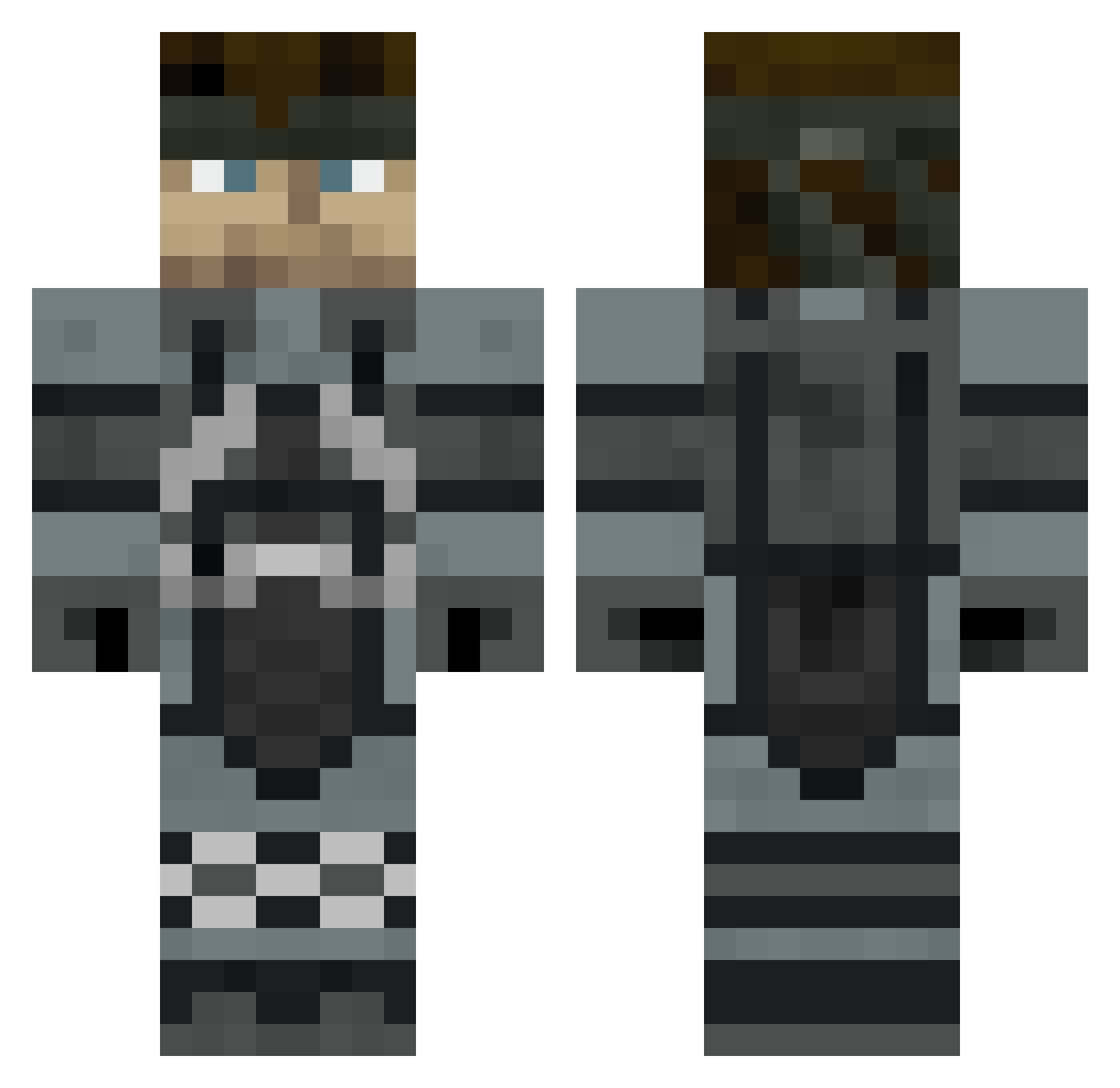
Current Minecraft skin of the player SwoopUFA, loaded from the official Mojang API. Rotate the 3D model with your mouse or finger, then download the skin as a PNG file and use it in Minecraft: Bedrock Edition or Java Edition for free. When SwoopUFA changes their skin, this page updates automatically and the old skin stays in the history below.
Other players with this skin (523)
SwoopUFA was the 440th player we have seen with this skin, first spotted on 24.10.2026. The same skin was seen on these players. Open a nickname to see their current skin and skin history.
 CorgiVIII Yuge_Chungus Dman_96 Qan313 Marc93170 linkan531 gocheri CmdrSnake Comeback01 chaseboy8 Chris_and_Lucas rSnowzone oDem0o mtaylor577 Evander000 Jerevan Cecil_Harvey93 NomansIand Dabeast1996 ThrowngNinja SolidBison RIP_VirgilAbloh Doorashki MrStryka WalkingDead83 Zeldie olonor drshakalu ghost1567 RivalPanda javogr6 phillipa11 Loveshock mortenkjeldsen Starchiee damha1234 TBH_Blackout RoboPanda BraZZer92 GoombaKing77 LitJackson2 JFresco Boots0 kermet96 ImTheBushMaori Mcutot ibfreeekout Damanisjon zombiefriend428 GeneralCusty IngramPrisken ReverendFeltcher Dimirio RAHBRT gvgnumber1 Grinkgronk Nixblaze Matiazu CaluaCalva Zpyra
More Snake Minecraft skins
How to install the SwoopUFA skin
- Press the Download button above to save the skin as a PNG file.
- Minecraft: Bedrock Edition (PE): open the Dressing Room from the main menu (or tap your character → Edit Character), go to Classic Skins → Owned, press the + (new skin) button, choose the downloaded PNG and pick the Classic (Steve) model. Works on PC and mobile; consoles cannot import custom skins.
- Minecraft: Java Edition: open the Minecraft Launcher, go to the Skins tab, click New Skin, load the PNG, pick the Classic (Steve) model and press Save & Use. You can also upload it at minecraft.net → Profile → Change Skin.
The skin does not show up after import - what should I do?
Restart Minecraft and open the Dressing Room again - imported skins sometimes appear only after a restart. Also make sure you selected the imported skin and picked the Classic (Steve) model.
Which model should I choose, Classic or Slim?
This skin is designed for the Classic (Steve) model. If you pick the wrong model, the arms of the skin will look stretched or squeezed.
Is the skin of SwoopUFA free to download?
Yes. Press Download, save the PNG file and use it in Minecraft: Bedrock Edition or Java Edition - no payment or registration needed. The skin also works on multiplayer servers and Realms.
More skins
Looking for more? Go back to all Minecraft skins and check the top skins of the week, month and all time, or find any player's skin by nickname.