
SushiBoy_170 - Minecraft Skins & Skin History
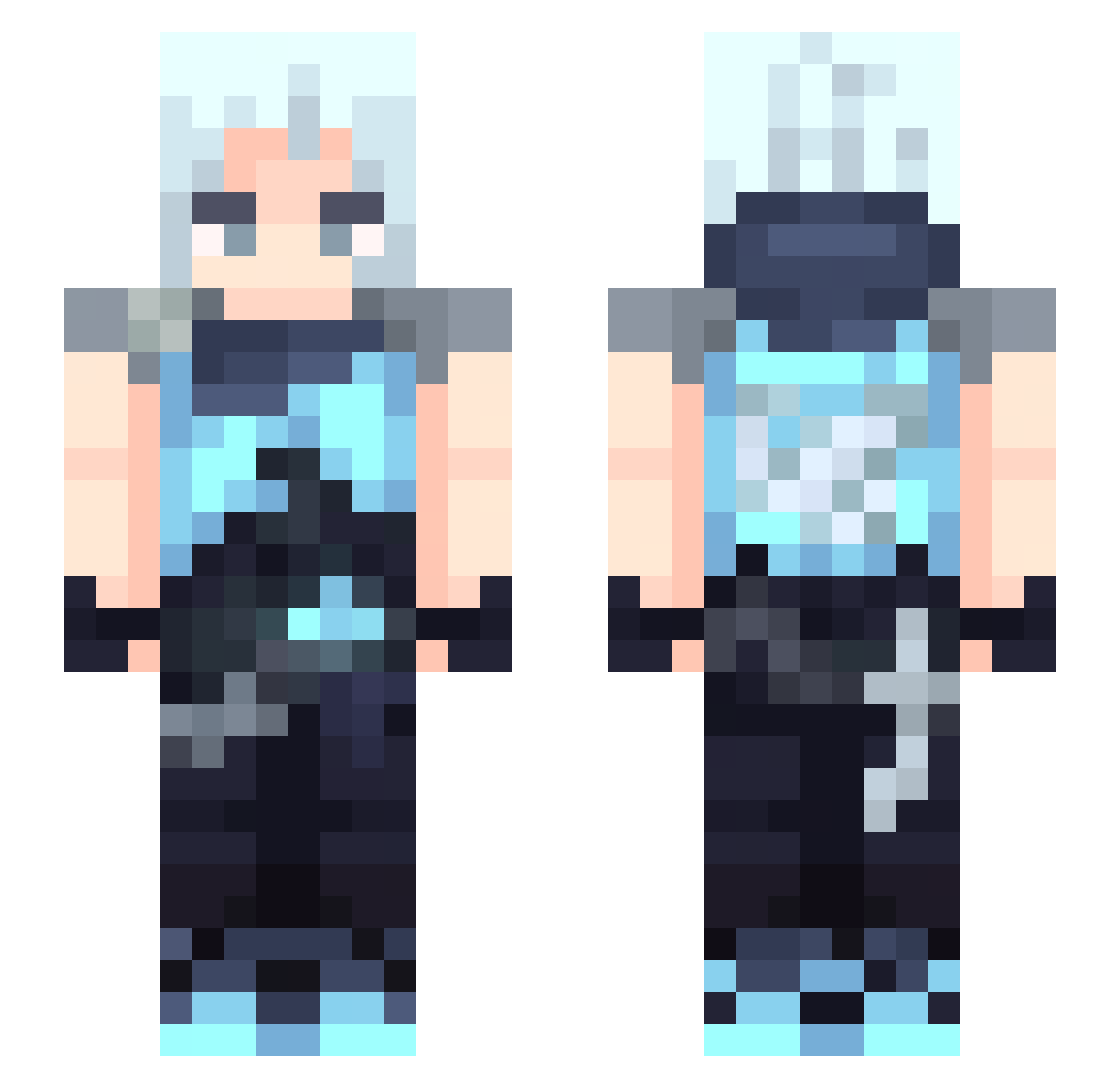
Current Minecraft skin of the player SushiBoy_170, loaded from the official Mojang API. Rotate the 3D model with your mouse or finger, then download the skin as a PNG file and use it in Minecraft: Bedrock Edition or Java Edition for free. When SushiBoy_170 changes their skin, this page updates automatically and the old skin stays in the history below.
Other players with this skin (407)
SushiBoy_170 was the 393rd player we have seen with this skin, first spotted on 06.11.2026. The same skin was seen on these players. Open a nickname to see their current skin and skin history.
 MateoSkibidi RUJETT LaNotte_ DEMI_0916 NicoV04 relesovo Takaiyami mathis0525 Jett ImYourWolf MPX1 elojaum greasetart Jaydonnie69 ZNAAKO merousfps Lixzxzx Regretsx gamergamingchair Ryokaii7 TuNaweiiiiii 1tachi1628 Cloak_1012 James_523 kormorr satoru191 iCavz bismar1 Hsun1013 Nokv Reclezz667 boch71 TrulyLoyalzuka AhmeTT_0608 djqojfiso0813 Single_Huan jettyu soener s0meluv mattsie M1Ly_ow TaYo7zz lea_rda gariquinha l_Lightning_lx MrCatYT001 Korzen_ Ryo_2520 Wayk_240hz Mikkelangeloo anson417 Meliver MaiMaiCN Jettmaster123 ZAMZZANG Lalit01 GLZORO ERoslonM an5l JILIJU
More Jett Minecraft skins
How to install the SushiBoy_170 skin
- Press the Download button above to save the skin as a PNG file.
- Minecraft: Bedrock Edition (PE): open the Dressing Room from the main menu (or tap your character → Edit Character), go to Classic Skins → Owned, press the + (new skin) button, choose the downloaded PNG and pick the Slim (Alex) model. Works on PC and mobile; consoles cannot import custom skins.
- Minecraft: Java Edition: open the Minecraft Launcher, go to the Skins tab, click New Skin, load the PNG, pick the Slim (Alex) model and press Save & Use. You can also upload it at minecraft.net → Profile → Change Skin.
The skin does not show up after import - what should I do?
Restart Minecraft and open the Dressing Room again - imported skins sometimes appear only after a restart. Also make sure you selected the imported skin and picked the Slim (Alex) model.
Which model should I choose, Classic or Slim?
This skin is designed for the Slim (Alex) model. If you pick the wrong model, the arms of the skin will look stretched or squeezed.
Is the skin of SushiBoy_170 free to download?
Yes. Press Download, save the PNG file and use it in Minecraft: Bedrock Edition or Java Edition - no payment or registration needed. The skin also works on multiplayer servers and Realms.
More skins
Looking for more? Go back to all Minecraft skins and check the top skins of the week, month and all time, or find any player's skin by nickname.