
Surieel - Minecraft Skins & Skin History
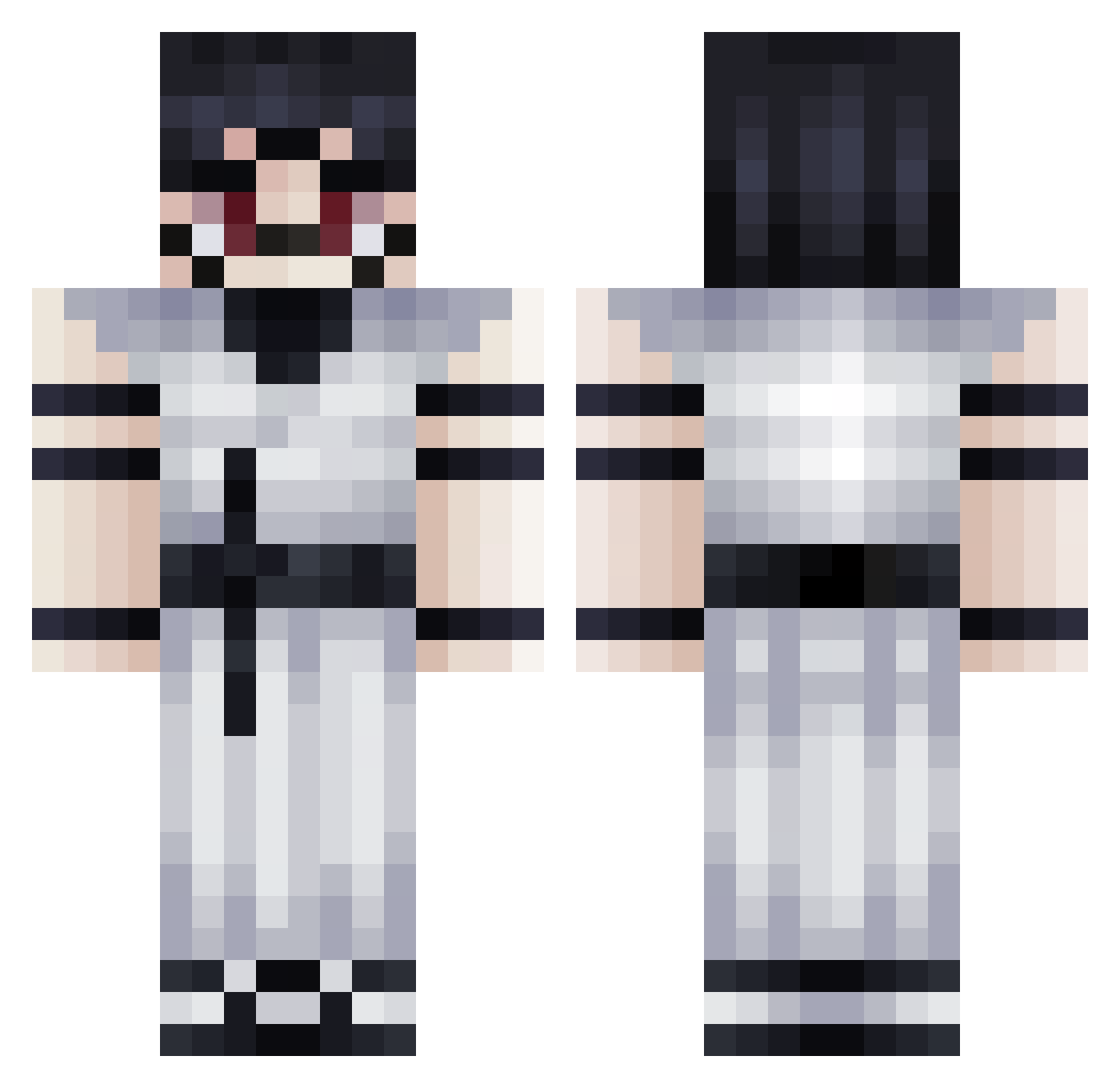
Current Minecraft skin of the player Surieel, loaded from the official Mojang API. Rotate the 3D model with your mouse or finger, then download the skin as a PNG file and use it in Minecraft: Bedrock Edition or Java Edition for free. When Surieel changes their skin, this page updates automatically and the old skin stays in the history below.
Other players with this skin (364)
Surieel was the 255th player we have seen with this skin, first spotted on 16.10.2026. The same skin was seen on these players. Open a nickname to see their current skin and skin history.
 K3L0GS valentiono7 diegosur DerkSo Rizzi2009 IzYakuza NxzTap gika3zan godwell Magicaltopher Kero0738 NoHandsDaddy kazo23 cvltcl4ssic juninchavoso _Kaaizen Marci2006 JupGaming DevilKaneki icoollikeice Tintinrio GeorgeBUL BautiGR Tostado01siu Victory121105 DokoYokai Child_Slayer69 Gravidx Tzuyoshi2007 meeessilover_10 Sasoooo Zen2099 RayenKing Bn77 666_SATAN666 N30_1 Waiush _dralii_ Civodul20 __TheMarc17__ jjaWy rzqta Drew246 Darcix07 LordEmerald69 TheGreatPineTRE_ yesyouchan Ry0m3nSukuna KODUKUSHI0 Wryw hanse0414 Cmasooner KotoroTM gilmario Get_Flaked BigYahuCarries brzc davigomess IdanSh DRXFT6996
More Oni Minecraft skins
How to install the Surieel skin
- Press the Download button above to save the skin as a PNG file.
- Minecraft: Bedrock Edition (PE): open the Dressing Room from the main menu (or tap your character → Edit Character), go to Classic Skins → Owned, press the + (new skin) button, choose the downloaded PNG and pick the Classic (Steve) model. Works on PC and mobile; consoles cannot import custom skins.
- Minecraft: Java Edition: open the Minecraft Launcher, go to the Skins tab, click New Skin, load the PNG, pick the Classic (Steve) model and press Save & Use. You can also upload it at minecraft.net → Profile → Change Skin.
The skin does not show up after import - what should I do?
Restart Minecraft and open the Dressing Room again - imported skins sometimes appear only after a restart. Also make sure you selected the imported skin and picked the Classic (Steve) model.
Which model should I choose, Classic or Slim?
This skin is designed for the Classic (Steve) model. If you pick the wrong model, the arms of the skin will look stretched or squeezed.
Is the skin of Surieel free to download?
Yes. Press Download, save the PNG file and use it in Minecraft: Bedrock Edition or Java Edition - no payment or registration needed. The skin also works on multiplayer servers and Realms.
More skins
Looking for more? Go back to all Minecraft skins and check the top skins of the week, month and all time, or find any player's skin by nickname.