
SunspotOcelot - Minecraft Skins & Skin History
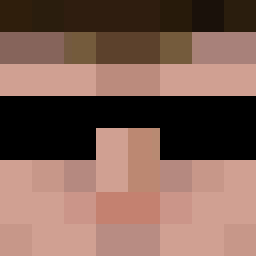
Current Minecraft skin of the player SunspotOcelot, loaded from the official Mojang API. Rotate the 3D model with your mouse or finger, then download the skin as a PNG file and use it in Minecraft: Bedrock Edition or Java Edition for free. When SunspotOcelot changes their skin, this page updates automatically and the old skin stays in the history below.

Other players with this skin (427)
SunspotOcelot was the 383rd player we have seen with this skin, first spotted on 01.11.2026. The same skin was seen on these players. Open a nickname to see their current skin and skin history.
 RandRick8505 naney18 NKay91 HenryMinor renchglad Trustyboy777 limassi Nalver Tavern____ limpik AntonioRT TKGL Sendatu Gotschalg VelodromeV AsZero TitanRover Anekathen Mkyhed RenDogg ALLEN_EX sub2inferno Locupus SickBoy3hunna Alpellam PragonBrezze hxxax_x Hon1 adowling3781 Mini_Hansen1 bigcattt Mona659 Platin52 MAL_82 YoshoHin Tevon PommesFreunde Emil_1313 sailE123 Jaguaro_DoiT Smith_O SpankedUrShawty AgentX2009 ujon BirdboyZ Thalorion moodymen LTHash Lauseck Mcstud22 Harrison8008135 silfali SnevKor Solryx Dennista Ripjaw2505 MiguelH1017 Spiderworld2009 DrHyperion Sigaaa
More Agent Minecraft skins
How to install the SunspotOcelot skin
- Press the Download button above to save the skin as a PNG file.
- Minecraft: Bedrock Edition (PE): open the Dressing Room from the main menu (or tap your character → Edit Character), go to Classic Skins → Owned, press the + (new skin) button, choose the downloaded PNG and pick the Classic (Steve) model. Works on PC and mobile; consoles cannot import custom skins.
- Minecraft: Java Edition: open the Minecraft Launcher, go to the Skins tab, click New Skin, load the PNG, pick the Classic (Steve) model and press Save & Use. You can also upload it at minecraft.net → Profile → Change Skin.
The skin does not show up after import - what should I do?
Restart Minecraft and open the Dressing Room again - imported skins sometimes appear only after a restart. Also make sure you selected the imported skin and picked the Classic (Steve) model.
Which model should I choose, Classic or Slim?
This skin is designed for the Classic (Steve) model. If you pick the wrong model, the arms of the skin will look stretched or squeezed.
Is the skin of SunspotOcelot free to download?
Yes. Press Download, save the PNG file and use it in Minecraft: Bedrock Edition or Java Edition - no payment or registration needed. The skin also works on multiplayer servers and Realms.
More skins
Looking for more? Go back to all Minecraft skins and check the top skins of the week, month and all time, or find any player's skin by nickname.