
StormieTaylor - Minecraft Skins & Skin History
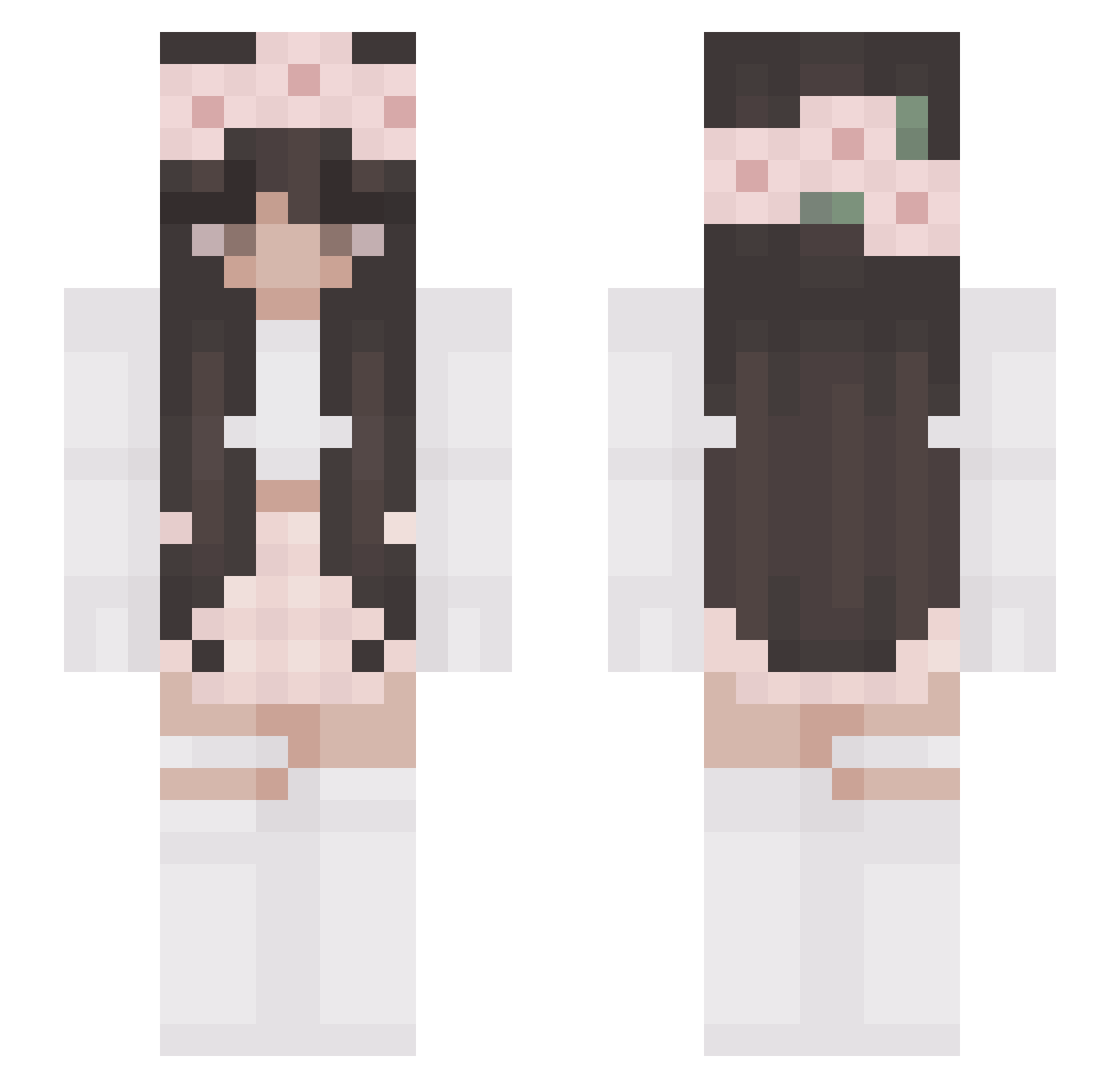
Current Minecraft skin of the player StormieTaylor, loaded from the official Mojang API. Rotate the 3D model with your mouse or finger, then download the skin as a PNG file and use it in Minecraft: Bedrock Edition or Java Edition for free. When StormieTaylor changes their skin, this page updates automatically and the old skin stays in the history below.
Other players with this skin (327)
StormieTaylor was the 38th player we have seen with this skin, first spotted on 10.08.2026. The same skin was seen on these players. Open a nickname to see their current skin and skin history.
 __joseph_ pipico1 ameliiie24 HxneyBee12 lexcq josail_cuteYT Oluszka Korna2011 Quqrta NieAdiZ dreaminay cloudy_jellyfish Lina_95 lillybobs20 xXJulcia33 ShadowStalker63 BuKyluK KIJOON celestialhrt Thegrankeil niico1e Eleanor2006 rabeenK sweetvane Chloe_rine Browniator Samtpfote_Yuna CareBearXX3 DeadPoolMan31 TaleMarieG Jagodka_5 Tursonia zannaiia Yamateshiro Rubymae168 IsabelleCG KarlsruherChaya Geekiful Haven06 Its_Kat_ Dina0 riming_ Merula12 BussinMONKE swaggy_gabby CindyLoveYumi leonie281004 TwistedSister420 Anastasia_Volk KapuMaro patiuk catgirlCoco onlyloropiana KALA_PL chromau PandoraReina daarkangeel_ mytien4 __Avocado_ lalalatte
More Flower Crown Minecraft skins
See all 3686 Flower Crown skins
How to install the StormieTaylor skin
- Press the Download button above to save the skin as a PNG file.
- Minecraft: Bedrock Edition (PE): open the Dressing Room from the main menu (or tap your character → Edit Character), go to Classic Skins → Owned, press the + (new skin) button, choose the downloaded PNG and pick the Slim (Alex) model. Works on PC and mobile; consoles cannot import custom skins.
- Minecraft: Java Edition: open the Minecraft Launcher, go to the Skins tab, click New Skin, load the PNG, pick the Slim (Alex) model and press Save & Use. You can also upload it at minecraft.net → Profile → Change Skin.
The skin does not show up after import - what should I do?
Restart Minecraft and open the Dressing Room again - imported skins sometimes appear only after a restart. Also make sure you selected the imported skin and picked the Slim (Alex) model.
Which model should I choose, Classic or Slim?
This skin is designed for the Slim (Alex) model. If you pick the wrong model, the arms of the skin will look stretched or squeezed.
Is the skin of StormieTaylor free to download?
Yes. Press Download, save the PNG file and use it in Minecraft: Bedrock Edition or Java Edition - no payment or registration needed. The skin also works on multiplayer servers and Realms.
More skins
Looking for more? Go back to all Minecraft skins and check the top skins of the week, month and all time, or find any player's skin by nickname.