
Skr00zZ - Minecraft Skins & Skin History
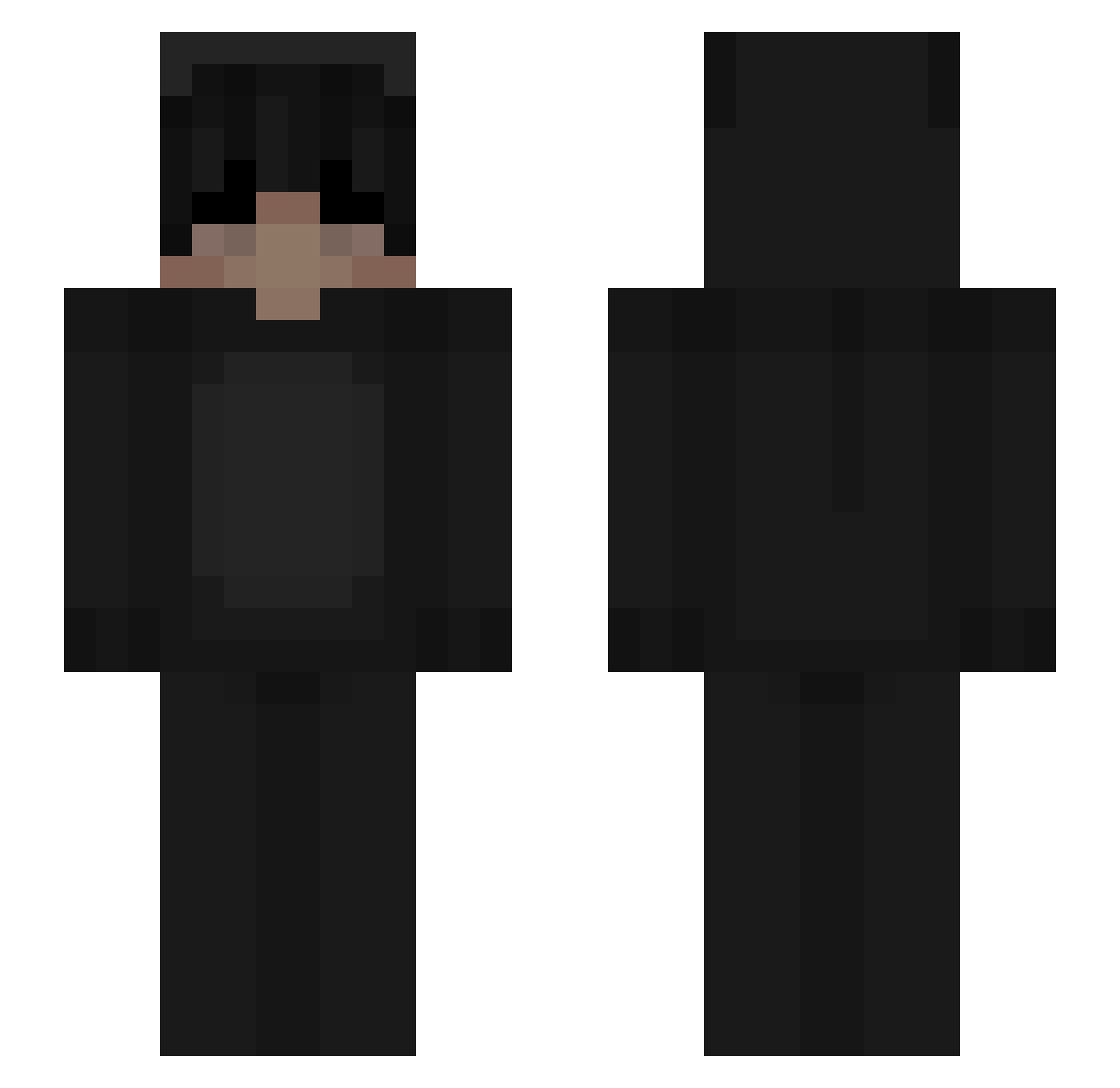
Current Minecraft skin of the player Skr00zZ, loaded from the official Mojang API. Rotate the 3D model with your mouse or finger, then download the skin as a PNG file and use it in Minecraft: Bedrock Edition or Java Edition for free. When Skr00zZ changes their skin, this page updates automatically and the old skin stays in the history below.
Other players with this skin (112)
Skr00zZ was the 83rd player we have seen with this skin, first spotted on 13.10.2026. The same skin was seen on these players. Open a nickname to see their current skin and skin history.
 DzSAMO_ Bigwolfff Strik lthudium Nero_9833 BedlessIcon Kubciax_PL BrokenVows spankmee pithunter101 hiddeny felipezx_dela RATPII4LIFE KameDaRealest Diegoeoz Dzonika00 B4Danger CrqzyKxller_ PassiGHG GumusKanat victorygbj mckkenna7 RH_131 thegronn MrBerserkerOps ImBeaast ReachAbuse d4ddydylan I_N0NE PerfectNeglect DatHack igotcutelegs kimmith cool0_0 airsBW HarrieKnarrie jzsonb OhAssend Apejuicy hypixel_says ihtb HTK2116 KittenBlast harleeyyy zH0_ AwwDepresso Kobiobi89 anticotics DarknessUmbrella OrangeFantazy MixQMC Pf1zer Gdbwolf NextDean JmayorgaO Malco3 Jodeely cheewio femboyrealm Renox758
More Animal Onesie Minecraft skins
See all 2287 Animal Onesie skins
How to install the Skr00zZ skin
- Press the Download button above to save the skin as a PNG file.
- Minecraft: Bedrock Edition (PE): open the Dressing Room from the main menu (or tap your character → Edit Character), go to Classic Skins → Owned, press the + (new skin) button, choose the downloaded PNG and pick the Slim (Alex) model. Works on PC and mobile; consoles cannot import custom skins.
- Minecraft: Java Edition: open the Minecraft Launcher, go to the Skins tab, click New Skin, load the PNG, pick the Slim (Alex) model and press Save & Use. You can also upload it at minecraft.net → Profile → Change Skin.
The skin does not show up after import - what should I do?
Restart Minecraft and open the Dressing Room again - imported skins sometimes appear only after a restart. Also make sure you selected the imported skin and picked the Slim (Alex) model.
Which model should I choose, Classic or Slim?
This skin is designed for the Slim (Alex) model. If you pick the wrong model, the arms of the skin will look stretched or squeezed.
Is the skin of Skr00zZ free to download?
Yes. Press Download, save the PNG file and use it in Minecraft: Bedrock Edition or Java Edition - no payment or registration needed. The skin also works on multiplayer servers and Realms.
More skins
Looking for more? Go back to all Minecraft skins and check the top skins of the week, month and all time, or find any player's skin by nickname.