
Sim16y - Minecraft Skins & Skin History
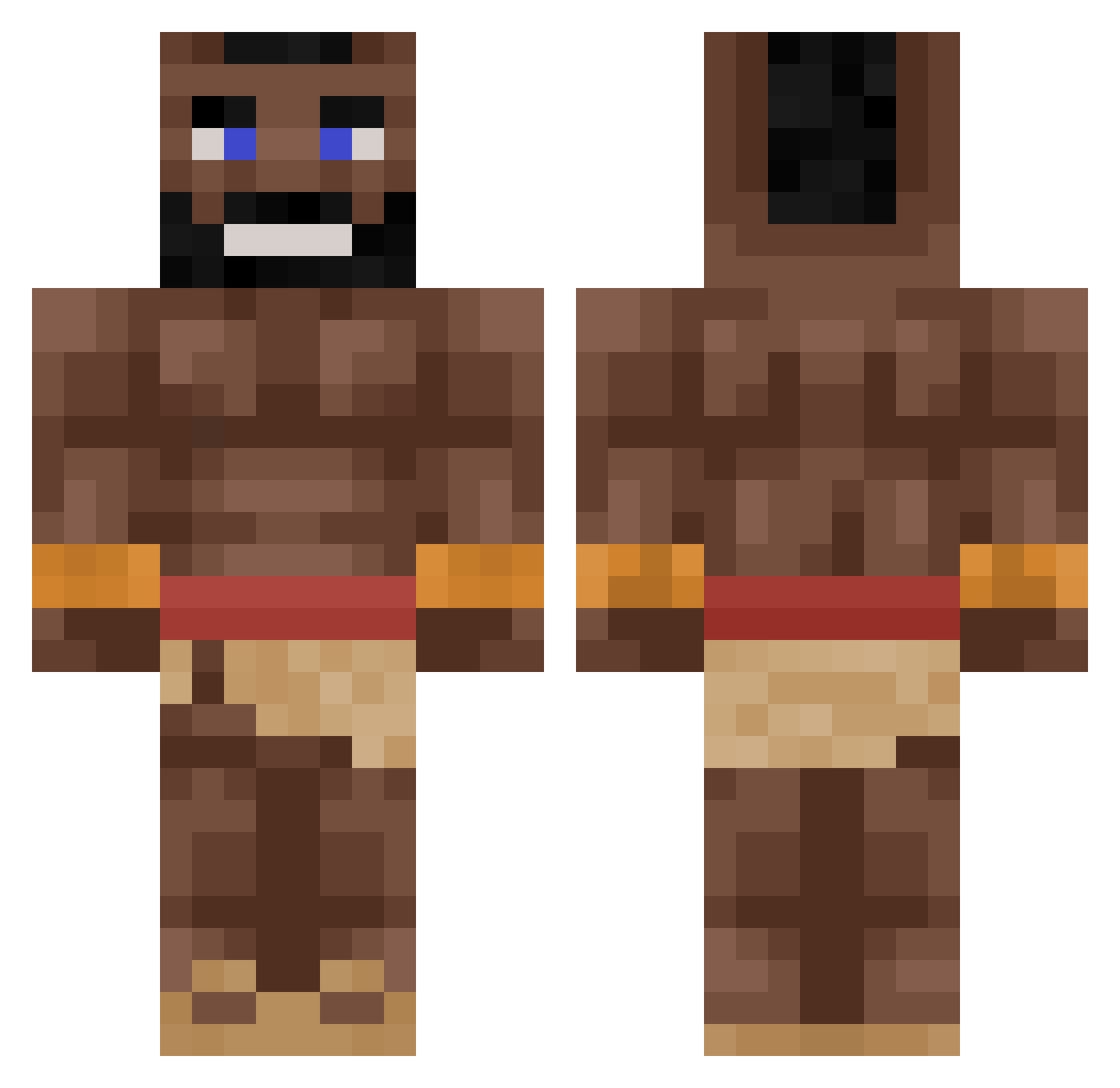
Current Minecraft skin of the player Sim16y, loaded from the official Mojang API. Rotate the 3D model with your mouse or finger, then download the skin as a PNG file and use it in Minecraft: Bedrock Edition or Java Edition for free. When Sim16y changes their skin, this page updates automatically and the old skin stays in the history below.
Other players with this skin (342)
Sim16y was the 331st player we have seen with this skin, first spotted on 08.11.2026. The same skin was seen on these players. Open a nickname to see their current skin and skin history.
 Touffo01 Sol_ar sasha_1040 Gangggggg Goriliak1626 hyein0421 Cmeljavi RobiJJinp MrD_TV Valeric21 thetuffster BaYbo6847 KaktusPVZGW2 Gimojiji GodlyDinosaur surdegspeter Dominik522 RhydonMadeek thedestroyersr SixZzy_ jonathan929 M_SUNN ziajek MrBevn BasPopelier DenyssRo bolfor Sentinal02 SuperJona1 Black_Thug_12 SimoonPT FlorianPeter SG_Sofiane imakeyoublack Piebruh WhiskeryTable49 Tweety_Birdy andpro73 juggggernut SaluditosCrack HOGRIDAAA_ BeestMVP SGN_Frapzz_69 cyay slavetreiber69 KORINEKK GamerJDG2009 StevenHawking67 Gertruda19 Aldenlol UchigatanaUser_ GloferMeter yoboivales artavod Zofren1 CarlosNiggleson_ Camster9000 PUTINNOREAL AnkaraMessii Fifo312
More Mohawk Minecraft skins
How to install the Sim16y skin
- Press the Download button above to save the skin as a PNG file.
- Minecraft: Bedrock Edition (PE): open the Dressing Room from the main menu (or tap your character → Edit Character), go to Classic Skins → Owned, press the + (new skin) button, choose the downloaded PNG and pick the Classic (Steve) model. Works on PC and mobile; consoles cannot import custom skins.
- Minecraft: Java Edition: open the Minecraft Launcher, go to the Skins tab, click New Skin, load the PNG, pick the Classic (Steve) model and press Save & Use. You can also upload it at minecraft.net → Profile → Change Skin.
The skin does not show up after import - what should I do?
Restart Minecraft and open the Dressing Room again - imported skins sometimes appear only after a restart. Also make sure you selected the imported skin and picked the Classic (Steve) model.
Which model should I choose, Classic or Slim?
This skin is designed for the Classic (Steve) model. If you pick the wrong model, the arms of the skin will look stretched or squeezed.
Is the skin of Sim16y free to download?
Yes. Press Download, save the PNG file and use it in Minecraft: Bedrock Edition or Java Edition - no payment or registration needed. The skin also works on multiplayer servers and Realms.
More skins
Looking for more? Go back to all Minecraft skins and check the top skins of the week, month and all time, or find any player's skin by nickname.