
ShooortAussie - Minecraft Skins & Skin History
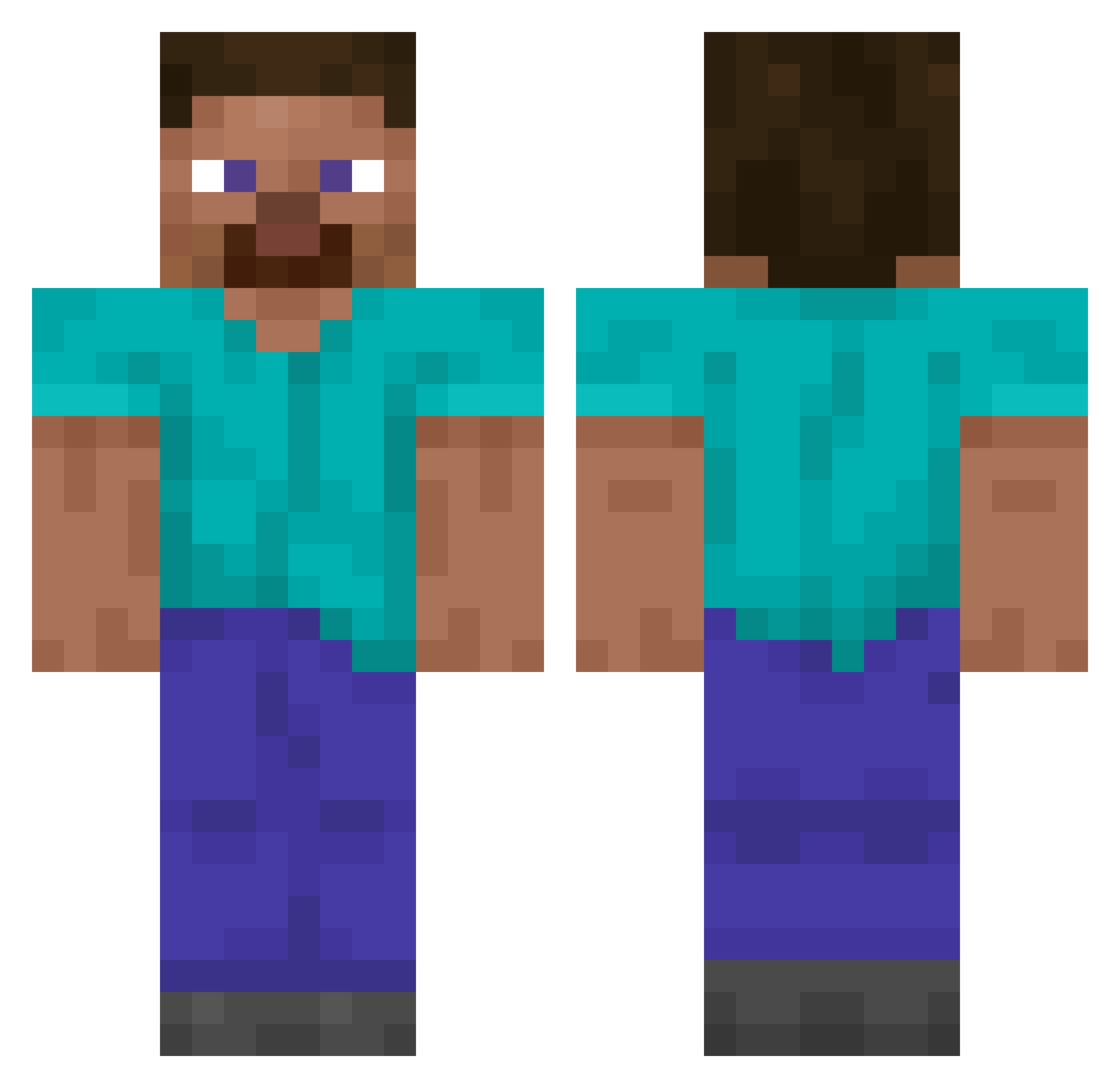
Current Minecraft skin of the player ShooortAussie, loaded from the official Mojang API. Rotate the 3D model with your mouse or finger, then download the skin as a PNG file and use it in Minecraft: Bedrock Edition or Java Edition for free. When ShooortAussie changes their skin, this page updates automatically and the old skin stays in the history below.
Other players with this skin (14843)
ShooortAussie was the 14360th player we have seen with this skin, first spotted on 07.11.2026. The same skin was seen on these players. Open a nickname to see their current skin and skin history.
 Wu_oV1qdi DarkoOmega GusHill Z4RQ Yakuza_51 corneum GamLy1 Annabelledsj mattzegoat hoon7072 puggypowpow11 Emosik321 LoudBoiii SmallSodas bison187187 69DiamondHoe69 Qazaroth GoldenZombie2 PinkLadySlipper Winbjerg Poudou KEN80Y kasumi__ mikevicksPitbull _D3str0ck_ ggDiv kica1212 Mk1oWC technostricke GenralMax Jqcky Nepterusa iwishforpie1 Wetbread13 Kaptn_zur_See ItzDribbelPvP lllechtimm Enderman98713 ImDaedric romera _Hypixel_ ruxiit TheDragonToy Ruzhdi Firearmed ToplamaGitarist guitarallstar romeo5555 huseyin123400 Diamond_steve10 criptosectario freewo_od redcemil ezmirderg zSkreaty_TR wy4tt101 mbelli ONETRY247 Kleikan FongFangFinn
How to install the ShooortAussie skin
- Press the Download button above to save the skin as a PNG file.
- Minecraft: Bedrock Edition (PE): open the Dressing Room from the main menu (or tap your character → Edit Character), go to Classic Skins → Owned, press the + (new skin) button, choose the downloaded PNG and pick the Classic (Steve) model. Works on PC and mobile; consoles cannot import custom skins.
- Minecraft: Java Edition: open the Minecraft Launcher, go to the Skins tab, click New Skin, load the PNG, pick the Classic (Steve) model and press Save & Use. You can also upload it at minecraft.net → Profile → Change Skin.
The skin does not show up after import - what should I do?
Restart Minecraft and open the Dressing Room again - imported skins sometimes appear only after a restart. Also make sure you selected the imported skin and picked the Classic (Steve) model.
Which model should I choose, Classic or Slim?
This skin is designed for the Classic (Steve) model. If you pick the wrong model, the arms of the skin will look stretched or squeezed.
Is the skin of ShooortAussie free to download?
Yes. Press Download, save the PNG file and use it in Minecraft: Bedrock Edition or Java Edition - no payment or registration needed. The skin also works on multiplayer servers and Realms.
More skins
Looking for more? Go back to all Minecraft skins and check the top skins of the week, month and all time, or find any player's skin by nickname.