
Shiftivity - Minecraft Skins & Skin History
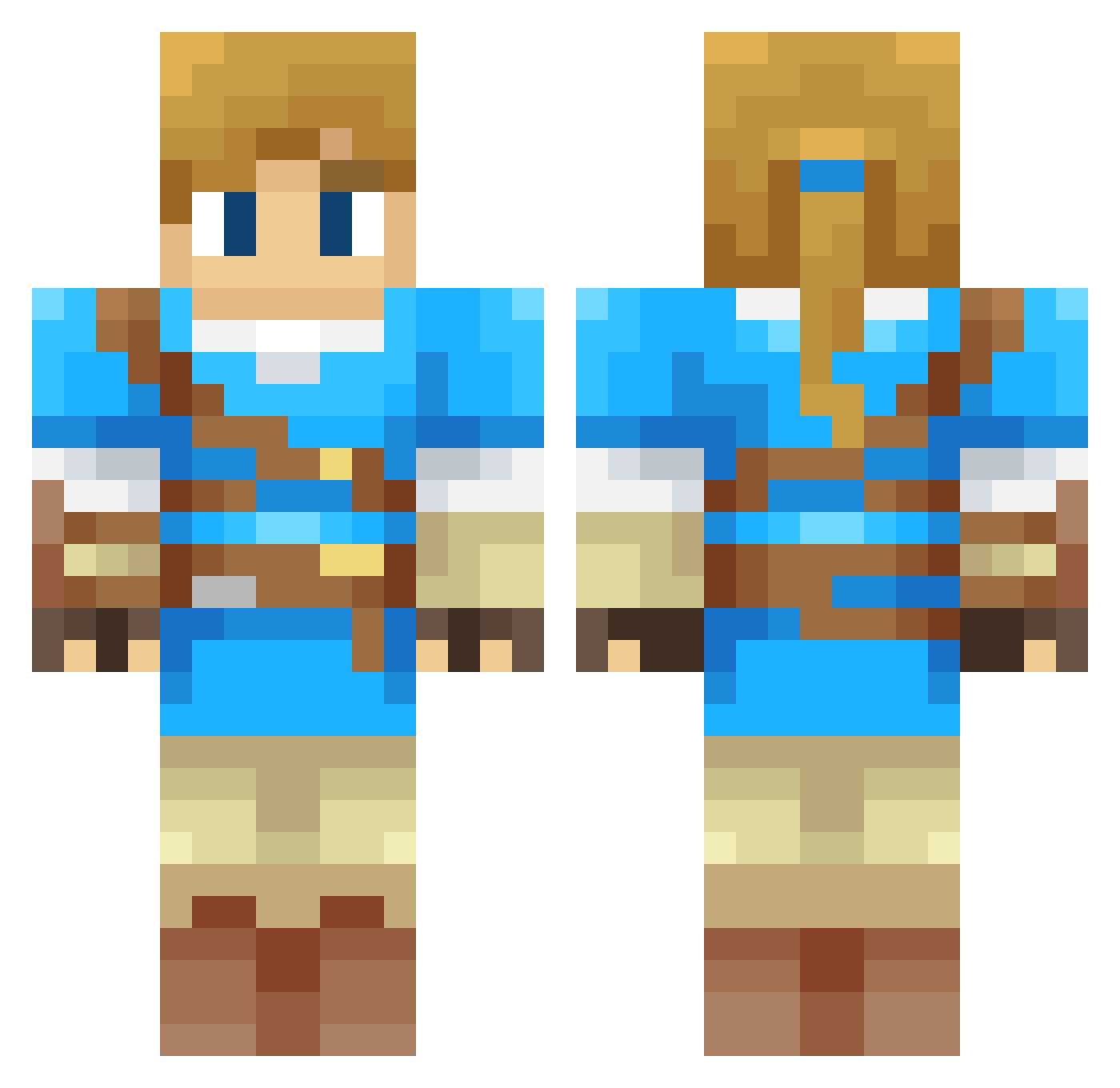
Current Minecraft skin of the player Shiftivity, loaded from the official Mojang API. Rotate the 3D model with your mouse or finger, then download the skin as a PNG file and use it in Minecraft: Bedrock Edition or Java Edition for free. When Shiftivity changes their skin, this page updates automatically and the old skin stays in the history below.
Other players with this skin (326)
Shiftivity was the 259th player we have seen with this skin, first spotted on 15.10.2026. The same skin was seen on these players. Open a nickname to see their current skin and skin history.
 lukeyio Link8987 NelTerra Junnior21 sleighboy26 HorseRaddish2000 Coxinha_19 Gnimacz FenChang_der Tremisque matheusgvm Lixmna FishyWishy96 Dardrok HoneyY16 gomdore8 mannerbund SuperMarian Outwolf CantinaDeMerca LozBotw17 Nene_Games10 munkungz JSPJSP Renlaw EduardRay Skyzone0102 imoon1 o0BadLink0o BojanglesIII kimkimkim1025 Platifire Filintia Toto000001 Androidex30 _mimistik_ LadyXeasy tropicsenjoyer Nailink01 ZeldamannOff Kentira Linker769 THEGaboBros Jella11 Ace974 OptimusShaun Daniel1v9 The_Solar_Wolf01 aragornlam UlisesGamer315 ABLPB TeddyIsHere Wombie_ Bobop64 MagicCube134 Cptnpepper Vacielle FionnThePaladin Zoomdat STEDiamond
More Breath Of The Wild Minecraft skins
See all 158 Breath Of The Wild skins
How to install the Shiftivity skin
- Press the Download button above to save the skin as a PNG file.
- Minecraft: Bedrock Edition (PE): open the Dressing Room from the main menu (or tap your character → Edit Character), go to Classic Skins → Owned, press the + (new skin) button, choose the downloaded PNG and pick the Classic (Steve) model. Works on PC and mobile; consoles cannot import custom skins.
- Minecraft: Java Edition: open the Minecraft Launcher, go to the Skins tab, click New Skin, load the PNG, pick the Classic (Steve) model and press Save & Use. You can also upload it at minecraft.net → Profile → Change Skin.
The skin does not show up after import - what should I do?
Restart Minecraft and open the Dressing Room again - imported skins sometimes appear only after a restart. Also make sure you selected the imported skin and picked the Classic (Steve) model.
Which model should I choose, Classic or Slim?
This skin is designed for the Classic (Steve) model. If you pick the wrong model, the arms of the skin will look stretched or squeezed.
Is the skin of Shiftivity free to download?
Yes. Press Download, save the PNG file and use it in Minecraft: Bedrock Edition or Java Edition - no payment or registration needed. The skin also works on multiplayer servers and Realms.
More skins
Looking for more? Go back to all Minecraft skins and check the top skins of the week, month and all time, or find any player's skin by nickname.