
Shambhu123 - Minecraft Skins & Skin History
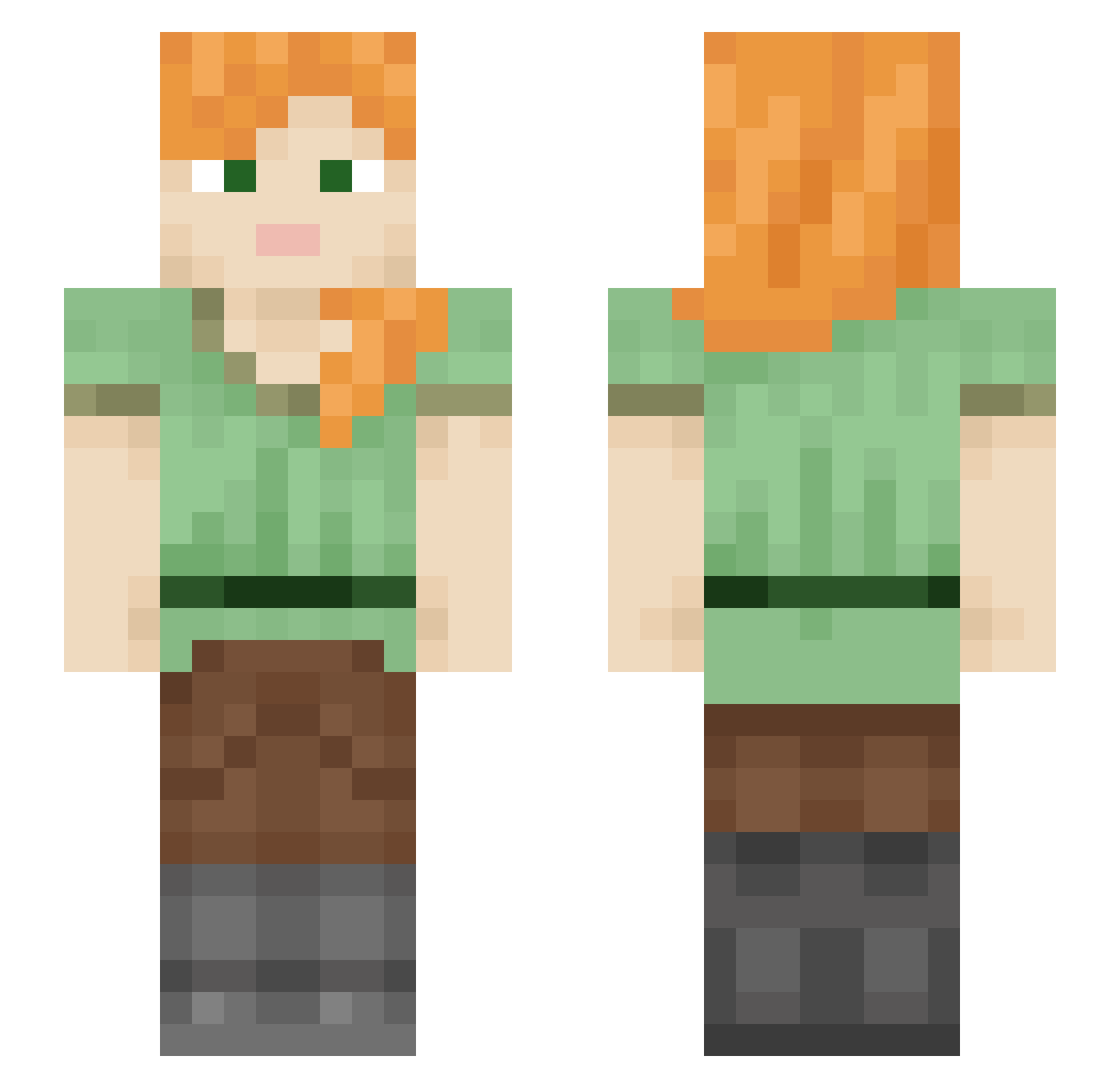
Current Minecraft skin of the player Shambhu123, loaded from the official Mojang API. Rotate the 3D model with your mouse or finger, then download the skin as a PNG file and use it in Minecraft: Bedrock Edition or Java Edition for free. When Shambhu123 changes their skin, this page updates automatically and the old skin stays in the history below.
Other players with this skin (577)
Shambhu123 was the 291st player we have seen with this skin, first spotted on 25.09.2026. The same skin was seen on these players. Open a nickname to see their current skin and skin history.
 Khloe20221 LoveKrissa love_rave annadream truecrimeaddict Myao921 khrizzle TitanLauncher noxrims2 plasmidian BlueIceDragon kk_mkt YuukiAsunao DollyLollie sukumvit ikunkunkun IrishKelly Origamik31 giada2000 _Alex606 pegah777 pure_me LinXiaoy shIElyn VildeNE3456 Kalexis04 88zunda dacookie123 evaevae bananaman2457 siumleo Djlolo Zamelka CNMW06 Han_WW haver1 aloniee3 lucii2000 markonixhack OsoLoco69 da009 Krebiz LordQuas420 Muddyboots1234 Felenor LouLouGay kestral0614 AngharadGwynn Ploitnot Gbbpe CaterPili Cemowe PlanA2G calu123 AnnaLeaKage Todkd bluedogisgay jekez toHarry dellmarker
How to install the Shambhu123 skin
- Press the Download button above to save the skin as a PNG file.
- Minecraft: Bedrock Edition (PE): open the Dressing Room from the main menu (or tap your character → Edit Character), go to Classic Skins → Owned, press the + (new skin) button, choose the downloaded PNG and pick the Slim (Alex) model. Works on PC and mobile; consoles cannot import custom skins.
- Minecraft: Java Edition: open the Minecraft Launcher, go to the Skins tab, click New Skin, load the PNG, pick the Slim (Alex) model and press Save & Use. You can also upload it at minecraft.net → Profile → Change Skin.
The skin does not show up after import - what should I do?
Restart Minecraft and open the Dressing Room again - imported skins sometimes appear only after a restart. Also make sure you selected the imported skin and picked the Slim (Alex) model.
Which model should I choose, Classic or Slim?
This skin is designed for the Slim (Alex) model. If you pick the wrong model, the arms of the skin will look stretched or squeezed.
Is the skin of Shambhu123 free to download?
Yes. Press Download, save the PNG file and use it in Minecraft: Bedrock Edition or Java Edition - no payment or registration needed. The skin also works on multiplayer servers and Realms.
More skins
Looking for more? Go back to all Minecraft skins and check the top skins of the week, month and all time, or find any player's skin by nickname.