
ShadowFire__ - Minecraft Skins & Skin History
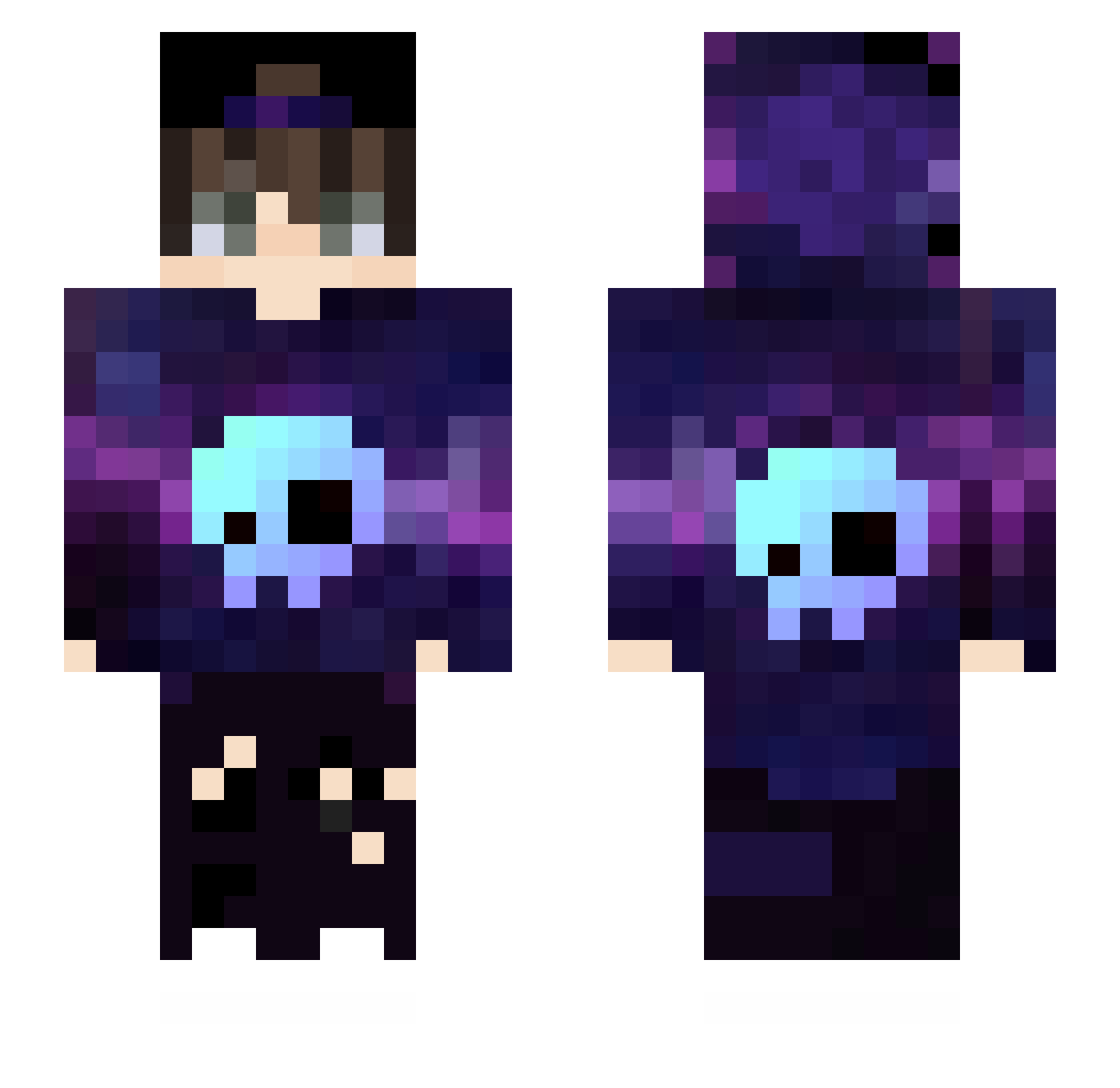
Current Minecraft skin of the player ShadowFire__, loaded from the official Mojang API. Rotate the 3D model with your mouse or finger, then download the skin as a PNG file and use it in Minecraft: Bedrock Edition or Java Edition for free. When ShadowFire__ changes their skin, this page updates automatically and the old skin stays in the history below.
Other players with this skin (567)
ShadowFire__ was the 454th player we have seen with this skin, first spotted on 23.10.2026. The same skin was seen on these players. Open a nickname to see their current skin and skin history.
 minionjackson Cealum123 Kai44323729 Halokrase BarackBrobama69 KhoaxRD pvpshiro ArtemNogay ManminkGaming_VN baballo muou_11 RyanSL7 IFEGOES IXAM__ QingMing0301 Jaymin18 ByTheLost SanixAVP pg_1 sFury23 XDny3310 Cursed_King57 Josuuuuuuu hungdz1412 little_red_17 KOOZI1219 colega_ icarogtg morumoru6453 Arilias j03ll Karpa_ Tod55 ikaroes MsArt BahaDJ LongMa_0 FoxAum_ LipeShowww NexusHD2 RekiemGMR20 XxNWSxX BrkzBey Voidsion URACAN2010 OoEICOcC Origins00 KW_solosnow05 AltyCaNNyS andrezyn RayhanBridge MateusSilva007 Oliver31047 LianRafa Xus81 SanttOfc GuiZk7 kasun PantersGamer Melihugur0
More Skull Minecraft skins
How to install the ShadowFire__ skin
- Press the Download button above to save the skin as a PNG file.
- Minecraft: Bedrock Edition (PE): open the Dressing Room from the main menu (or tap your character → Edit Character), go to Classic Skins → Owned, press the + (new skin) button, choose the downloaded PNG and pick the Slim (Alex) model. Works on PC and mobile; consoles cannot import custom skins.
- Minecraft: Java Edition: open the Minecraft Launcher, go to the Skins tab, click New Skin, load the PNG, pick the Slim (Alex) model and press Save & Use. You can also upload it at minecraft.net → Profile → Change Skin.
The skin does not show up after import - what should I do?
Restart Minecraft and open the Dressing Room again - imported skins sometimes appear only after a restart. Also make sure you selected the imported skin and picked the Slim (Alex) model.
Which model should I choose, Classic or Slim?
This skin is designed for the Slim (Alex) model. If you pick the wrong model, the arms of the skin will look stretched or squeezed.
Is the skin of ShadowFire__ free to download?
Yes. Press Download, save the PNG file and use it in Minecraft: Bedrock Edition or Java Edition - no payment or registration needed. The skin also works on multiplayer servers and Realms.
More skins
Looking for more? Go back to all Minecraft skins and check the top skins of the week, month and all time, or find any player's skin by nickname.