
Seb_Calder - Minecraft Skins & Skin History
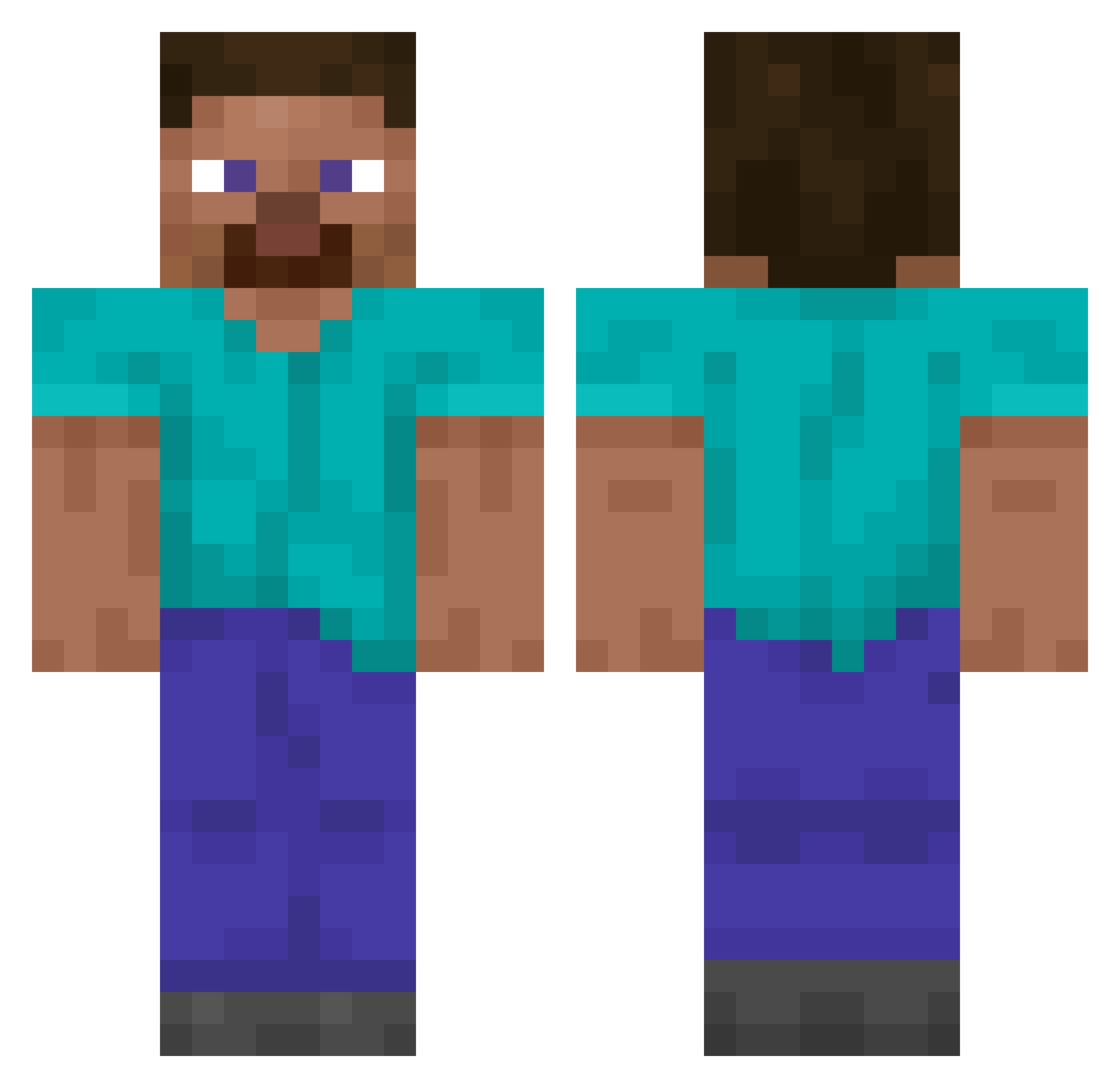
Current Minecraft skin of the player Seb_Calder, loaded from the official Mojang API. Rotate the 3D model with your mouse or finger, then download the skin as a PNG file and use it in Minecraft: Bedrock Edition or Java Edition for free. When Seb_Calder changes their skin, this page updates automatically and the old skin stays in the history below.
Other players with this skin (14067)
Seb_Calder was the 10589th player we have seen with this skin, first spotted on 15.10.2026. The same skin was seen on these players. Open a nickname to see their current skin and skin history.
 Aszika Filipek13082012 Zielik n0tmoony DerKaym19 RedBirds Sungyong__ Cathar TescosFreeWifi Asterinos16 coco201 straiker_ MiguelGv10 SnopperYT TRAGALECHE1 Sir_Hodenherz furimuuuu Lucitv_ Plexiglass Enderon123 Edga12342 Hamid1856 Spatzzzz Vousi Primost imlaggy178 Parandrus LilTmaN_tmv67 niclaskofo buxarik132 Sopor Entropyyy EnerAABatteries AndersonMyt TomN2022 legitXXX000 1Fanda1 Kenleroxer91 juwon092 Caedu_GG Chobrong Varazius KamiiMobbyn rodrif066 Blazetamer64 juicelien IcyThePotato Internal_Drowned xNichox ramiresd Ebavurerions MSparta bears_r_OP _zNicoz_ AliverHatz woolame aboiyad2 ritchardz qKeBaB SUPER_M3
How to install the Seb_Calder skin
- Press the Download button above to save the skin as a PNG file.
- Minecraft: Bedrock Edition (PE): open the Dressing Room from the main menu (or tap your character → Edit Character), go to Classic Skins → Owned, press the + (new skin) button, choose the downloaded PNG and pick the Classic (Steve) model. Works on PC and mobile; consoles cannot import custom skins.
- Minecraft: Java Edition: open the Minecraft Launcher, go to the Skins tab, click New Skin, load the PNG, pick the Classic (Steve) model and press Save & Use. You can also upload it at minecraft.net → Profile → Change Skin.
The skin does not show up after import - what should I do?
Restart Minecraft and open the Dressing Room again - imported skins sometimes appear only after a restart. Also make sure you selected the imported skin and picked the Classic (Steve) model.
Which model should I choose, Classic or Slim?
This skin is designed for the Classic (Steve) model. If you pick the wrong model, the arms of the skin will look stretched or squeezed.
Is the skin of Seb_Calder free to download?
Yes. Press Download, save the PNG file and use it in Minecraft: Bedrock Edition or Java Edition - no payment or registration needed. The skin also works on multiplayer servers and Realms.
More skins
Looking for more? Go back to all Minecraft skins and check the top skins of the week, month and all time, or find any player's skin by nickname.