
ScieraX - Minecraft Skins & Skin History
Current Minecraft skin of the player ScieraX, loaded from the official Mojang API. Rotate the 3D model with your mouse or finger, then download the skin as a PNG file and use it in Minecraft: Bedrock Edition or Java Edition for free. When ScieraX changes their skin, this page updates automatically and the old skin stays in the history below.
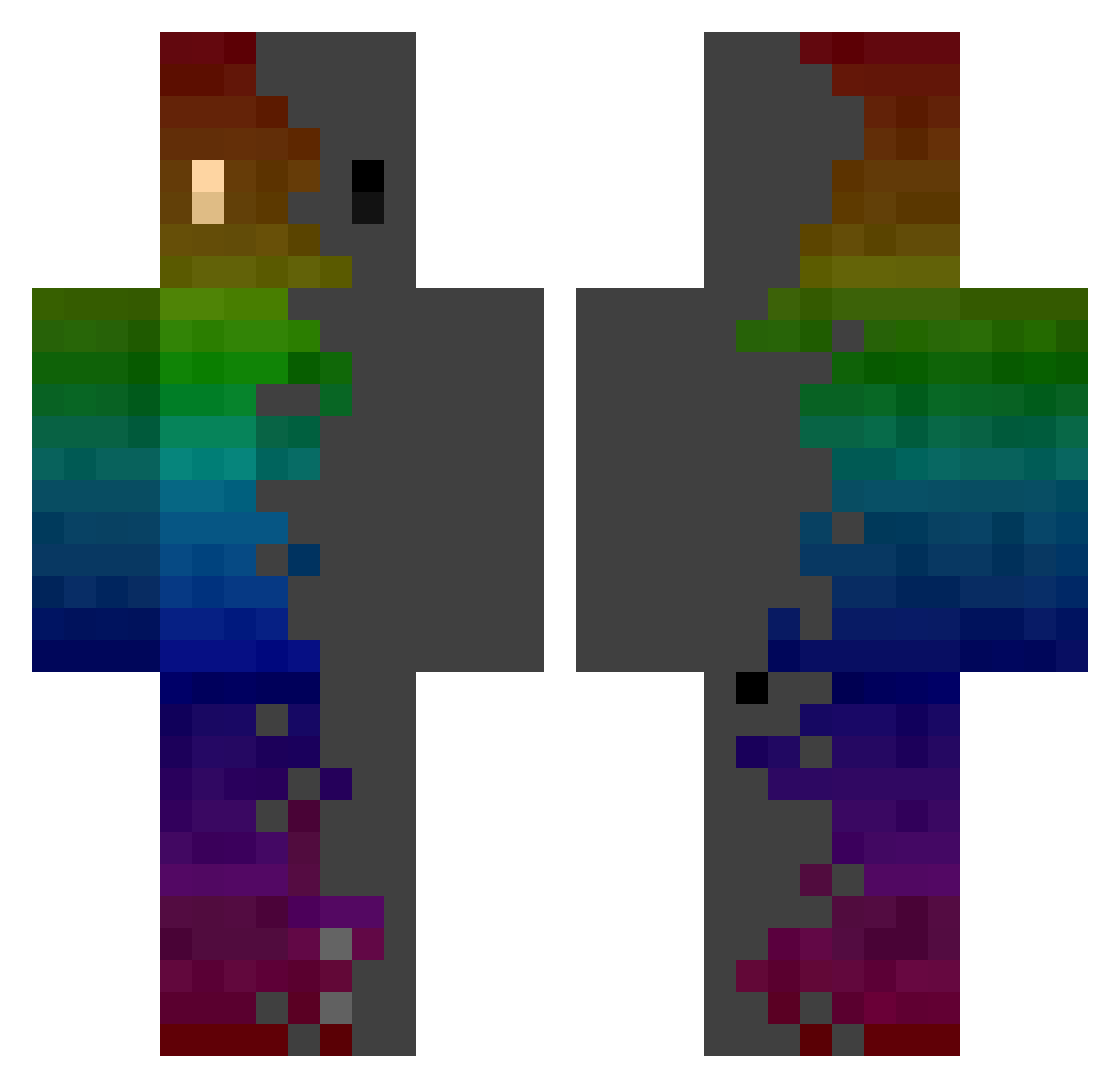
Other players with this skin (970)
ScieraX was the 523rd player we have seen with this skin, first spotted on 30.09.2026. The same skin was seen on these players. Open a nickname to see their current skin and skin history.
 Dysfunction_Dave Physcannon i_was_crazyonce Sunbathinghippo Oak_Barrel Vpkmp3 RibStick_2022 thefreshprince19 kimchi1209 gpc2008 LofoM12 SIHEmaru tc21hunnid XIANHUANG Bastorood StonedIcarus Feuri__ Hooja Darkroux K_orrr Humming96 _Ventus CIHY1899 ale18lbp FleSzoMan SquanchyMC SikNuclear DyNsTyAcE maffertorte NICK0NAT0R kprese SEB4SJL Relatablez daniel_0415 Saraah03 manderinenlpl Mkta_mt Ntric REX120726 RynnJeen YiFeng__ HazerBlazer8491 CyberWars Fabzul BenthePan Julnaz 3lenuhh Aleciro07 Darkside649 Fluff7403 PindaMetBier manu__faktur Lyckas nn_wns robosnoke XarkosSan _YORDE_ UnggiddongKKo Yaboitheos atoda
How to install the ScieraX skin
- Press the Download button above to save the skin as a PNG file.
- Minecraft: Bedrock Edition (PE): open the Dressing Room from the main menu (or tap your character → Edit Character), go to Classic Skins → Owned, press the + (new skin) button, choose the downloaded PNG and pick the Classic (Steve) model. Works on PC and mobile; consoles cannot import custom skins.
- Minecraft: Java Edition: open the Minecraft Launcher, go to the Skins tab, click New Skin, load the PNG, pick the Classic (Steve) model and press Save & Use. You can also upload it at minecraft.net → Profile → Change Skin.
The skin does not show up after import - what should I do?
Restart Minecraft and open the Dressing Room again - imported skins sometimes appear only after a restart. Also make sure you selected the imported skin and picked the Classic (Steve) model.
Which model should I choose, Classic or Slim?
This skin is designed for the Classic (Steve) model. If you pick the wrong model, the arms of the skin will look stretched or squeezed.
Is the skin of ScieraX free to download?
Yes. Press Download, save the PNG file and use it in Minecraft: Bedrock Edition or Java Edition - no payment or registration needed. The skin also works on multiplayer servers and Realms.
More skins
Looking for more? Go back to all Minecraft skins and check the top skins of the week, month and all time, or find any player's skin by nickname.