
Schnoople_Flarb - Minecraft Skins & Skin History
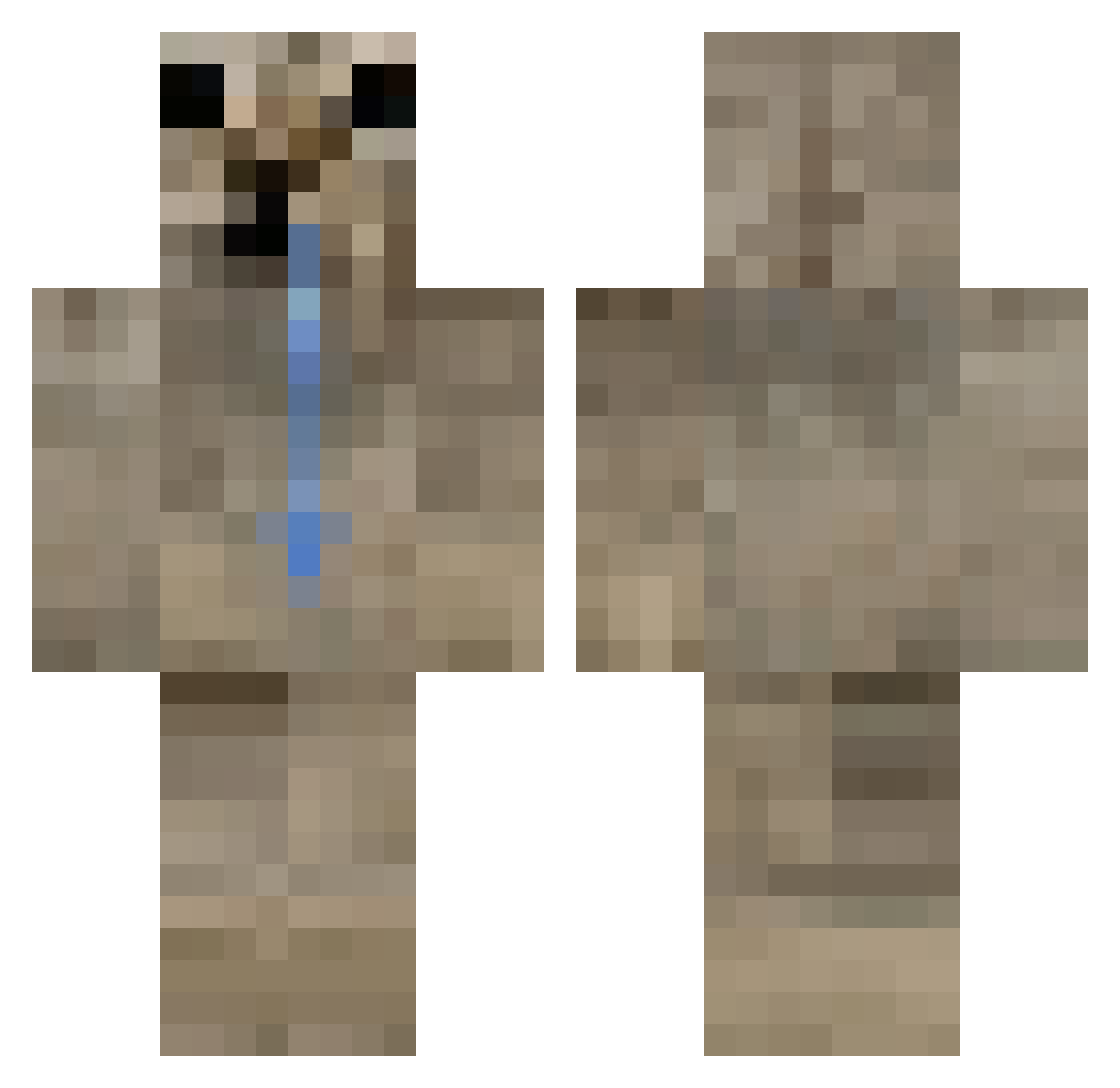
Current Minecraft skin of the player Schnoople_Flarb, loaded from the official Mojang API. Rotate the 3D model with your mouse or finger, then download the skin as a PNG file and use it in Minecraft: Bedrock Edition or Java Edition for free. When Schnoople_Flarb changes their skin, this page updates automatically and the old skin stays in the history below.
Other players with this skin (59)
Schnoople_Flarb was the 26th player we have seen with this skin, first spotted on 20.10.2026. The same skin was seen on these players. Open a nickname to see their current skin and skin history.
 Castiel17 peltive KTOPYTAL333 BailaVex SvveeZy HEROJOCA AdiBarux peruanito25 MRsheep8128 derdavid2011 Traktorzysta66 Pikathyx BigBoyBrain1 lel04_ ji_8 Boorger1 Julestin Bebriukas420 sjen0X Mob_XD FT_Sakki shiz1k vaca78 LateNightCoffe TuliJasiu dzgrg MadOndmen 6hristian QFloop holy_weasel farblewargle Sohbana yTush sosong Wheezed Kalid_b Rumerall cani234 Lgndtok Martoteeeeeee Floopa45 Hyr0o TiagoxCARP krxzii Lumsi Grampeador HJU3IO mampfu Drowsyyy16 CurlyJho Vinyooo Octopi__ xxhuebr Legiondox YOSOYvreD Hannibalbastet Pauperized Ghost_of_Yotei ARCT1
More Appa Minecraft skins
How to install the Schnoople_Flarb skin
- Press the Download button above to save the skin as a PNG file.
- Minecraft: Bedrock Edition (PE): open the Dressing Room from the main menu (or tap your character → Edit Character), go to Classic Skins → Owned, press the + (new skin) button, choose the downloaded PNG and pick the Classic (Steve) model. Works on PC and mobile; consoles cannot import custom skins.
- Minecraft: Java Edition: open the Minecraft Launcher, go to the Skins tab, click New Skin, load the PNG, pick the Classic (Steve) model and press Save & Use. You can also upload it at minecraft.net → Profile → Change Skin.
The skin does not show up after import - what should I do?
Restart Minecraft and open the Dressing Room again - imported skins sometimes appear only after a restart. Also make sure you selected the imported skin and picked the Classic (Steve) model.
Which model should I choose, Classic or Slim?
This skin is designed for the Classic (Steve) model. If you pick the wrong model, the arms of the skin will look stretched or squeezed.
Is the skin of Schnoople_Flarb free to download?
Yes. Press Download, save the PNG file and use it in Minecraft: Bedrock Edition or Java Edition - no payment or registration needed. The skin also works on multiplayer servers and Realms.
More skins
Looking for more? Go back to all Minecraft skins and check the top skins of the week, month and all time, or find any player's skin by nickname.