
SR_light - Minecraft Skins & Skin History
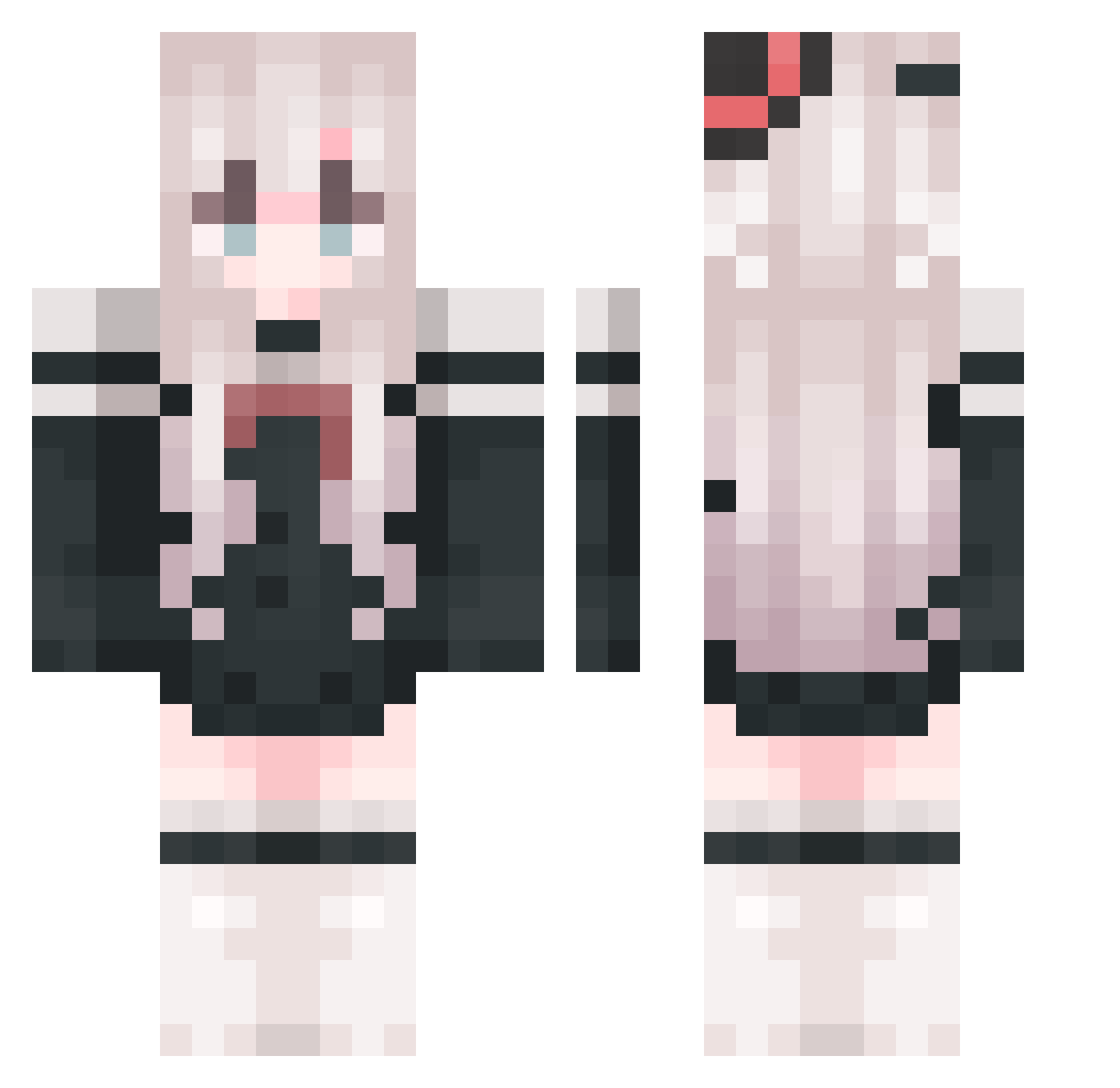
Current Minecraft skin of the player SR_light, loaded from the official Mojang API. Rotate the 3D model with your mouse or finger, then download the skin as a PNG file and use it in Minecraft: Bedrock Edition or Java Edition for free. When SR_light changes their skin, this page updates automatically and the old skin stays in the history below.
Other players with this skin (1054)
SR_light was the 940th player we have seen with this skin, first spotted on 31.10.2026. The same skin was seen on these players. Open a nickname to see their current skin and skin history.
 ComputerCry lion_drnceo ZAluneth xixi__17 BeTheOne07 MINGUIO Mie_feng Monsieur_Yan COCO_SAUL Karain7 yltjsmn LunAr5eT Rem_5 spirityan1 mxyxx Iyiew zhipr miosakuya Moiriaan huanli_sama Czzzs_ Faaa0909 Qiao_zi xufuzi cjhhe Fm_XQ FANMingS Dat_cat AD13K nb1111 LuoHou_ lcrqq Afish005 Elysia_Pure LadyM4 36me hearllou Conor778 Amylala66 YukiBin georgemor Irislea0 Grillen_15 yushi65 Kaiserpole tevhe ZBZG xipang crayTT Pierrot_9 meihua521 FFFFFFY0 BXYLOVE HaleBasket78 The_zly weijiam Mark7011 ZetaX330 wu_wang12 SHIAwei123
More Top Hat Minecraft skins
How to install the SR_light skin
- Press the Download button above to save the skin as a PNG file.
- Minecraft: Bedrock Edition (PE): open the Dressing Room from the main menu (or tap your character → Edit Character), go to Classic Skins → Owned, press the + (new skin) button, choose the downloaded PNG and pick the Classic (Steve) model. Works on PC and mobile; consoles cannot import custom skins.
- Minecraft: Java Edition: open the Minecraft Launcher, go to the Skins tab, click New Skin, load the PNG, pick the Classic (Steve) model and press Save & Use. You can also upload it at minecraft.net → Profile → Change Skin.
The skin does not show up after import - what should I do?
Restart Minecraft and open the Dressing Room again - imported skins sometimes appear only after a restart. Also make sure you selected the imported skin and picked the Classic (Steve) model.
Which model should I choose, Classic or Slim?
This skin is designed for the Classic (Steve) model. If you pick the wrong model, the arms of the skin will look stretched or squeezed.
Is the skin of SR_light free to download?
Yes. Press Download, save the PNG file and use it in Minecraft: Bedrock Edition or Java Edition - no payment or registration needed. The skin also works on multiplayer servers and Realms.
More skins
Looking for more? Go back to all Minecraft skins and check the top skins of the week, month and all time, or find any player's skin by nickname.