
SG_Mingled - Minecraft Skins & Skin History
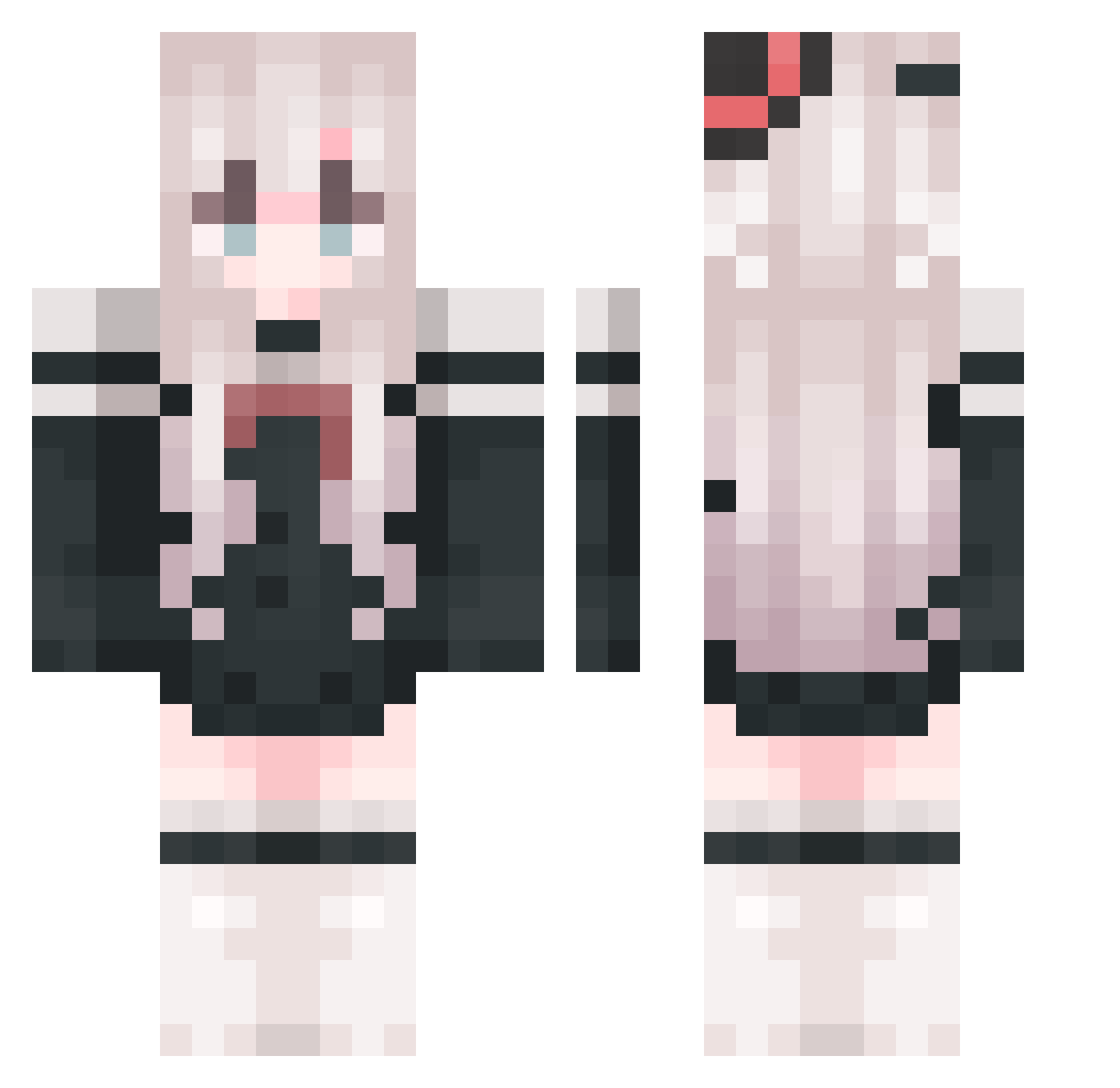
Current Minecraft skin of the player SG_Mingled, loaded from the official Mojang API. Rotate the 3D model with your mouse or finger, then download the skin as a PNG file and use it in Minecraft: Bedrock Edition or Java Edition for free. When SG_Mingled changes their skin, this page updates automatically and the old skin stays in the history below.
Other players with this skin (1055)
SG_Mingled was the 898th player we have seen with this skin, first spotted on 27.10.2026. The same skin was seen on these players. Open a nickname to see their current skin and skin history.
 SkyStream29 BIE_MIN Creamblue9 Zimu37 Rae39 TwiStrainy Iub779 Yosin__ BAIYEJ RaphaelTissot yeyan1235 Knbai shenyici fearkein LovelyDragonUoU ababaz736 AnDongNan Raiden_Shogun_wc cosdes Lmixc gyswlp Dou_Yan QWEACDE ZetaX330 HaleBasket78 BXYLOVE xiao__qian AbundantAmber FFFFFFY0 crayTT ZBZG lightseek Kaiserpole yushi65 Grillen_15 Irislea0 gx133 FZczz georgemor YukiBin K__ON__ 36me LadyM4 Mitomoli Elysia_Pure XinQ1ng wmask Iraqis11 Red_Pulsar lcrqq AD13K summerxiatian0 REoxygen Dat_cat Fm_XQ cjhhe RainStar7981 xufuzi djwgh Qiao_zi
More Top Hat Minecraft skins
How to install the SG_Mingled skin
- Press the Download button above to save the skin as a PNG file.
- Minecraft: Bedrock Edition (PE): open the Dressing Room from the main menu (or tap your character → Edit Character), go to Classic Skins → Owned, press the + (new skin) button, choose the downloaded PNG and pick the Classic (Steve) model. Works on PC and mobile; consoles cannot import custom skins.
- Minecraft: Java Edition: open the Minecraft Launcher, go to the Skins tab, click New Skin, load the PNG, pick the Classic (Steve) model and press Save & Use. You can also upload it at minecraft.net → Profile → Change Skin.
The skin does not show up after import - what should I do?
Restart Minecraft and open the Dressing Room again - imported skins sometimes appear only after a restart. Also make sure you selected the imported skin and picked the Classic (Steve) model.
Which model should I choose, Classic or Slim?
This skin is designed for the Classic (Steve) model. If you pick the wrong model, the arms of the skin will look stretched or squeezed.
Is the skin of SG_Mingled free to download?
Yes. Press Download, save the PNG file and use it in Minecraft: Bedrock Edition or Java Edition - no payment or registration needed. The skin also works on multiplayer servers and Realms.
More skins
Looking for more? Go back to all Minecraft skins and check the top skins of the week, month and all time, or find any player's skin by nickname.