
SEYUNPANG - Minecraft Skins & Skin History
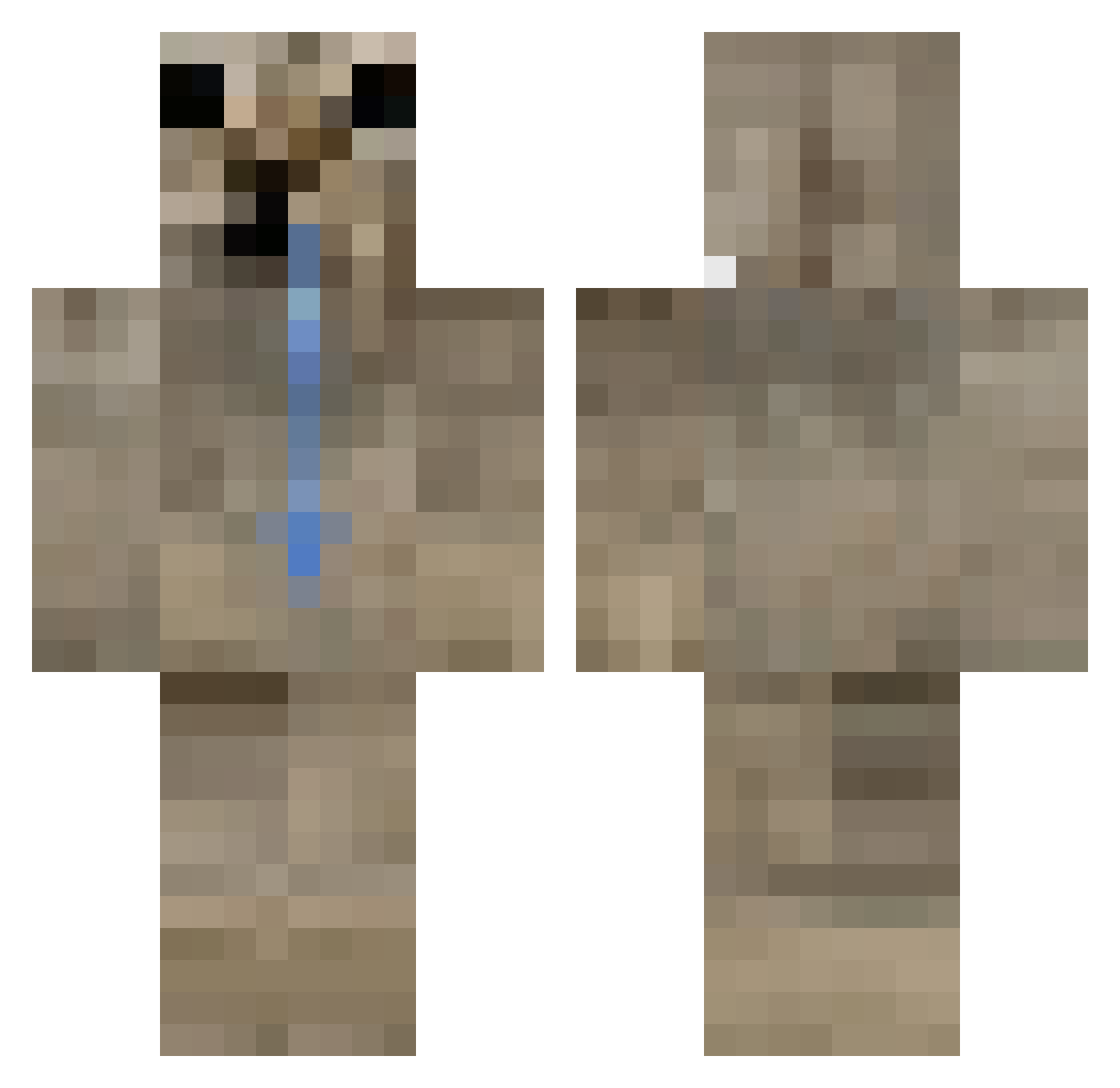
Current Minecraft skin of the player SEYUNPANG, loaded from the official Mojang API. Rotate the 3D model with your mouse or finger, then download the skin as a PNG file and use it in Minecraft: Bedrock Edition or Java Edition for free. When SEYUNPANG changes their skin, this page updates automatically and the old skin stays in the history below.
Other players with this skin (459)
SEYUNPANG was the 453rd player we have seen with this skin, first spotted on 08.11.2026. The same skin was seen on these players. Open a nickname to see their current skin and skin history.
 mcs1king 9aic craner2021 Mooderoni MiunJ xonooy Julianxxoxxxs TTVmars2965 YungWezo ConexionSkilllll Superhacker385 rosorial Mushrooum Sp3nna InnnfamousPBBB derdss Olrite NlK032 mahaneL Forever70 requni Koadesu0 Stinky_Johny murhong Zxpxrr 09_o1 mateurss Chxncy xylaryy untalisy LordPipon AArs3808 SweeBoo Fallen_GG chillguy1123 Vruzia gm_blahaj SuperDuur AnnaPozderki cheasen Dannejouwu sastro_ngl Misa_2013 OneAndOnlyBuster Beezwaxx_ liwyor krostyfire 11ALVAR06 Fr1jolez panoio mqn_ DELFlNO kvqLm YupImRandom B4UAQUA e0mji Leander_derGeile OlyaUA_ Amgar219 Puberdade
How to install the SEYUNPANG skin
- Press the Download button above to save the skin as a PNG file.
- Minecraft: Bedrock Edition (PE): open the Dressing Room from the main menu (or tap your character → Edit Character), go to Classic Skins → Owned, press the + (new skin) button, choose the downloaded PNG and pick the Classic (Steve) model. Works on PC and mobile; consoles cannot import custom skins.
- Minecraft: Java Edition: open the Minecraft Launcher, go to the Skins tab, click New Skin, load the PNG, pick the Classic (Steve) model and press Save & Use. You can also upload it at minecraft.net → Profile → Change Skin.
The skin does not show up after import - what should I do?
Restart Minecraft and open the Dressing Room again - imported skins sometimes appear only after a restart. Also make sure you selected the imported skin and picked the Classic (Steve) model.
Which model should I choose, Classic or Slim?
This skin is designed for the Classic (Steve) model. If you pick the wrong model, the arms of the skin will look stretched or squeezed.
Is the skin of SEYUNPANG free to download?
Yes. Press Download, save the PNG file and use it in Minecraft: Bedrock Edition or Java Edition - no payment or registration needed. The skin also works on multiplayer servers and Realms.
More skins
Looking for more? Go back to all Minecraft skins and check the top skins of the week, month and all time, or find any player's skin by nickname.