
RinRinTan05 - Minecraft Skins & Skin History
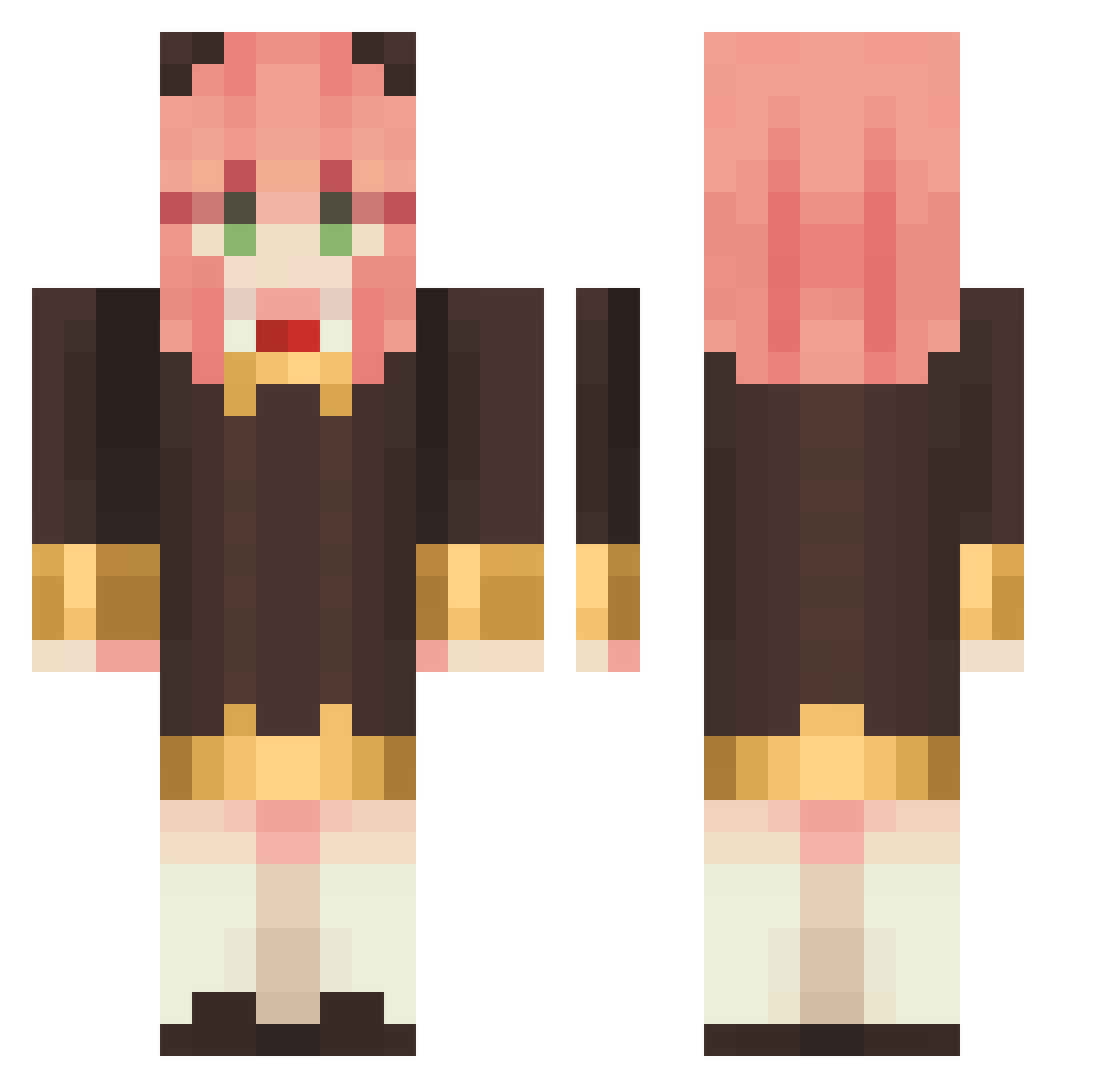
Current Minecraft skin of the player RinRinTan05, loaded from the official Mojang API. Rotate the 3D model with your mouse or finger, then download the skin as a PNG file and use it in Minecraft: Bedrock Edition or Java Edition for free. When RinRinTan05 changes their skin, this page updates automatically and the old skin stays in the history below.
Other players with this skin (1133)
RinRinTan05 was the 1090th player we have seen with this skin, first spotted on 01.11.2026. The same skin was seen on these players. Open a nickname to see their current skin and skin history.
 Mafarda khw0612 HanGouZi Jasmine34453 Paydays xiniholy ping0724 Min_Ramen Kaiiii1 tamateri Ksin_Yo Kathy8o fumitakamura Jules7_7 Soarer67 Plumage317 In_Nyanko SilverSyryus Yuharin11 starwrath_ Gansya_MASTER fowof123678 Daneou07 Wataru8008 Toonza245 SunaSunbeam MalakSheta TheReaINep 1NE00N ZAWAZAWA11295561 qw1234e5 dustynone jeffery0614 thabarbb SaphiiRah kunisakisan saph00 palomapspsps chiayu17 baerasoniLove tenchanOwO suzukio_0 AGUXTD XimeBot ElisaKuan _Jaeden_ todaycat E9xcel JETOBALO kaiven000 Evenior EmiLy_Bi nekorobon Lovkumi Benina0908 Oneclocko CARAMELOGAMER13 _here_ ChiChi2121 Serori_GG
More Anya Forger Minecraft skins
How to install the RinRinTan05 skin
- Press the Download button above to save the skin as a PNG file.
- Minecraft: Bedrock Edition (PE): open the Dressing Room from the main menu (or tap your character → Edit Character), go to Classic Skins → Owned, press the + (new skin) button, choose the downloaded PNG and pick the Classic (Steve) model. Works on PC and mobile; consoles cannot import custom skins.
- Minecraft: Java Edition: open the Minecraft Launcher, go to the Skins tab, click New Skin, load the PNG, pick the Classic (Steve) model and press Save & Use. You can also upload it at minecraft.net → Profile → Change Skin.
The skin does not show up after import - what should I do?
Restart Minecraft and open the Dressing Room again - imported skins sometimes appear only after a restart. Also make sure you selected the imported skin and picked the Classic (Steve) model.
Which model should I choose, Classic or Slim?
This skin is designed for the Classic (Steve) model. If you pick the wrong model, the arms of the skin will look stretched or squeezed.
Is the skin of RinRinTan05 free to download?
Yes. Press Download, save the PNG file and use it in Minecraft: Bedrock Edition or Java Edition - no payment or registration needed. The skin also works on multiplayer servers and Realms.
More skins
Looking for more? Go back to all Minecraft skins and check the top skins of the week, month and all time, or find any player's skin by nickname.