
RatEggss - Minecraft Skins & Skin History
Current Minecraft skin of the player RatEggss, loaded from the official Mojang API. Rotate the 3D model with your mouse or finger, then download the skin as a PNG file and use it in Minecraft: Bedrock Edition or Java Edition for free. When RatEggss changes their skin, this page updates automatically and the old skin stays in the history below.
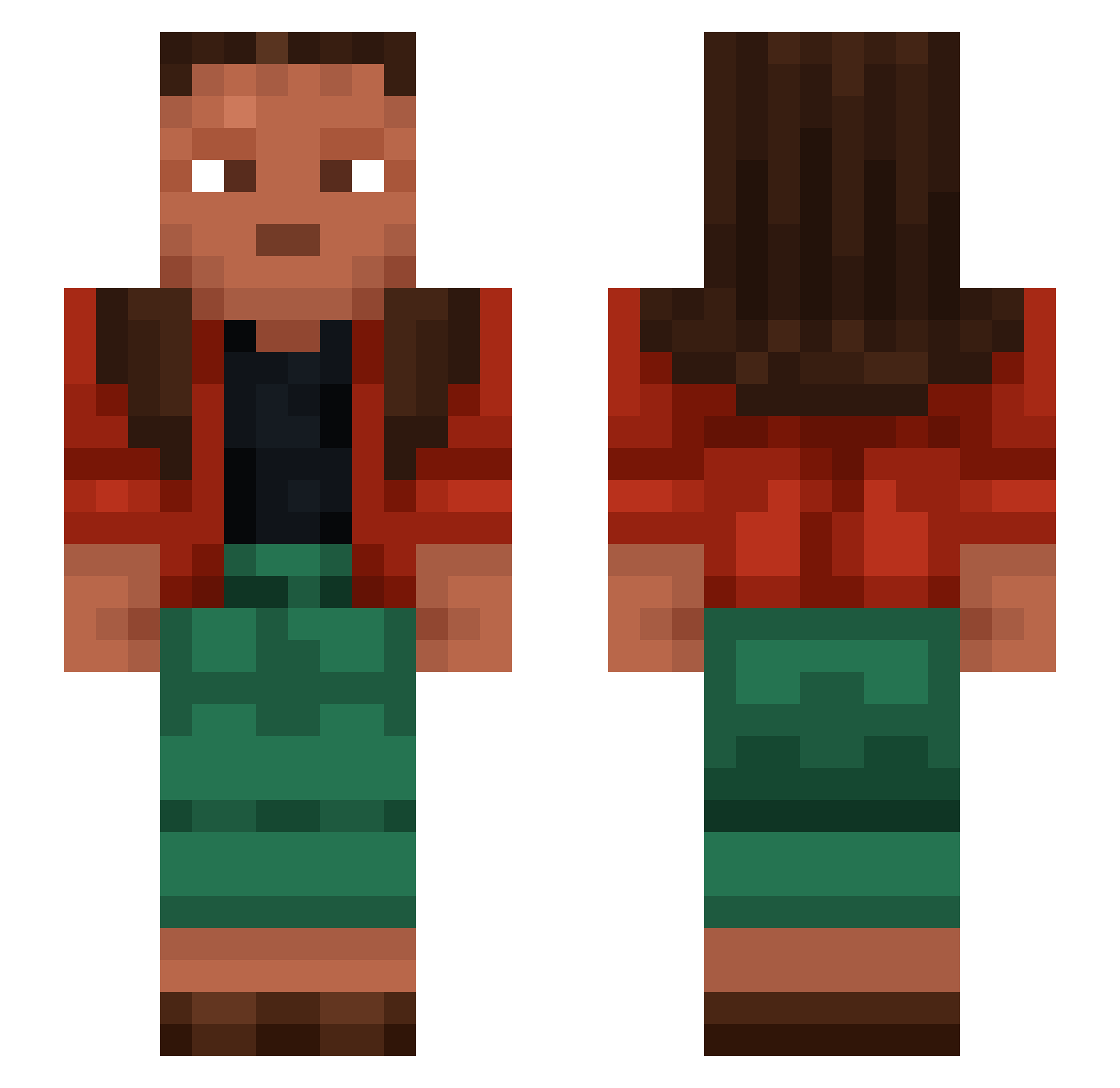
Other players with this skin (1290)
RatEggss was the 1218th player we have seen with this skin, first spotted on 02.11.2026. The same skin was seen on these players. Open a nickname to see their current skin and skin history.
 Durio Seismograph nothofagus cachous Niissen bacteriophage VallahBruderr insulators redacted caffe__ Endermummy CamWood Ascetic MrChickennns Empirico Ferting Bracketted Estrapade Nestler ramparmi PiotrLotr12345 Zonaria toe69420 keffel Saniyt Steelmaker Jydes st715efy Son1On Chartings watcheye JGGGS airpodspro2 EsneykJM milkcooks federalised FluxiNNg thomasjay6 avoca_lover Neptuno xsonyqq_ SeleanB7S Skyle clayman Idkman3135 Sucrier Empty Acleaust IdotIInvaded Kacperek1304 Enigma12000 peantoby7 Micher__ tjhthegreatone ELQQ34 Mandolas unaidable discorporate semiband kyloe
How to install the RatEggss skin
- Press the Download button above to save the skin as a PNG file.
- Minecraft: Bedrock Edition (PE): open the Dressing Room from the main menu (or tap your character → Edit Character), go to Classic Skins → Owned, press the + (new skin) button, choose the downloaded PNG and pick the Slim (Alex) model. Works on PC and mobile; consoles cannot import custom skins.
- Minecraft: Java Edition: open the Minecraft Launcher, go to the Skins tab, click New Skin, load the PNG, pick the Slim (Alex) model and press Save & Use. You can also upload it at minecraft.net → Profile → Change Skin.
The skin does not show up after import - what should I do?
Restart Minecraft and open the Dressing Room again - imported skins sometimes appear only after a restart. Also make sure you selected the imported skin and picked the Slim (Alex) model.
Which model should I choose, Classic or Slim?
This skin is designed for the Slim (Alex) model. If you pick the wrong model, the arms of the skin will look stretched or squeezed.
Is the skin of RatEggss free to download?
Yes. Press Download, save the PNG file and use it in Minecraft: Bedrock Edition or Java Edition - no payment or registration needed. The skin also works on multiplayer servers and Realms.
More skins
Looking for more? Go back to all Minecraft skins and check the top skins of the week, month and all time, or find any player's skin by nickname.