
Rakso69swaG - Minecraft Skins & Skin History
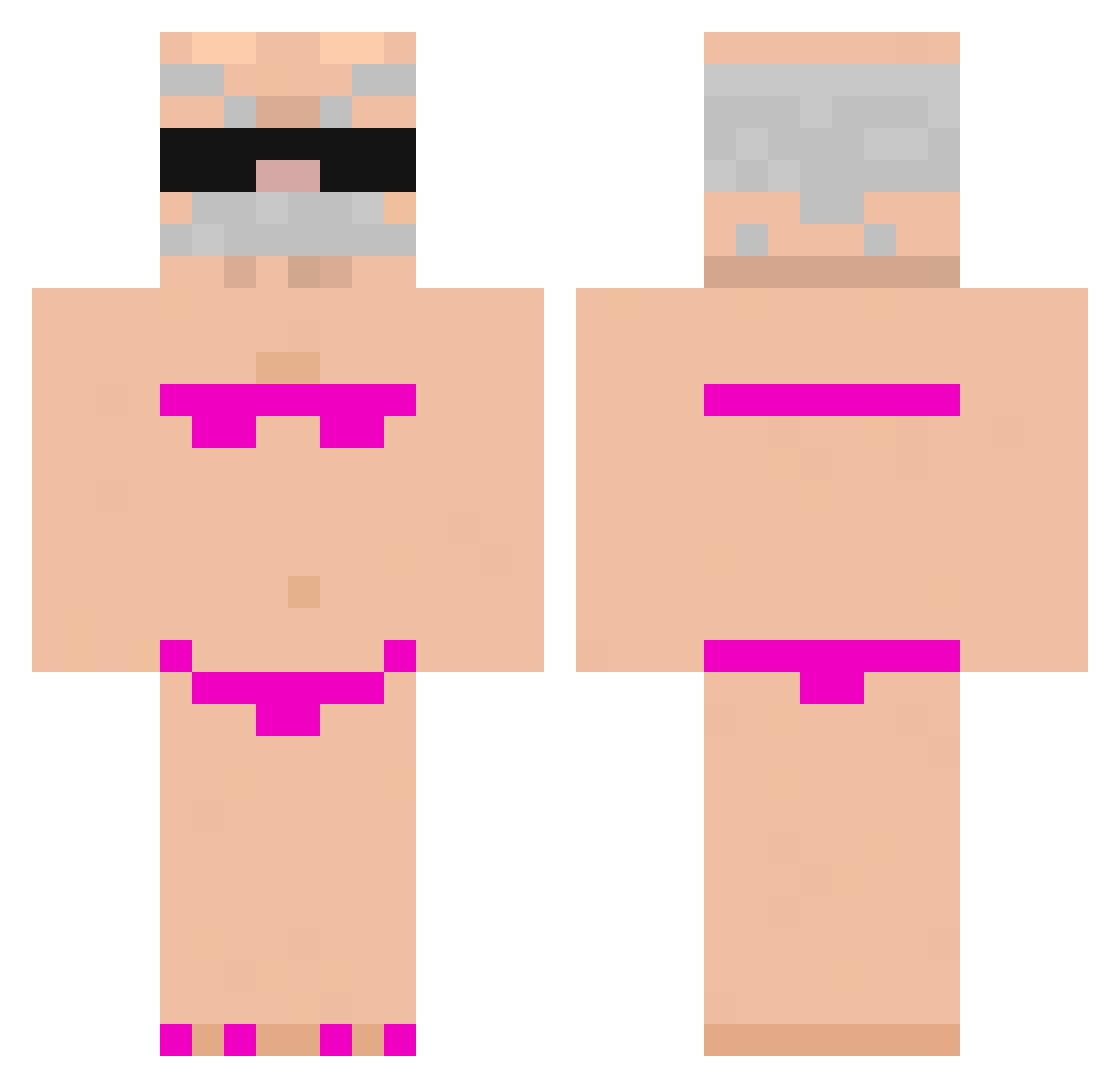
Current Minecraft skin of the player Rakso69swaG, loaded from the official Mojang API. Rotate the 3D model with your mouse or finger, then download the skin as a PNG file and use it in Minecraft: Bedrock Edition or Java Edition for free. When Rakso69swaG changes their skin, this page updates automatically and the old skin stays in the history below.
Other players with this skin (971)
Rakso69swaG was the 936th player we have seen with this skin, first spotted on 06.11.2026. The same skin was seen on these players. Open a nickname to see their current skin and skin history.
 _Felca Lygintuvas asd245 Iltis1245 woolec bellboy_111 karamarui Vrest1 marcepan1k Dinglelord69 brukijmen0802 OnKneesForLebron Alucard1004 leoclm fengzx123 Sebastin700 koolkirkir Kaixun_04 ddebel4o handsome_xiang SIXSEVENSIXNINE _glitzyeyes579 aiicattt Mambokara Shrine_9 BamboDiabolo ZAINOOOOOOOM Tadriss83 pang_xiong QIWU666 schmucki ben66609 homems TOMIJM HolisticApe3567 Sclurbus sferek866 GBggg Lenci_Penci kxnny2006 MaxCraft833 5plashh Neno001 materiel04 legalek SkyrMaslo Wakadou Pokepro23 sasko7 skalmar21312732 Piskus1304 samirk2 hotstuff123454 ebellz7 jihyowife 7knoqw Monkzey memelihan sgnce BAU_RETO
More Karl Marx Minecraft skins
How to install the Rakso69swaG skin
- Press the Download button above to save the skin as a PNG file.
- Minecraft: Bedrock Edition (PE): open the Dressing Room from the main menu (or tap your character → Edit Character), go to Classic Skins → Owned, press the + (new skin) button, choose the downloaded PNG and pick the Classic (Steve) model. Works on PC and mobile; consoles cannot import custom skins.
- Minecraft: Java Edition: open the Minecraft Launcher, go to the Skins tab, click New Skin, load the PNG, pick the Classic (Steve) model and press Save & Use. You can also upload it at minecraft.net → Profile → Change Skin.
The skin does not show up after import - what should I do?
Restart Minecraft and open the Dressing Room again - imported skins sometimes appear only after a restart. Also make sure you selected the imported skin and picked the Classic (Steve) model.
Which model should I choose, Classic or Slim?
This skin is designed for the Classic (Steve) model. If you pick the wrong model, the arms of the skin will look stretched or squeezed.
Is the skin of Rakso69swaG free to download?
Yes. Press Download, save the PNG file and use it in Minecraft: Bedrock Edition or Java Edition - no payment or registration needed. The skin also works on multiplayer servers and Realms.
More skins
Looking for more? Go back to all Minecraft skins and check the top skins of the week, month and all time, or find any player's skin by nickname.