
Rad_Crafter513 - Minecraft Skins & Skin History
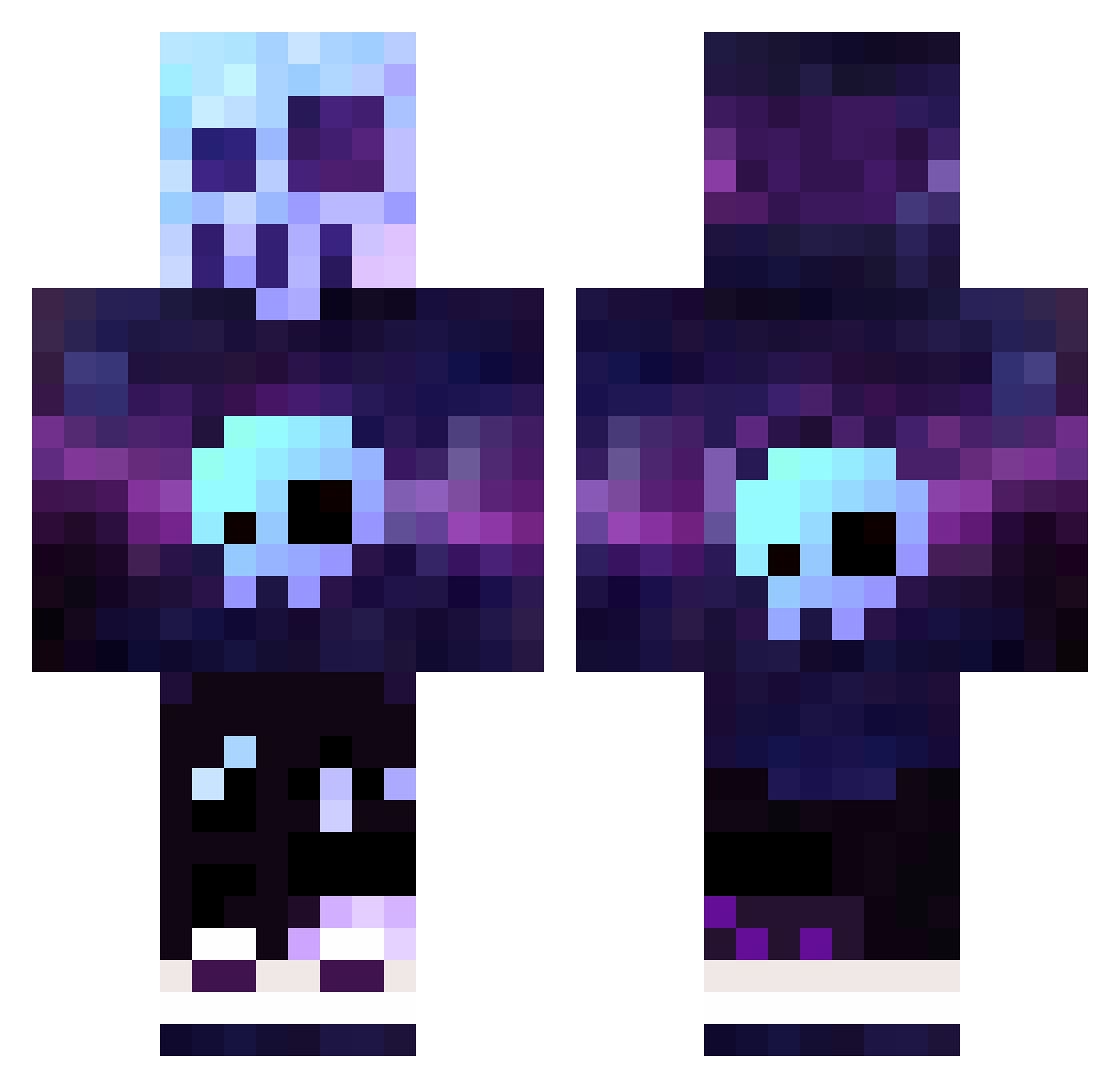
Current Minecraft skin of the player Rad_Crafter513, loaded from the official Mojang API. Rotate the 3D model with your mouse or finger, then download the skin as a PNG file and use it in Minecraft: Bedrock Edition or Java Edition for free. When Rad_Crafter513 changes their skin, this page updates automatically and the old skin stays in the history below.
Other players with this skin (423)
Rad_Crafter513 was the 364th player we have seen with this skin, first spotted on 30.10.2026. The same skin was seen on these players. Open a nickname to see their current skin and skin history.
 MegaN3wb byHecist Guiyyds VGpiano UltraDemon41 tarkrat Burg3rman09 BeetleJuice_X StartledStarfish zhugeeba1 SneakyBurgers 61turkeyboy Davdsss OGboobLover CATRACE2 Xercro Daren364 cagancc DavidGusman RoninTurkey NevermindVEVO TamarP l_inventeur_ NovaKnightN4 N1k0KuM3 DarkGoofy115 Kyojln Nicopro0316 ImMalynx lillypotato XxJoe_MaMaxX Brouni17 Kaga_kun cursedmonkey756 NEWST3AD SixDOF95 Mats187 ARMUTCUBACI Overlou prohape3x3 support426 FullFrenchFry KartoonKat T1M__ _MonkeyBoo_ MRGamer10 Kareax Miky006 KaRZaMaJoR coey666 Borkedzik Lazy2mile Glichester bootsi39 DwMax xxHTGxReaperxx Jersonsix tlc15025 Meeka0604 Zakilla
More Nebula Minecraft skins
How to install the Rad_Crafter513 skin
- Press the Download button above to save the skin as a PNG file.
- Minecraft: Bedrock Edition (PE): open the Dressing Room from the main menu (or tap your character → Edit Character), go to Classic Skins → Owned, press the + (new skin) button, choose the downloaded PNG and pick the Classic (Steve) model. Works on PC and mobile; consoles cannot import custom skins.
- Minecraft: Java Edition: open the Minecraft Launcher, go to the Skins tab, click New Skin, load the PNG, pick the Classic (Steve) model and press Save & Use. You can also upload it at minecraft.net → Profile → Change Skin.
The skin does not show up after import - what should I do?
Restart Minecraft and open the Dressing Room again - imported skins sometimes appear only after a restart. Also make sure you selected the imported skin and picked the Classic (Steve) model.
Which model should I choose, Classic or Slim?
This skin is designed for the Classic (Steve) model. If you pick the wrong model, the arms of the skin will look stretched or squeezed.
Is the skin of Rad_Crafter513 free to download?
Yes. Press Download, save the PNG file and use it in Minecraft: Bedrock Edition or Java Edition - no payment or registration needed. The skin also works on multiplayer servers and Realms.
More skins
Looking for more? Go back to all Minecraft skins and check the top skins of the week, month and all time, or find any player's skin by nickname.