
Qweqweqwe - Minecraft Skins & Skin History
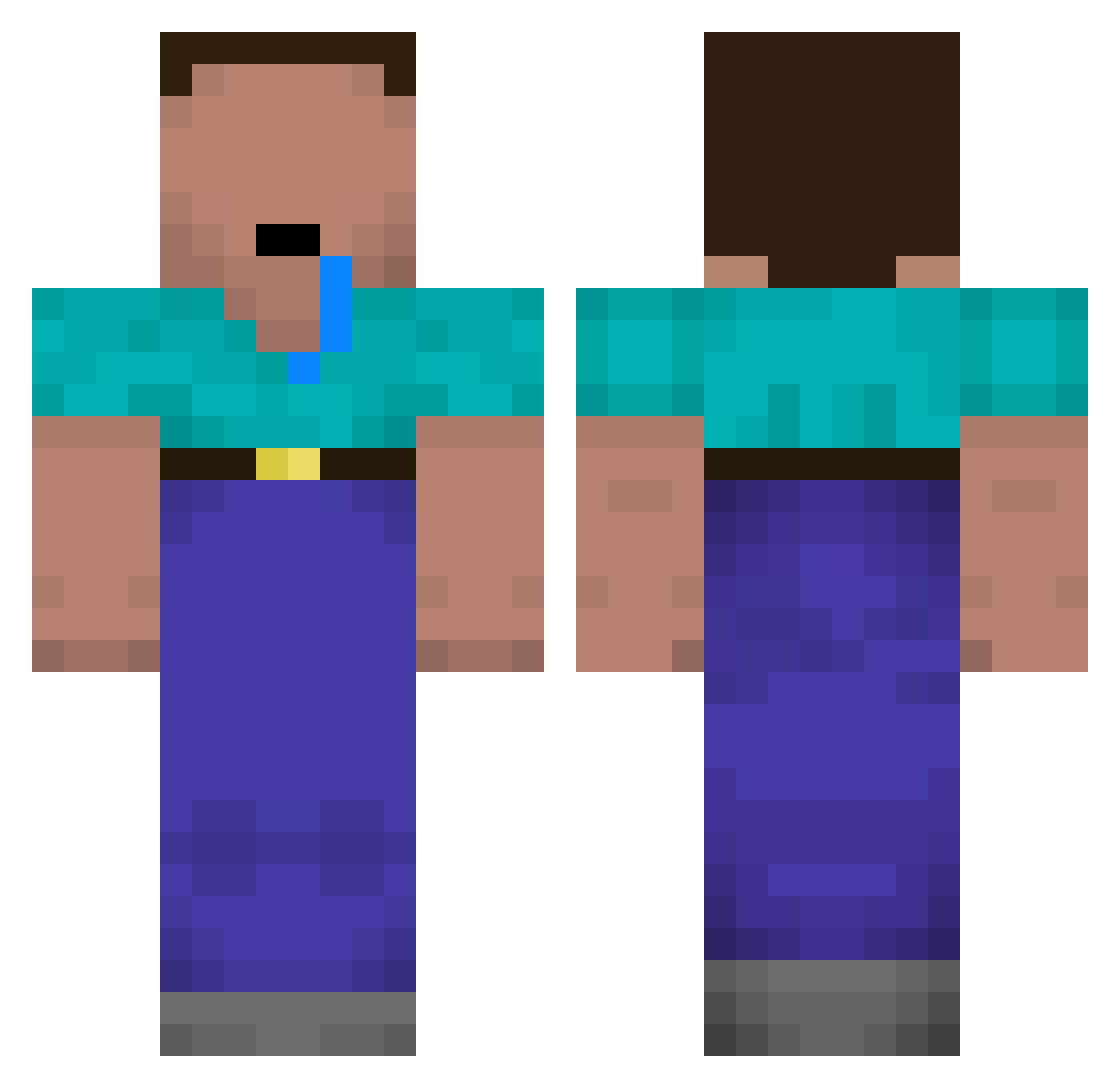
Current Minecraft skin of the player Qweqweqwe, loaded from the official Mojang API. Rotate the 3D model with your mouse or finger, then download the skin as a PNG file and use it in Minecraft: Bedrock Edition or Java Edition for free. When Qweqweqwe changes their skin, this page updates automatically and the old skin stays in the history below.
Other players with this skin (128)
Qweqweqwe was the 103rd player we have seen with this skin, first spotted on 19.10.2026. The same skin was seen on these players. Open a nickname to see their current skin and skin history.
 Jmaicano420 IllusionistKing DennisBAZINGA1 NadavKa X_Minister maxime2174380 doodoobob Chojin_ bananachoko2525 Adamer240 Big_Boy_Theo Fons12345 NotChzn josegabfut JerkyBeef_24 7V9M DonGael sebasj2hk PuwBin rr3dhaa MOODXD MrCebola100 Dragon2810x JangJaeHoon Milio2285 govnozavr Ben83875 FREEDIDDY1x N_Abdulhalim Hxckepeter Justa jamesaddison123 DorukaPro Saffordxd Josken soBuTka_ 576TL Solas_0 TaiBreathStink TravisScammer Thysem DhangTe Minezhann Kasperbis snakewood Jakob282008 Ssvennos mvnc darkyyy___ SKK17 NarutoKamado moonchaserr mhersh0909 x21mortadela H0mels yeahkuba AttiRaph Xehsio Jeroensmet D_xander
More Drooling Minecraft skins
How to install the Qweqweqwe skin
- Press the Download button above to save the skin as a PNG file.
- Minecraft: Bedrock Edition (PE): open the Dressing Room from the main menu (or tap your character → Edit Character), go to Classic Skins → Owned, press the + (new skin) button, choose the downloaded PNG and pick the Classic (Steve) model. Works on PC and mobile; consoles cannot import custom skins.
- Minecraft: Java Edition: open the Minecraft Launcher, go to the Skins tab, click New Skin, load the PNG, pick the Classic (Steve) model and press Save & Use. You can also upload it at minecraft.net → Profile → Change Skin.
The skin does not show up after import - what should I do?
Restart Minecraft and open the Dressing Room again - imported skins sometimes appear only after a restart. Also make sure you selected the imported skin and picked the Classic (Steve) model.
Which model should I choose, Classic or Slim?
This skin is designed for the Classic (Steve) model. If you pick the wrong model, the arms of the skin will look stretched or squeezed.
Is the skin of Qweqweqwe free to download?
Yes. Press Download, save the PNG file and use it in Minecraft: Bedrock Edition or Java Edition - no payment or registration needed. The skin also works on multiplayer servers and Realms.
More skins
Looking for more? Go back to all Minecraft skins and check the top skins of the week, month and all time, or find any player's skin by nickname.