
PuRpLeZa_ - Minecraft Skins & Skin History
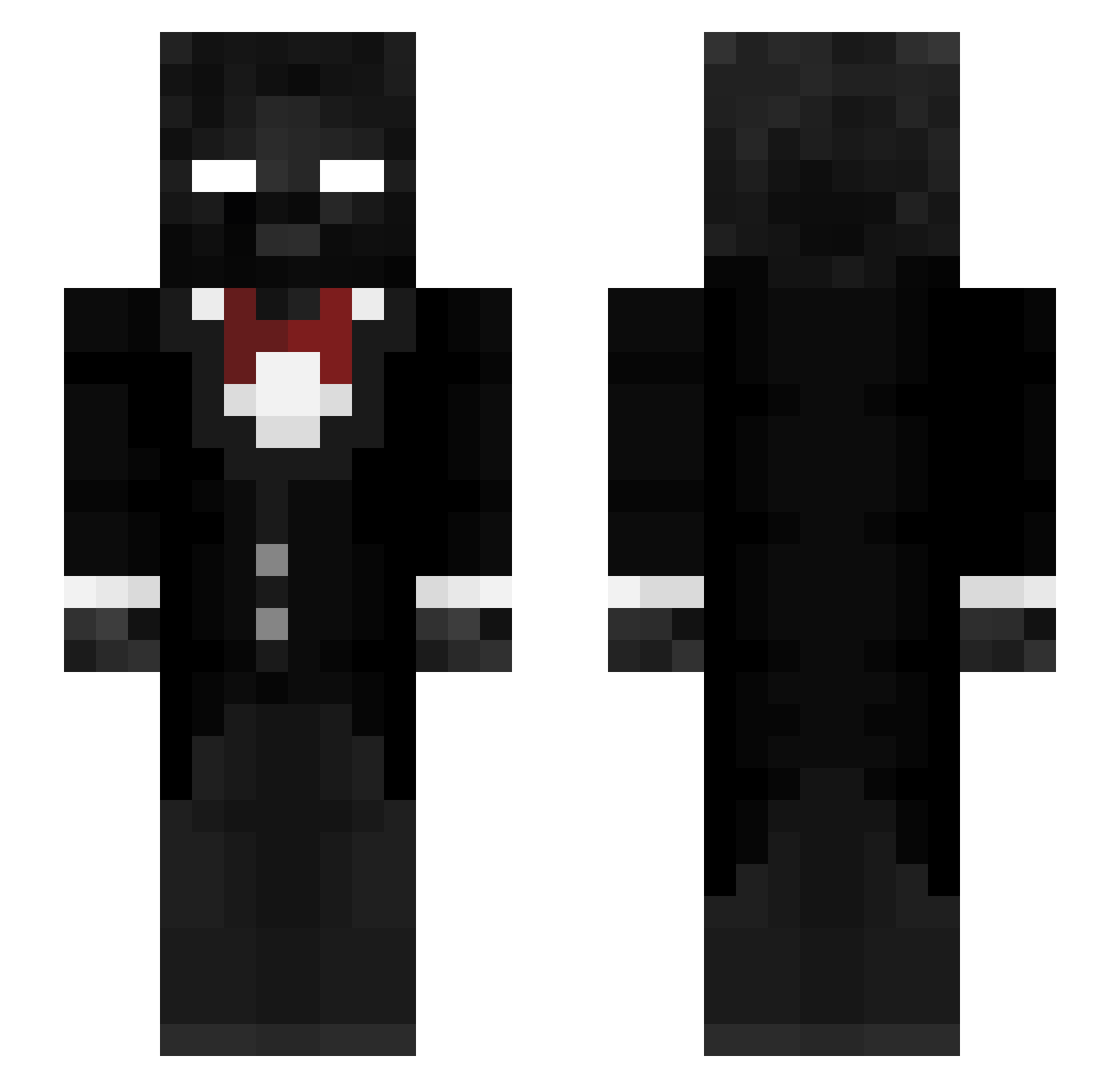
Current Minecraft skin of the player PuRpLeZa_, loaded from the official Mojang API. Rotate the 3D model with your mouse or finger, then download the skin as a PNG file and use it in Minecraft: Bedrock Edition or Java Edition for free. When PuRpLeZa_ changes their skin, this page updates automatically and the old skin stays in the history below.
Other players with this skin (307)
PuRpLeZa_ was the 302nd player we have seen with this skin, first spotted on 05.11.2026. The same skin was seen on these players. Open a nickname to see their current skin and skin history.
 firdussy B2AC OnePoint21GWtz ItachiTenkay Moehawkboys GodX111 aer2mu RealYoDave 0nyx_mc13 MinuteTech_ jimmbhbhvv SigmaProg22g just2509 thunderxs DrAshh21 Bagelboy82 sp1cy_MC Echoless_ oSilcon_ byfrxst Jirka_cz1 Bette_karl Takedav DevinTooTuff Boco8513 xXFrankyJoeXx munoman WeakStone Delusion1234 Sachito09 littlenoob1919 ranisavv Xy289 Adriux125 bitoniera avocadoguy11111 priestwasp EEreffs Chicken_Nuggie90 ThatLastKnight RearxFrGLT Jossa2 Nathrunning cool_name9845 Nija2die ActiveVEF FatalCactus1712 Tylerrshere IceKing12 JevSnape s7pr4_ Spicyr3est Ty1xr Web_shooter14 ZebulonMakeijan MrWisteria Siphon1x ducanhsebala Yijiayi114514 D1dDy_xD
How to install the PuRpLeZa_ skin
- Press the Download button above to save the skin as a PNG file.
- Minecraft: Bedrock Edition (PE): open the Dressing Room from the main menu (or tap your character → Edit Character), go to Classic Skins → Owned, press the + (new skin) button, choose the downloaded PNG and pick the Slim (Alex) model. Works on PC and mobile; consoles cannot import custom skins.
- Minecraft: Java Edition: open the Minecraft Launcher, go to the Skins tab, click New Skin, load the PNG, pick the Slim (Alex) model and press Save & Use. You can also upload it at minecraft.net → Profile → Change Skin.
The skin does not show up after import - what should I do?
Restart Minecraft and open the Dressing Room again - imported skins sometimes appear only after a restart. Also make sure you selected the imported skin and picked the Slim (Alex) model.
Which model should I choose, Classic or Slim?
This skin is designed for the Slim (Alex) model. If you pick the wrong model, the arms of the skin will look stretched or squeezed.
Is the skin of PuRpLeZa_ free to download?
Yes. Press Download, save the PNG file and use it in Minecraft: Bedrock Edition or Java Edition - no payment or registration needed. The skin also works on multiplayer servers and Realms.
More skins
Looking for more? Go back to all Minecraft skins and check the top skins of the week, month and all time, or find any player's skin by nickname.